

Learning how to use blood pressure monitor Walgreens devices at home is simple and straightforward. Most models feature an automatic arm cuff and a digital display that starts with the push of a single button. Taking a few quiet moments to prepare helps you capture clear, consistent numbers you can share with your doctor.

Steps for Using Your Walgreens Blood Pressure Monitor
- Sit quietly before you start. Rest in a comfortable chair for about five minutes before taking a reading so your body is relaxed.
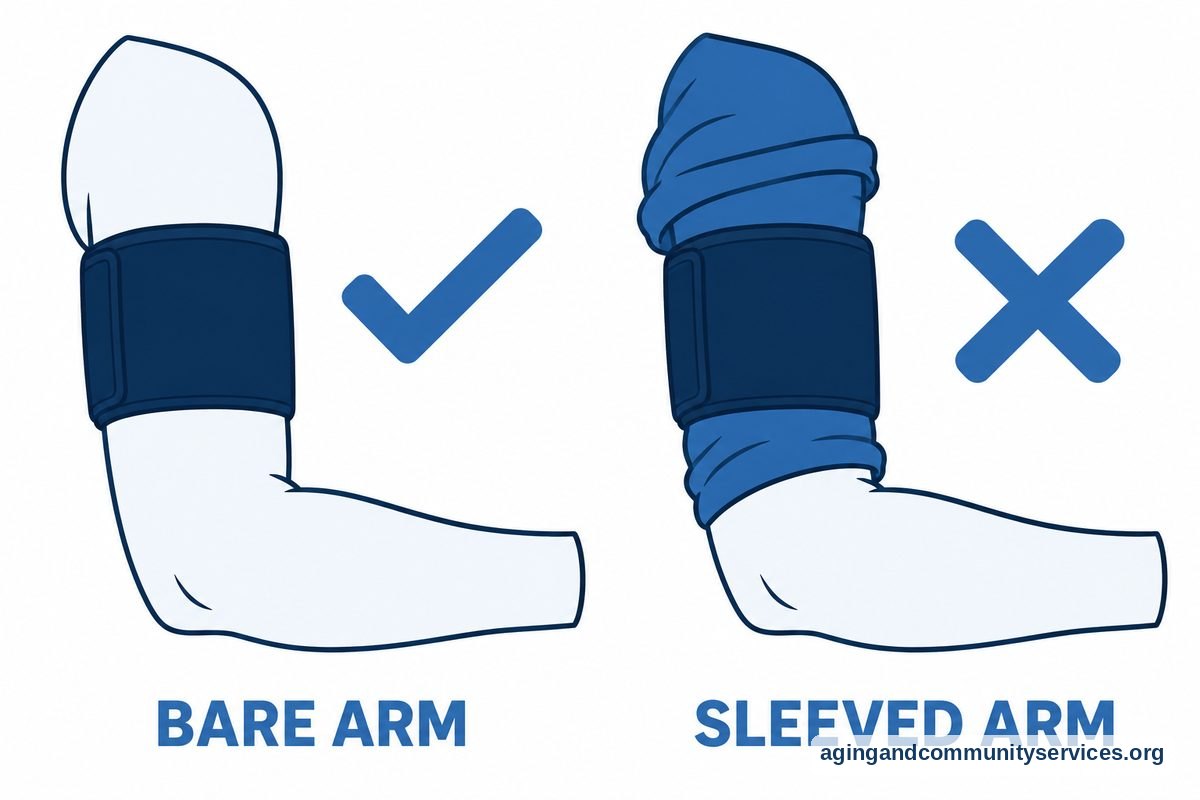
- Position your arm correctly. Rest your bare arm on a flat table so that the cuff sits at the same level as your heart.
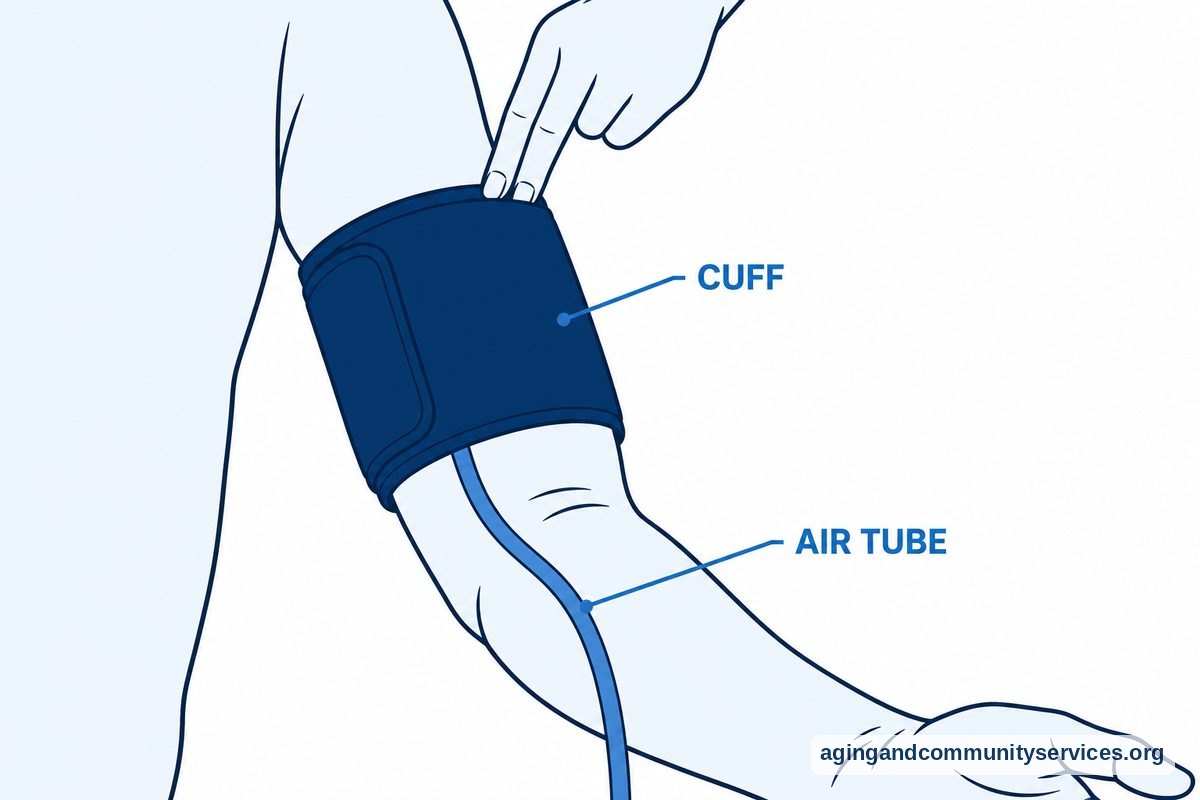
- Wrap the cuff smoothly. Slide the cuff onto your upper arm about one inch above the bend of your elbow, making sure the air tube runs down the center of your inner arm.
- Check the tightness. Fasten the fabric snugly so it stays in place, leaving just enough room to slip two fingertips under the top edge.
- Press the start button. Keep still and quiet while the device inflates the cuff and measures your numbers.
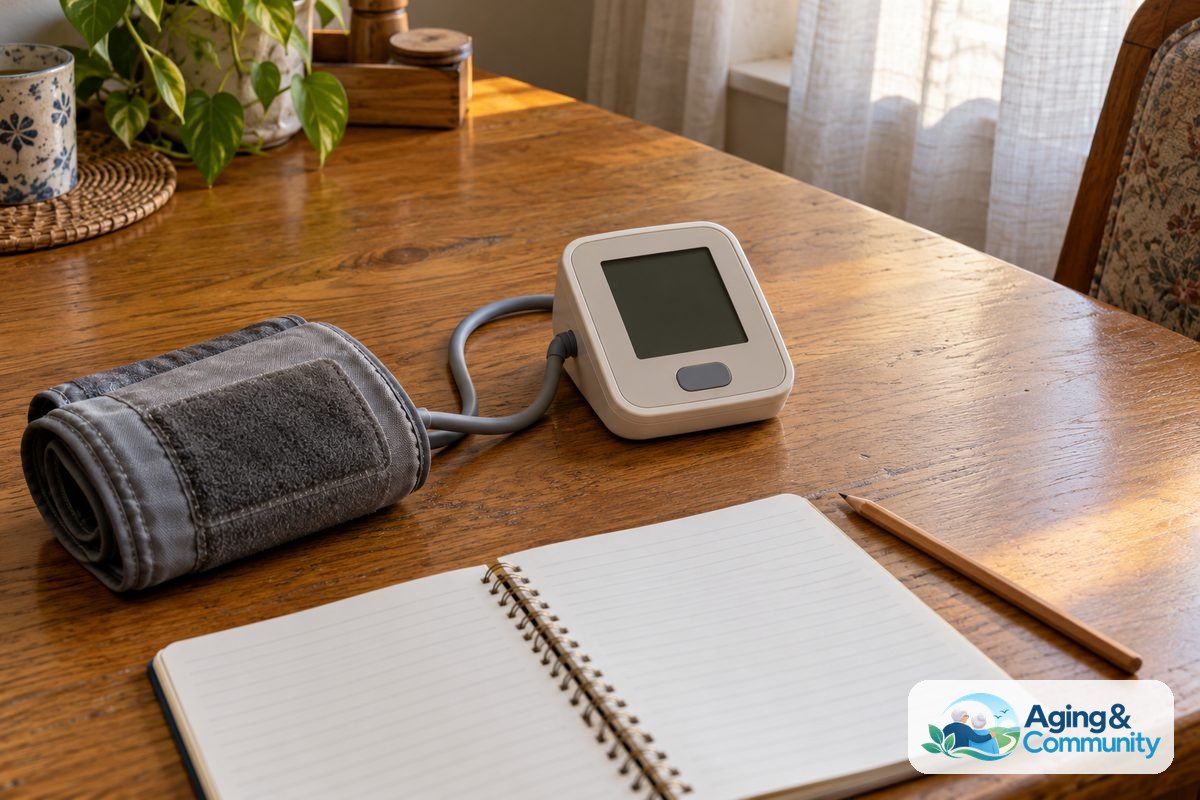
- Write down your numbers. Note the top number, bottom number, and pulse in a paper log or save them into the machine memory.
Common Mistakes to Avoid
- Talking during the measurement: Speaking or moving your hands while the machine runs can change your reading.
- Placing the cuff over thick clothing: Rolling up a tight sleeve can squeeze your arm, so it is best to slip your arm out of a sleeve or wear loose shirts.
- Crossing your legs at the knees or ankles: Keep both feet flat on the floor to support normal blood flow while the monitor works.
- Testing right after morning coffee or exercise: Caffeine, tobacco, and physical exertion can temporarily shift your numbers, so wait at least thirty minutes after these activities.
- Holding your arm in your lap: Letting your arm drop below heart level may cause the machine to record numbers that seem higher than they really are.
- Using the wrong size cuff: A cuff that feels too small or too large will not press evenly, so make sure the cuff size matches your arm circumference.
When to Call for Help or Professional Advice
Home monitoring is a tool to help you stay informed, but it never replaces clinical care. If you see readings that look unusual for you, or if you feel dizzy, lightheaded, or short of breath, reach out to your doctor or primary care clinic. If your numbers are much higher than your doctor expects, wait five minutes and check again. If they stay elevated, call the clinic right away to ask for guidance.
When you call your clinic, have your logbook ready. Tell the staff your current reading, the time you took it, and whether you are noticing any physical changes like a headache or unusual fatigue. If you ever feel sudden chest pain, severe numbness, trouble speaking, or confusion, call local emergency services immediately.
For older adults who live independently, managing wellness routines is an important part of staying safe. You can check resources on aging in place to find support services that help with daily health management. If you need local community assistance or transportation to medical appointments, the Eldercare Locator can connect you with reliable programs in your neighborhood.
Setting Up Your Device and Understanding the Display
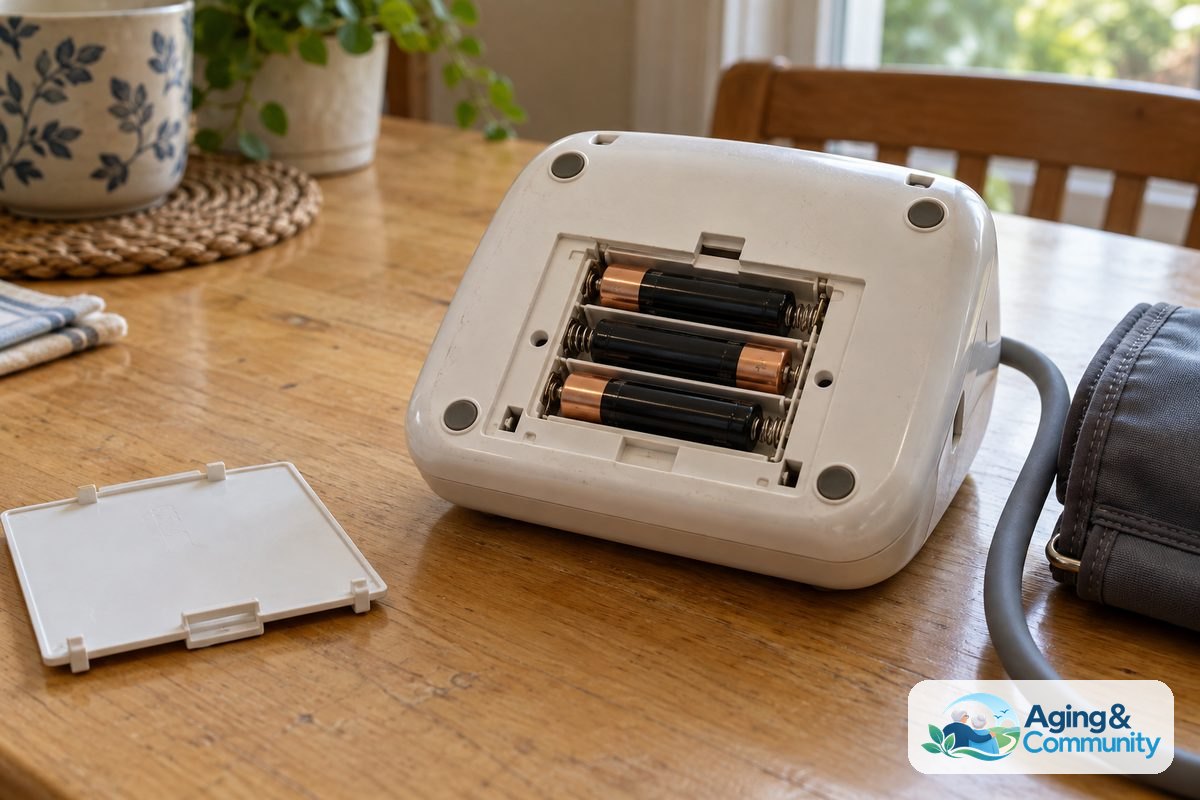
Most Walgreens brand monitors use an automatic pump and an easy to read digital screen. When you first unpack the unit, insert fresh alkaline batteries into the compartment on the base. Many people find it helpful to understand how to use blood pressure monitor digital features, such as the date and time settings. Setting the current time ensures that your saved readings show the exact moment they were taken.
When the machine finishes running, you will see three numbers on the screen. The top number is the systolic pressure, which measures force when the heart beats. The bottom number is the diastolic pressure, which measures resting pressure between beats. Below those figures, you will see your pulse rate. Some models also have a colored bar next to the screen that gives a quick visual guide based on standard clinical categories.
Finding the Right Fit and Device Style
Getting a dependable reading depends heavily on cuff fit. If you are still deciding on equipment, you can review how to choose a blood pressure monitor that fits your arm size and lifestyle needs. Walgreens offers standard cuffs that fit most arms, but wide range and extra large cuffs are also available if the standard wrap feels tight.
Some families like to explore various blood pressure monitors for seniors to find models with extra large digits, talking displays, or simple two user memory switches. Other households wonder about the difference between wellness tools, such as comparing a blood pressure monitor vs pulse oximeter. While both devices provide useful information, an arm monitor focuses specifically on the force of blood flow and pulse rate, while an oximeter checks the oxygen level in your blood.
Creating a Daily Checking Routine
Consistency is key when keeping track of your numbers at home. Try to measure at the same times each day, such as once in the morning before breakfast and once in the evening before bed. Take your blood pressure before taking your morning medications unless your doctor gives you different instructions.
To get the most accurate picture, take two readings spaced one or two minutes apart. Write down the average of those two numbers in your journal. Bring this log to your regular medical visits so your physician can see patterns over weeks and months rather than relying solely on a single office reading.
Frequently Asked Questions
What does the E or Err symbol mean on my Walgreens monitor?
An error symbol usually means the cuff was either too loose, placed over thick clothing, or moved during the cycle. Turn the unit off, adjust the cuff so it sits smoothly on your bare arm, and rest quietly for two minutes before pressing start again.
Can I use my Walgreens monitor on my wrist instead of my upper arm?
Upper arm cuffs should only be used on the upper arm. If you purchased a Walgreens wrist model, that specific device is designed for the wrist, but it requires you to hold your wrist directly level with your heart during the reading to get good results, leaving some people to compare what wearable devices offer.
How do I know if the cuff size is correct for me?
Look at the inside of the fabric cuff for index lines printed on the material. When you wrap the cuff snugly around your bare arm, the edge of the cuff should fall within the marked range. If it falls outside that line, you may need a smaller or larger cuff size.
Should I take my reading on my left arm or my right arm?
You can use either arm, but numbers can differ slightly between sides. Ask your healthcare provider which arm you should use, and stick with that same arm every day so your daily numbers remain consistent.
How often should I replace the batteries in my monitor?
Replace the batteries when you see a low battery symbol on the screen or if the pump sounds like it is struggling to inflate the cuff. Using fresh batteries ensures the air pump runs smoothly and completes each cycle properly.