

A medical alert watch with no monthly fee can be a good fit if you want a wearable help button without an ongoing service plan. These watches may offer emergency calling, location sharing, fall alerts, or caregiver contacts, but the features can vary a lot by device.
The main tradeoff is simple: no monthly fee often means less live support. Some watches call chosen contacts or emergency services directly, while monitored systems connect to a response center. The right choice depends on the person wearing it, the home setup, and how much help family or friends can provide.

How a No Fee Medical Alert Watch Works
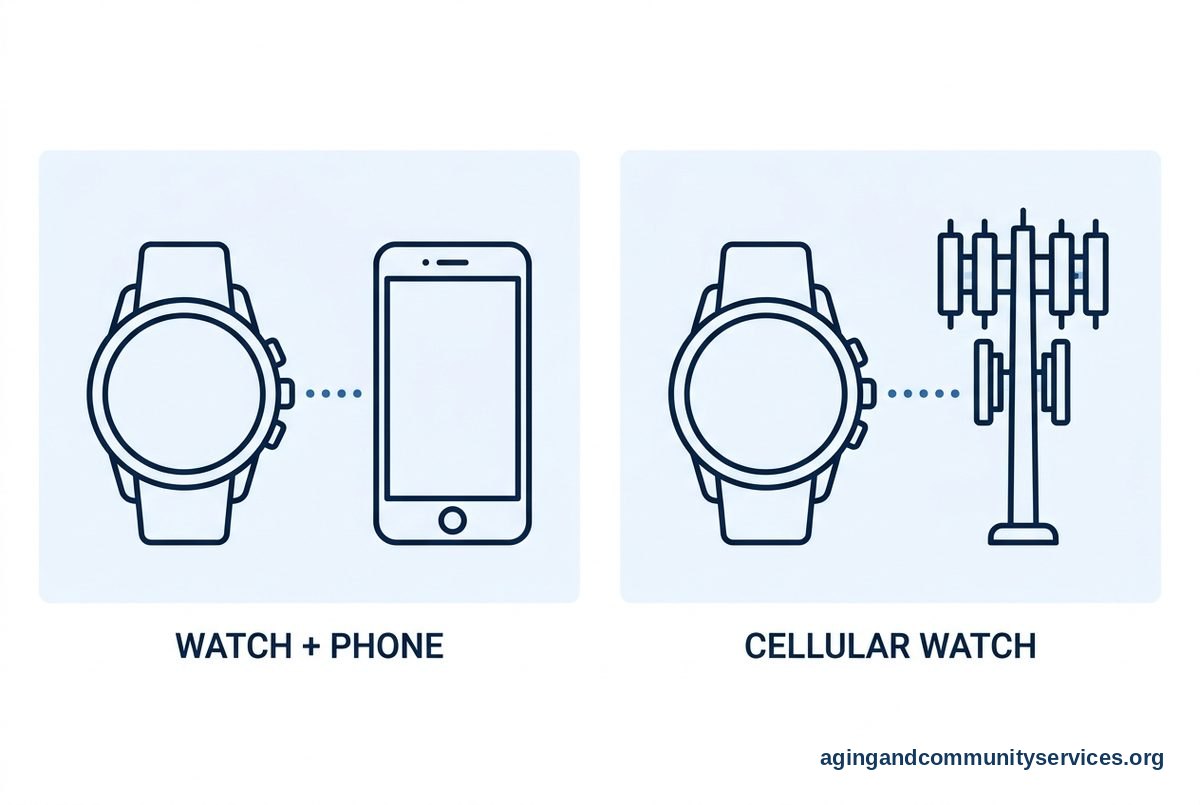
A medical alert watch with no monthly fee usually works in one of a few ways. It may connect to a smartphone, use built in cellular service that you set up separately, or work through home Wi-Fi. Some models are more like smartwatches, while others are made mainly for emergency alerts.
Many no fee watches do not include a professional monitoring center. Instead, they may send an alert to a family member, call a saved contact list, or place a call to emergency services. That can work well when trusted helpers are nearby or easy to reach.
Common features may include:
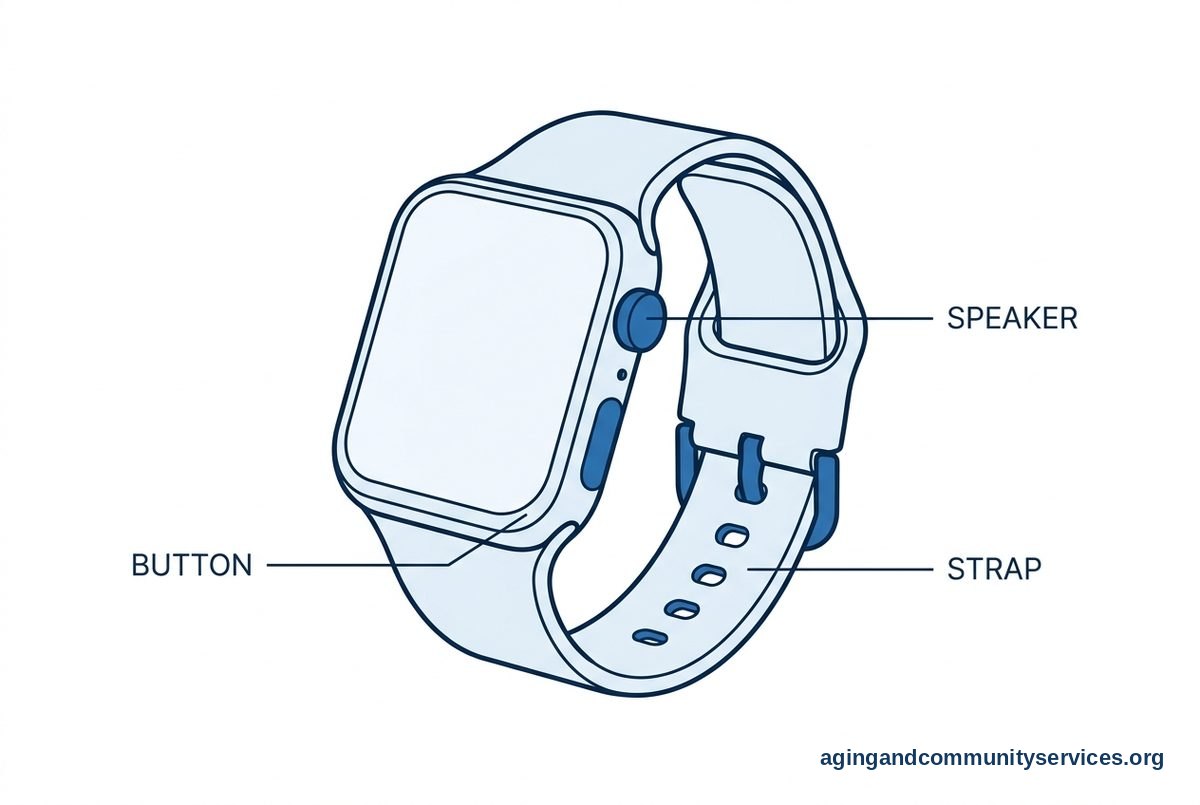
- Help button: A button or screen tap that starts a call or alert.
- Fall alerts: Sensors that may notice a sudden fall and start an alert process.
- Location sharing: GPS or phone based location tools that help a contact see where the wearer is.
- Two way talk: A speaker and microphone for voice calls from the watch.
- Medication or calendar reminders: Simple alerts that can help with daily routines.
If fall alerts matter, it may help to compare a medical alert smartwatch with a simpler help button watch. Fall sensing is not perfect on any device, so it should be seen as a backup tool, not the only safety plan.
What No Monthly Fee Usually Means
No monthly fee does not always mean no cost after purchase. Some watches need a phone plan, a SIM card, a data plan, or a compatible smartphone. Others may work only when the phone is nearby, which can limit use outside the home.
It is helpful to read the setup details before choosing. A watch may say it has emergency calling, but it may still need Bluetooth, Wi-Fi, cellular service, or app permissions to work well. If the wearer does not use a smartphone, make sure the watch can stand alone.
Here is a simple way to think about the main options:
| Type of Watch | How Alerts Usually Work | Good Fit For |
|---|---|---|
| Smartwatch paired to a phone | Uses the phone for calls, alerts, and location | Someone who keeps a charged phone nearby |
| Cellular smartwatch | Uses its own mobile connection when set up | Someone who goes out without a phone |
| Simple alert watch | Calls saved contacts or emergency services | Someone who wants fewer features |
| Monitored alert watch | Connects to a response center | Someone who wants live operator support |
A monitored alert watch often has an ongoing fee because trained staff answer alerts. A no fee watch usually shifts more responsibility to the wearer and their contact list. Neither choice is automatically better. The safer choice is the one that fits daily habits and gets used.
Features to Compare Before Choosing
Start with the basics. A watch that is hard to charge, hard to wear, or hard to understand may sit in a drawer. Comfort and simple controls matter as much as a long feature list.
Look closely at these points:
- Ease of use: The help button should be easy to find and press.
- Battery life: The wearer should know when and how to charge it.
- Water resistance: A watch worn during daily routines may need protection from splashes.
- Call quality: The speaker and microphone should be clear enough for short calls.
- Contact setup: Family members should know who gets called first, second, and third.
- Location tools: Location sharing should be easy to turn on and understand.
Some families also compare a wearable medical alert with watches, pendants, and clip on buttons. A pendant may be easier for some people to press. A watch may feel more natural for someone who already wears one every day.
Fall detection deserves extra care. Watches can miss some falls, and they can also send alerts when there was no emergency. If balance, dizziness, vision, or home hazards are a concern, it is wise to talk with a doctor, physical therapist, or occupational therapist about daily safety steps.
When a No Fee Watch May Be a Good Fit
A medical alert watch no monthly fee option may work well when the wearer has a steady support circle. For example, a spouse, adult child, neighbor, or friend may be ready to receive alerts and check in. The plan should be clear before the watch is needed.
This type of watch may fit someone who:
- Is comfortable wearing and charging a watch each day.
- Can press a button or use a simple screen.
- Lives where cell service or Wi-Fi is reliable.
- Has contacts who usually answer calls or texts.
- Wants basic alerts without a response center.
It may be less helpful if the person often forgets to charge devices, removes watches, or has trouble following screen prompts. In those cases, a simpler home button, pendant, or monitored system may be worth comparing. Families looking at broader choices can review elderly alert systems to understand the range of home and mobile options.
Also think about where the watch will be used. A watch that works well at home may not work the same in a yard, car, store, or walking path. Check the coverage area and test normal routines after setup.
Limits to Understand Before You Buy
No device can remove every risk. A watch is one part of a practical support plan. It can help with calling and sharing information, but it cannot replace regular check ins, safe home setup, and medical advice when needed.
Common limits include:
- Battery gaps: The watch cannot help if it is not charged.
- Signal gaps: Calls and location tools may not work well in poor coverage areas.
- Missed alerts: Fall sensing may not detect every event.
- False alerts: Some movements may trigger an alert by mistake.
- App changes: Features may depend on phone settings, updates, or permissions.
The National Institute on Aging has practical guidance on falls and safety, including steps that can lower the risk of falls. These steps may include reviewing medicines with a health professional, checking vision, staying active in safe ways, and making the home easier to move through.
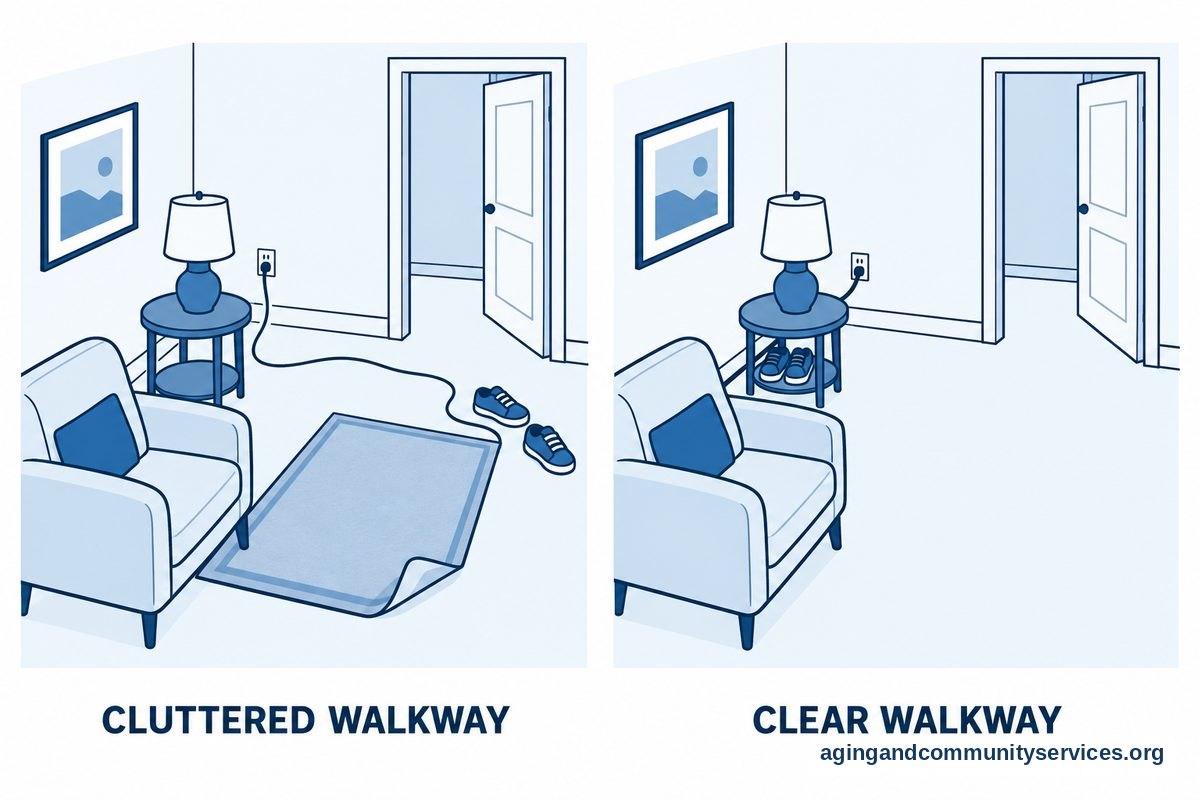
Home setup matters too. Loose rugs, poor lighting, cluttered walkways, and hard to reach items can make daily routines harder. The National Institute on Aging also shares ideas for aging in place that can support safer, more comfortable living at home.
What the Reader Can Do Next
Before buying, write down what the watch must do. Keep the list short and practical. For many families, the key needs are a help button, clear calling, location sharing, and easy charging.
- Choose the alert path. Decide whether the watch should call family, emergency services, or a monitoring center.
- Check phone needs. Confirm whether it needs a smartphone nearby or its own mobile service.
- Pick contact roles. Decide who gets alerts and what each person should do.
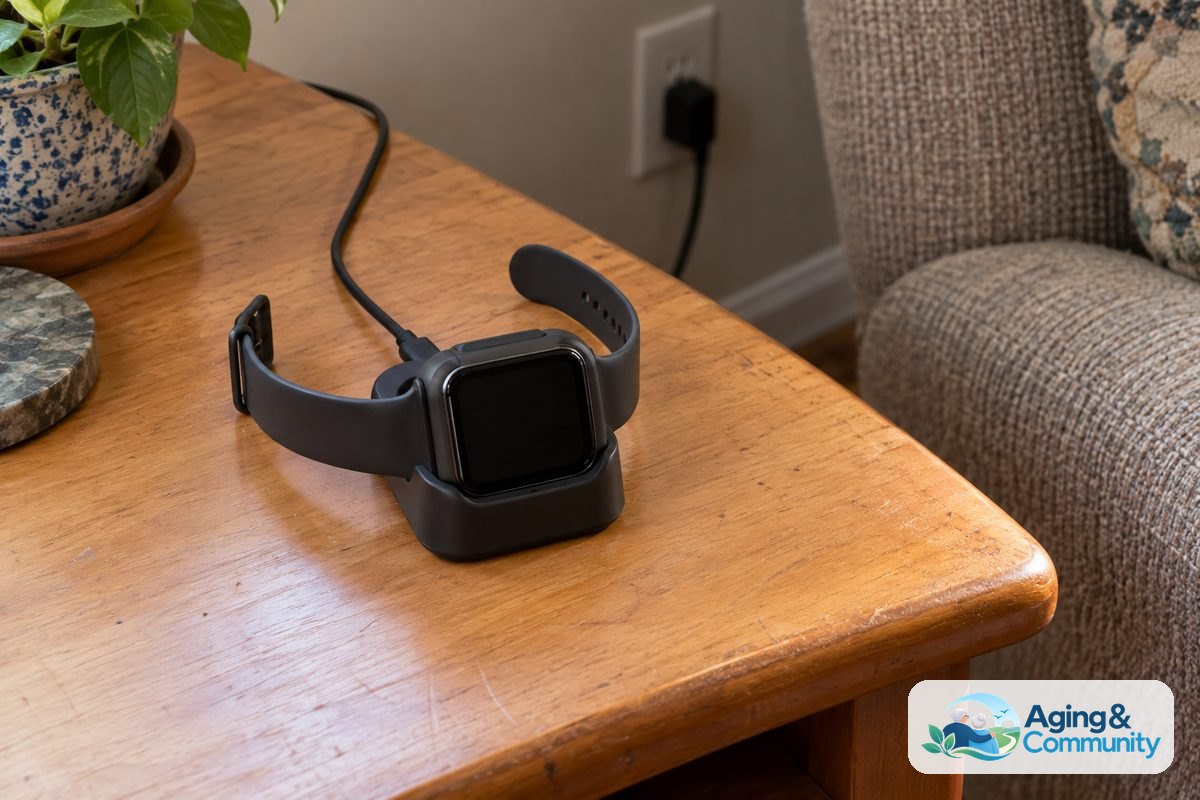
- Plan charging. Set a daily charging time, such as during a shower or while watching a show.
- Practice calmly. Review how to press the help button and how to cancel an accidental alert.
- Review the home. Look for lighting, rugs, cords, and bathroom safety items that may need attention.
If the person has had recent falls, near falls, balance changes, or trouble getting around the home, ask a doctor, physical therapist, or occupational therapist for guidance. They can suggest steps that fit the person and the home. For local support services, the Eldercare Locator can help connect families with aging resources.
It can also help to compare watches with broader emergency alert systems. Some households do better with a watch. Others do better with a home base unit, wall buttons, or a mix of wearable and home devices.
Frequently Asked Questions
What Is a Medical Alert Watch With No Monthly Fee?
It is a wearable watch that offers alert or calling features without a regular service plan from a monitoring company. Depending on the model, it may call saved contacts, contact emergency services, share location, or connect through a paired phone.
The important detail is who answers the alert. With many no fee watches, family or friends are the first responders to the call or message. A monitored service is different because it connects to a response center.
Does a Medical Alert Watch No Monthly Fee Option Have Fall Detection?
Some do, but not all. Fall detection depends on the watch sensors, software, and settings. It may also depend on whether the watch is connected to a phone or cellular service.
Fall detection should be treated as a helpful extra, not a complete safety plan. If falls are a concern, ask a health professional about balance, strength, vision, medicines, and home setup.
Can a No Monthly Fee Medical Alert Watch Call Emergency Services?
Some watches can place an emergency call if they are set up correctly and have a working connection. Others only notify saved contacts. Read the device details carefully so you know what happens after the help button is pressed.
It is also wise to practice the alert process if the device allows a safe test mode. Make sure contacts know the watch number, the wearer location, and what steps to take if they receive an alert.
Do You Need a Smartphone for a Medical Alert Watch With No Monthly Fee?
Many no fee watches need a smartphone for setup, calling, location sharing, or app alerts. Some watches can work more independently, but they may still need a cellular plan or account setup.
If the wearer does not carry a phone, look for a watch that can make calls on its own. If the wearer does carry a phone, check that the watch stays connected during normal daily routines.
Is a Medical Alert Watch With No Monthly Fee Better Than a Pendant?
It depends on daily habits. A watch may be a good choice for someone who already likes wearing a watch and can keep it charged. A pendant may be easier for someone who wants one button and fewer screens.
Comfort matters. The device that is worn most often is usually the more useful one. If possible, compare size, weight, button placement, and charging steps before deciding.
What Should Families Check Before Choosing a No Fee Alert Watch?
Check the alert path, phone requirements, battery life, contact list, water resistance, and location tools. Also check whether fall alerts are included or optional. A simple written plan can help everyone know what to do when an alert comes in.
Families should also think beyond the watch. Good lighting, clear walkways, regular check ins, and professional advice when needed can all support safer daily routines at home.