

A wearable medical alert for seniors is a device worn on the wrist, around the neck, or clipped to clothing that can help call for support during an urgent moment. Some are simple alert buttons, while others are smartwatches with calling, fall detection, location sharing, and health related features.
The right choice depends on comfort, daily routine, phone use, home setup, and who should be contacted when help is needed. This guide explains the main types in plain language so families can compare options with less stress.

What a Wearable Medical Alert Device Does
A wearable medical alert device gives the wearer a quick way to ask for help. Most devices have a button that connects to a response center, a caregiver, or emergency services, depending on the plan and settings.
Some devices work only at home through a base station. Others use cellular service and can work away from home. Many wearable emergency devices for elderly family members are made to be simple, with large buttons and clear instructions.
Common features may include:
- Help button: A button on a pendant, bracelet, clip, or watch.
- Two way talk: A speaker and microphone for talking with a response agent or contact.
- Fall detection: Sensors that may notice certain fall like movements and start an alert.
- Location sharing: GPS or cellular location tools that can help contacts find the wearer.
- Caregiver app: A phone app that lets approved family members see alerts, battery level, or location.
Fall detection is helpful for some households, but it is not perfect. It may miss some events or send an alert by mistake. The National Institute on Aging explains practical steps that can lower the risk of falls, including home safety changes and exercise, in its guide to falls and prevention.
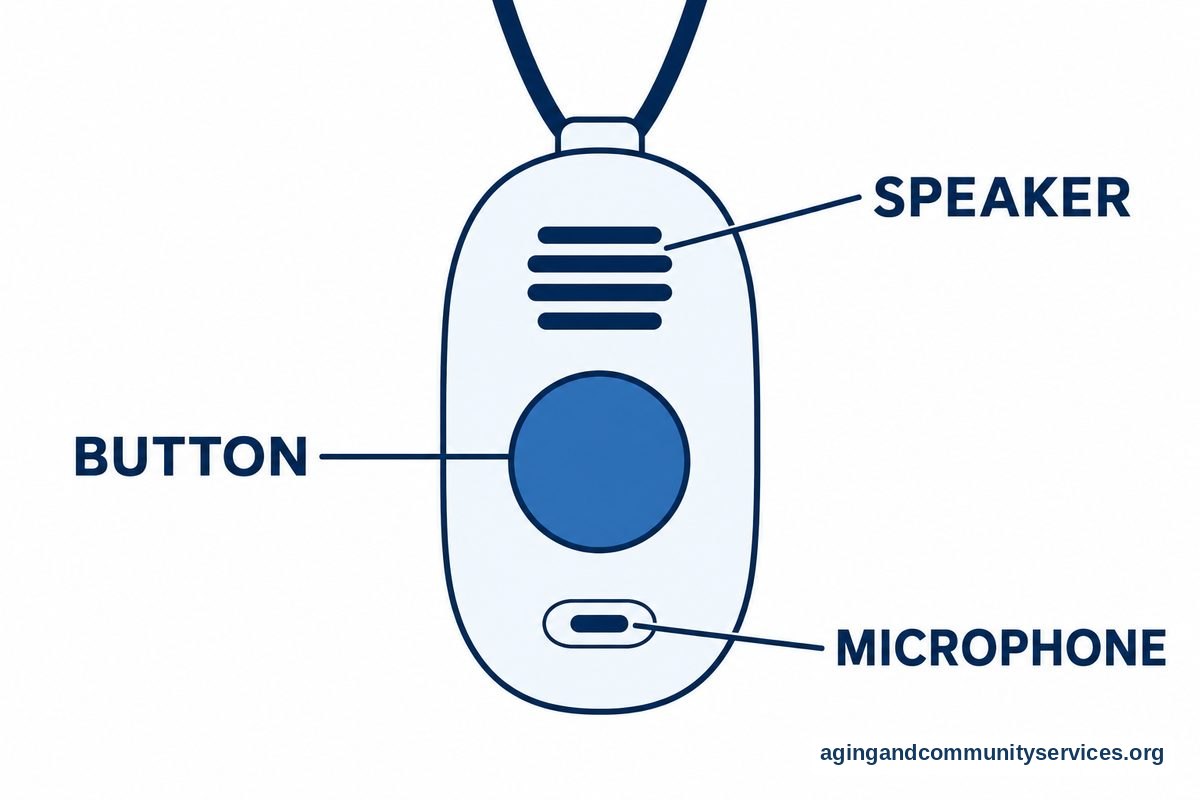
Types of Wearable Alerts and Alarms
Wearable alerts for seniors come in several forms. The best style is usually the one the person will actually wear each day.
| Type | How It Works | Good Fit For |
|---|---|---|
| Pendant | Worn around the neck with a help button | People who want a simple device that is easy to reach |
| Wrist button | Worn like a bracelet with a help button | People who dislike necklaces or want a light option |
| Medical alert smartwatch | Looks like a watch and may include calling, alerts, and apps | People comfortable charging and using a screen |
| Clip on device | Clips to a belt, pocket, or clothing | People who do not want anything on the wrist or neck |
| Phone based app | Uses a smartphone or smartwatch app to call contacts | People who already carry a phone and manage apps well |
A wearable alarm for seniors may be monitored or unmonitored. A monitored device usually connects to a response center. An unmonitored device may call family, friends, or emergency services directly.
If you are comparing broader options, a guide to senior emergency alert systems can help you see how home units, mobile buttons, and watches differ. For someone who wants a watch style device, a medical alert smartwatch may be worth reviewing.
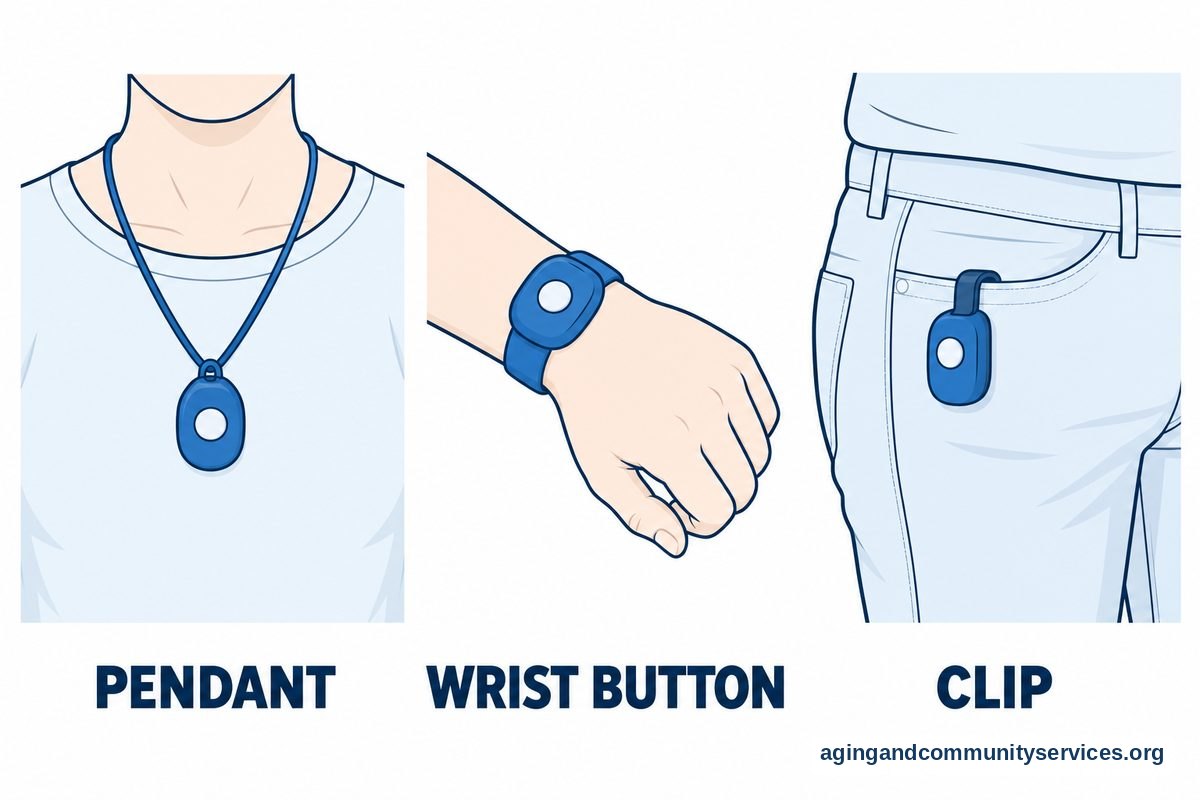
Smartwatches With Medical Alert Features
A smart watch medical alert system is different from a basic pendant. It often includes a touch screen, phone calls, texts, step tracking, location tools, and emergency features. Some models also support fall detection or crash detection.
Smartwatches with medical alert features can be useful when the wearer already likes watches and is willing to charge the device. They may not be the best fit for someone who forgets to charge devices, has trouble with small screens, or wants one button with no extra menus.
Apple Watch is a common question. Does the Apple Watch have a medical alert system? It has emergency calling features, Medical ID, location sharing, fall detection on some models, and apps that may add alert services. It is not the same as every monitored medical alert service, so families should read the settings and service details carefully.
Is there a medical alert app for Apple Watch? Yes, some apps offer alert or caregiver features for Apple Watch, but the details vary. Some may send alerts to chosen contacts. Others may connect to a paid response service. Always check what happens when the button is pressed, who receives the alert, and whether the watch needs a nearby phone or its own cellular service.
If Apple Watch is on your list, a deeper look at fall detection Apple Watch settings may help. Families comparing watch options can also review watches with fall detection to understand common features.
Tracking Devices and Location Sharing
Wearable tracking devices for elderly family members can help approved contacts see where the device is, usually through GPS, cellular, Wi Fi, or Bluetooth tools. These features may be built into a watch, pendant, or clip on device.
Location sharing can be helpful for people who walk alone, drive, use public transportation, or may need help explaining where they are. It can also support aging in place when used with respect and clear consent.
Before turning on tracking, have a calm conversation about privacy. The wearer should know who can see the location, when it is visible, and how alerts work. If memory changes, wandering, or safety concerns are part of the decision, speak with a doctor, occupational therapist, or another qualified professional for guidance.
The National Institute on Aging has practical information about aging in place, including home planning and support needs. A wearable device is only one part of a larger plan that may include home updates, routines, transportation help, and trusted contacts.
How to Compare Devices Without Getting Overwhelmed
Start with daily life, not product features. A device that fits the person is better than one with many tools that are never used.
Ask these questions:
- Where will it be used? At home only, outside the home, or both?
- Who should be contacted? A response center, family member, neighbor, or emergency services?
- Is fall detection needed? If yes, understand its limits and how alerts are handled.
- How easy is charging? Some devices need frequent charging, while others last longer.
- Is it comfortable? The wearer should be willing to keep it on during normal activities.
- Can it get wet? Check whether it can be worn in the shower, where slips may happen.
Also look at setup and support. Some people want a device that arrives ready to use. Others are comfortable with apps, settings, and paired phones.
If you are looking at the best android smartwatch for medical alert needs, focus on compatibility first. Check whether the watch works with the wearer’s phone, whether emergency features are built in, and whether any medical alert app is available for that watch model. Android watch options vary widely, so read the service details before choosing.
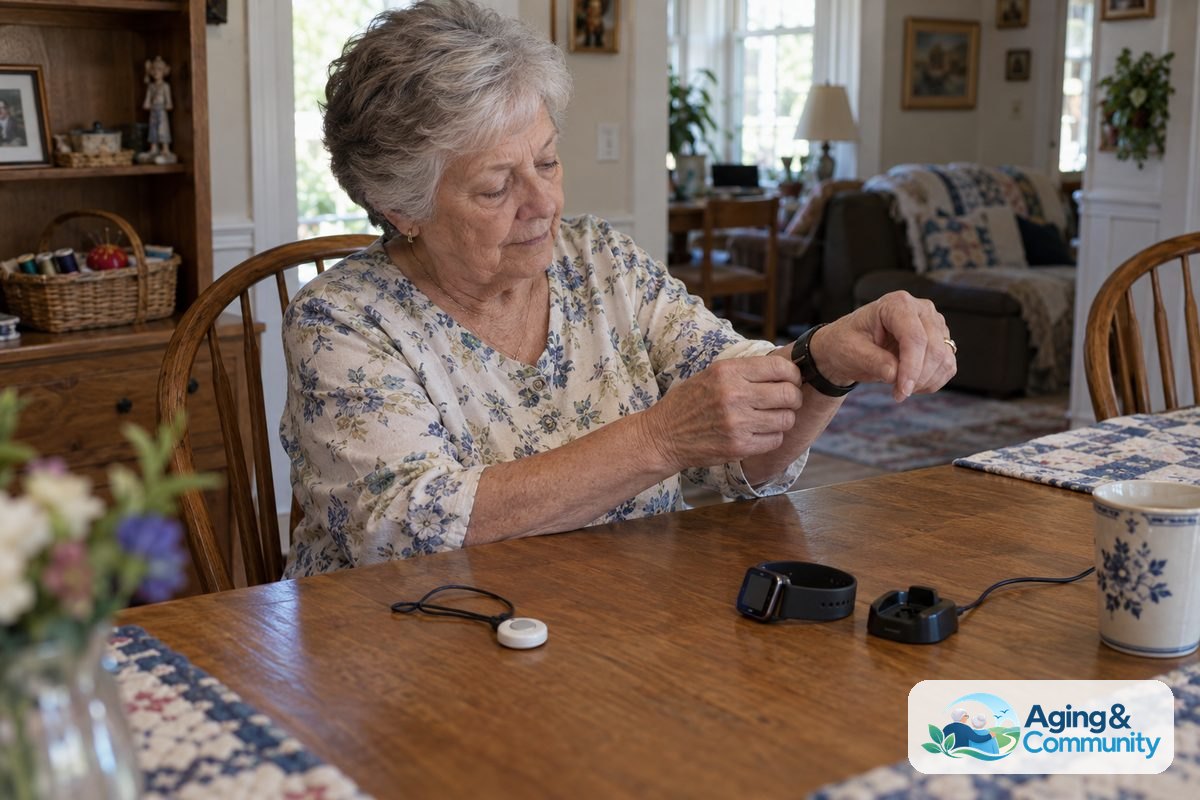
What You Can Do Next
You do not have to choose everything in one sitting. A simple step by step approach can make the decision easier.
- List the main concern. Examples include being alone at home, walking outside, shower safety, or needing location sharing.
- Pick the easiest wearing style. Choose pendant, wrist button, smartwatch, or clip based on comfort and routine.
- Decide who answers alerts. Choose a response center, family contacts, or another trusted plan.
- Check phone and cellular needs. Some devices need a smartphone nearby. Others have their own service.
- Practice using it. Make sure the wearer knows how to press the button, charge it, and cancel a false alert.
- Review the home setup. Remove loose rugs, improve lighting, and ask a physical therapist or occupational therapist about home safety if balance or mobility is a concern.
If you need local help comparing support services, the Eldercare Locator can connect families with community resources. For product comparisons beyond watch style devices, a guide to elderly alert systems may also be useful.
Frequently Asked Questions
Can Apple Watch be used as a medical alert?
Apple Watch can be used for emergency calling, Medical ID, fall detection on some models, and location sharing. Some apps may add more alert features. It is important to check whether alerts go to emergency services, chosen contacts, or a response service.
Does the Apple Watch have a medical alert system?
Apple Watch has emergency and safety features, but it is not always the same as a traditional monitored medical alert system. The setup depends on the watch model, cellular plan, settings, and apps. Review the emergency settings before relying on it.
Is there a medical alert app for Apple Watch?
Yes, there are medical alert apps that may work with Apple Watch. Features vary, so compare how the alert is started, who receives it, whether there is monitoring, and whether the app needs a subscription or phone connection.
What are wearable tracking devices for seniors?
Wearable tracking devices are watches, pendants, or clips that share the wearer’s location with approved contacts. They may be useful for walks, errands, travel, or situations where a person may need help explaining where they are.
What is the best Android smartwatch for medical alert needs?
The best Android choice depends on the phone, comfort, battery life, emergency features, and available apps. Look for easy calling, clear alerts, location sharing, and simple charging. Confirm that the watch works with the wearer’s phone before choosing.
Are wearable alarms for seniors hard to use?
Many wearable alarms are made to be simple, with one main help button. Smartwatches can take more practice because they have screens, apps, and charging routines. A short practice session can help the wearer feel more confident using the device.