

Technology for seniors living alone can make home life easier, more connected, and more organized. The most useful tools are usually simple ones: a phone that is easy to use, a way to call for help, smart home devices, reminders, and video calling.
The right setup depends on the person’s home, comfort with devices, budget, and support circle. Start with daily needs, not gadgets. A small set of reliable tools is often better than a home full of devices no one wants to use.

Start With Daily Needs, Not Devices
Before choosing technology, write down what would make each day smoother. Think about communication, home safety, medication routines, meals, transportation, and help with small tasks.
It can help to walk through a normal day. What happens in the morning? How does the person reach family? What is hard to remember? What feels tiring or confusing? These answers point to the right tools.
- Staying in touch: video calling, voice messages, shared calendars, and easy photo sharing.
- Getting help quickly: wearable alert buttons, phones with emergency contacts, and voice assistants.
- Managing routines: reminder apps, smart speakers, pill reminder boxes, and shared task lists.
- Making the home easier: smart lights, smart plugs, door sensors, and simple security cameras where appropriate.
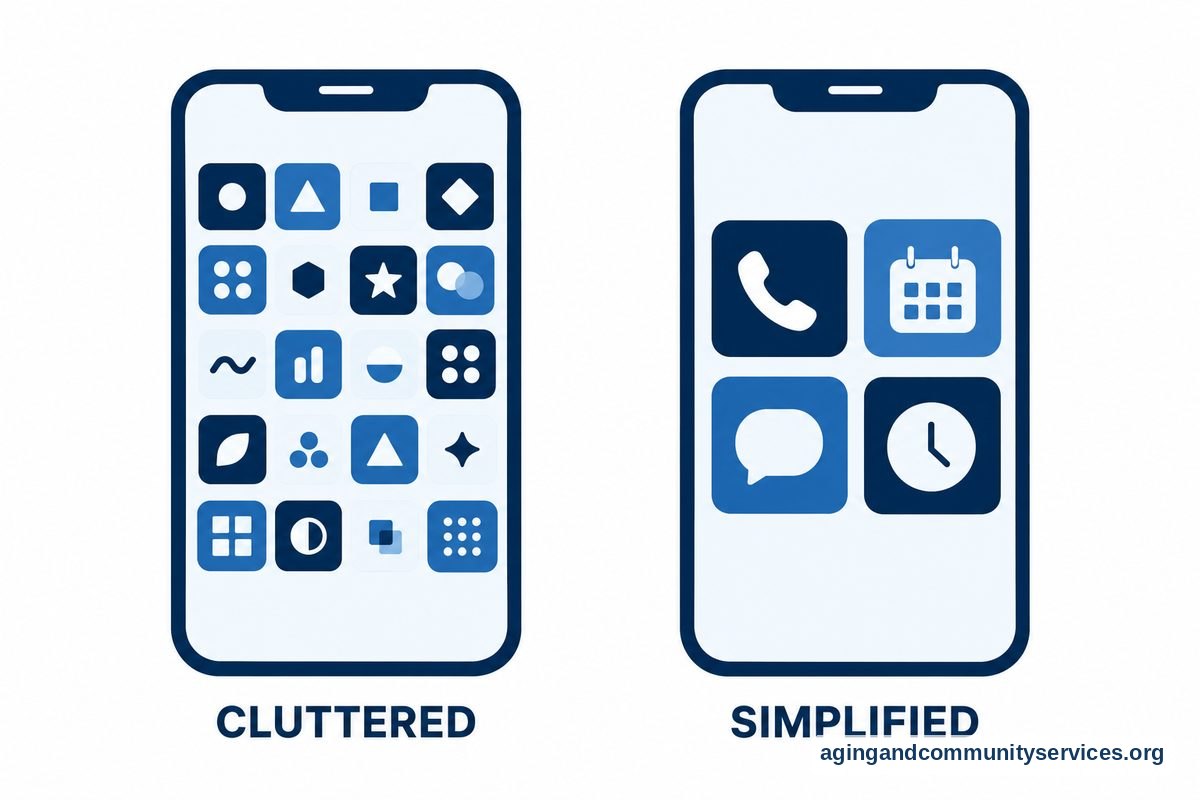
- Reducing frustration: larger screens, louder ringers, simple menus, and fewer apps on the home screen.
If the person is unsure about living alone, a broader guide to elderly living alone can help families think through support, routines, and home setup together.
Safety Tools That Can Support Independent Living
Safety technology should feel respectful, not controlling. The goal is to make it easier to ask for help, notice small problems, and keep the home comfortable.
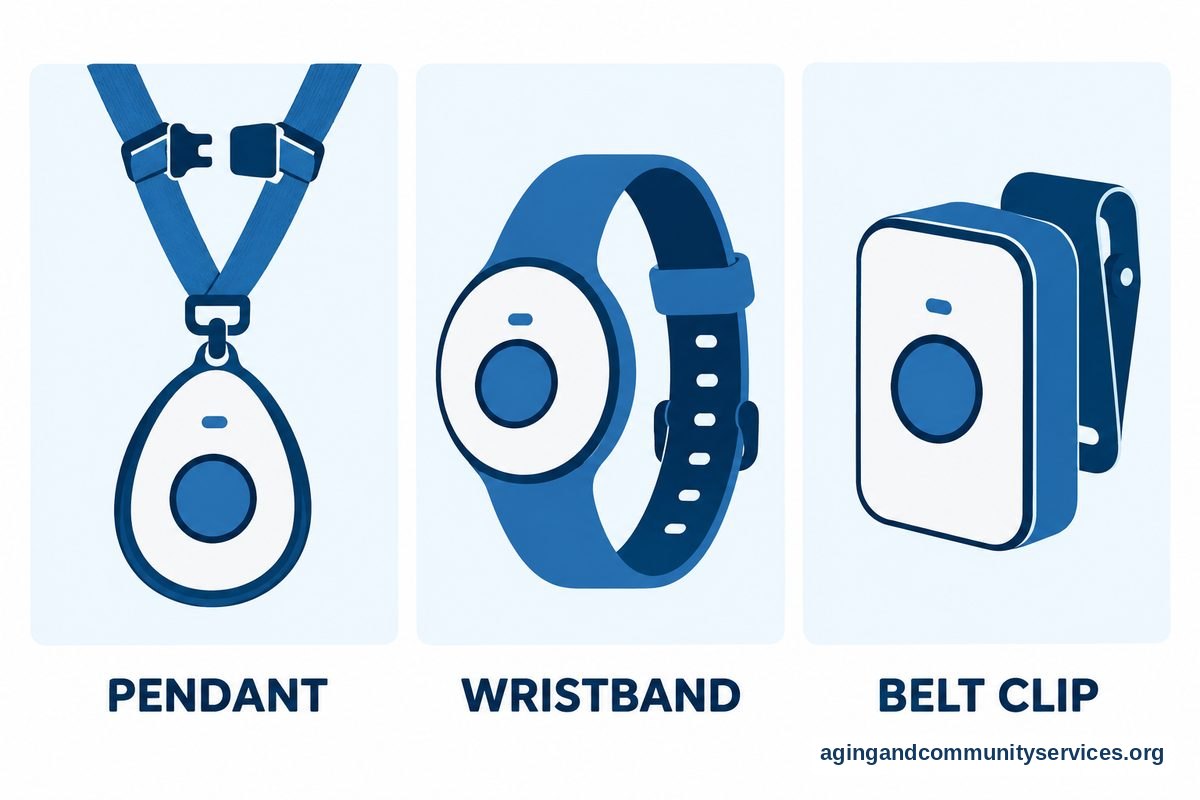
A wearable alert button is one common option. It may be worn as a pendant, wrist device, or clip. Some connect to a call center, while others contact family or chosen helpers. When comparing options, look for comfort, battery life, water resistance, speaker volume, and whether it works inside and outside the home.
A phone can also be part of the safety plan. Set up favorite contacts, medical information if the person wants it stored, and a simple lock screen. Keep the charging area easy to reach and use a long cord or charging dock if needed.
Smart home tools can add another layer. Smart lights can turn on by voice or schedule. Smart plugs can control lamps or small devices. Door sensors can send a notice if a door is opened at an unusual time. These tools are most useful when they solve a clear problem.
For home changes that may reduce fall risk, the National Institute on Aging shares practical ideas in its guide to falls and falls prevention. If balance, walking, vision, or home layout is a concern, it is wise to ask a doctor, physical therapist, or occupational therapist what changes may fit the person’s needs.
For a deeper look at home setup, a guide to safety for elderly living alone may help families choose simple changes before adding more devices.
Connection Tools for Family, Friends, and Care Partners
Living alone does not have to mean feeling cut off. Technology can make contact easier, especially when family members live across town or far away.
Video calling devices can be helpful when phones feel too small or confusing. Some devices allow one-touch calling, large contact photos, or voice control. A tablet can also work well if it is set up with only the needed apps and a clear charging spot.
Voice assistants can help with calls, reminders, music, weather, and timers. They can be useful for someone who does not enjoy typing. It is important to practice common phrases together, such as how to call a family member or set a reminder.
Shared photo apps, family calendars, and group message threads can help everyone stay connected without long phone calls every day. Keep notifications gentle. Too many alerts can make a tool feel like a burden.
If family visits are not frequent, a dedicated video call device may be easier than a regular tablet. Choose one that matches the person’s eyesight, hearing, hand strength, and comfort level.
Apps for Seniors Living Alone
Apps for seniors living alone work best when they are simple, useful, and easy to find on the phone. Too many apps can make the phone harder to use, so pick a few that support real daily needs.
A good first step is to clean up the home screen. Move unused apps into a folder. Put the most important apps on the first screen. Use large text if the phone allows it, and turn on voice input if typing is hard.
| Need | Helpful App Type | What To Look For |
|---|---|---|
| Daily reminders | Calendar or reminder app | Clear alerts, repeat options, simple labels |
| Medication routine | Pill reminder app | Easy schedule, gentle alerts, caregiver sharing if wanted |
| Family updates | Messaging or photo app | Large text, simple contact list, few steps to reply |
| Rides | Transportation app | Saved addresses, trusted contacts, clear trip details |
| Groceries | Delivery or list app | Saved items, simple checkout, family helper access if desired |
| Home tasks | Shared task app | Simple lists, due dates, notes for helpers |
For some people, the most helpful app is the one already on the phone. Built-in reminders, alarms, notes, maps, and contacts may be enough. New apps should add value, not confusion.
Families should talk about privacy before adding shared apps. Decide who can see reminders, location, calendars, or messages. The person living alone should know what is shared and should agree to it whenever possible.
Smart Home Tools That Make the Home Easier
Smart home devices can help with lights, temperature, doors, and daily routines. The best setup is simple and predictable. It should not require a person to remember many steps.
Smart lights are often a good starting point. They can turn on with a voice command, phone tap, motion sensor, or schedule. This may help with dark hallways, evening routines, and getting up at night.
Smart plugs can turn a regular lamp or fan into a voice controlled device. Smart thermostats can make temperature changes easier, but they should be set up carefully so the person understands how to adjust them.
Doorbells and cameras can help a person see who is at the door before opening it. Place cameras only where they are welcome and useful. Avoid private spaces unless the person clearly wants that kind of support.
If you are planning more than one device, a guide to smart home for elderly living can help you compare lights, sensors, speakers, and daily routines in one plan.

How to Choose Technology Without Overwhelming Anyone
The most common mistake is adding too much at once. Start with one need and one tool. Give it time. If it helps, keep it. If it causes stress, change the setup or remove it.
Choose devices with clear buttons, loud enough sound, large text, and simple charging. Avoid tools that require frequent updates, complex passwords, or many steps unless someone can help manage them.
Write down a short instruction sheet in plain language. Put it near the device. Include how to charge it, how to call for help, how to answer a call, and who to contact if it stops working.
Practice in a calm moment. Do not wait until a stressful day to learn a new device. A few short practice sessions are usually better than one long lesson.
If the person has trouble with vision, hearing, hand movement, memory, or balance, ask a doctor, physical therapist, or occupational therapist about safe setup ideas. They may suggest changes to the home or device placement that fit the person’s abilities.
What You Can Do Next
Start with a simple home technology check. Walk through the home with the person who lives there and ask what feels easy, what feels annoying, and what would make daily life smoother.
- Pick one main goal, such as easier calling, better lighting, or simpler reminders.
- Choose one tool that supports that goal.
- Set it up with large text, saved contacts, and simple alerts.
- Practice using it together several times.
- Write down short instructions and keep them nearby.
- Review the setup after a few weeks and remove anything that is not helping.
For planning beyond devices, the National Institute on Aging offers guidance on aging in place, including home, support, and community questions. Local agencies, family members, neighbors, faith groups, and community programs may also help with rides, meals, repairs, or technology setup.
If a wearable help button is part of the plan, compare comfort and ease of use with a guide to a wearable medical alert. The person should be willing to wear it and know how it works.
Frequently Asked Questions
What technology for elderly living alone is most useful?
The most useful technology for elderly living alone is usually a simple phone, a reliable way to call for help, good lighting, reminders, and an easy way to reach family. Smart lights, voice assistants, video calling, and wearable alert buttons may also help when they match the person’s routine.
What are the best apps for seniors living alone?
The best apps for seniors living alone are the ones the person will actually use. Good choices often include reminders, calendars, video calling, messaging, grocery lists, transportation, and medication reminder apps. Keep the phone simple and place only the most used apps on the main screen.
Are there apps for elderly living alone that family can share?
Yes. Some apps allow shared calendars, reminders, shopping lists, tasks, or location sharing. Before setting them up, talk about what will be shared and who can see it. Respect and consent matter, even when family members are helping.
What is a good app for elderly living alone if reminders are the main need?
A built-in phone reminder or calendar app may be a good first choice. It can remind the person about meals, appointments, chores, calls, and daily routines. If more support is needed, a dedicated reminder app with repeat alerts and caregiver sharing may help.
How can technology help someone living alone feel more connected?
Video calls, voice assistants, group messages, shared photos, and family calendars can make contact easier. The key is to choose tools that fit the person’s habits. A large screen or one-touch calling device may work better than a small phone app.
How do I introduce new technology without causing frustration?
Introduce one tool at a time. Use clear labels, large text, saved contacts, and a simple instruction sheet. Practice together when the day is calm, and be willing to change the setup if it feels too hard to use.