

AI for seniors to manage prescriptions can help with reminders, refill planning, and keeping a clear medicine list. It does not replace a doctor, pharmacist, or caregiver, but it can make daily routines easier to follow and easier to share.
Many tools use simple alerts, voice prompts, or shared apps rather than anything complicated. The goal is to support a steady routine, reduce mix ups, and help families notice when a question should be brought to a health professional.

How AI Can Help With Prescription Routines
AI tools can support prescription routines by helping people remember what to take, when to take it, and what questions to ask. Some apps learn common patterns, such as a usual morning or evening routine, and then send reminders at helpful times.
These tools may be part of a phone app, a smart speaker, a pharmacy app, or a pill device. Some are simple and only send alerts. Others can help sort reminders by time of day, refill date, or caregiver check in.
- Timed reminders: A phone, watch, or speaker can remind someone when it is time for a dose.
- Refill prompts: Some tools can remind a person to request a refill before the supply runs low.
- Shared updates: A family member may be able to see whether a reminder was marked as done.
- Medication lists: Apps can keep the medicine name, dose instructions, pharmacy, and prescriber in one place.
- Question notes: A tool can save questions to bring to a doctor or pharmacist visit.
AI should be treated as a helper, not as the decision maker. If a medicine looks different, a dose seems unclear, or a side effect is possible, the safest next step is to contact the doctor or pharmacist.
Choosing a Prescription Tool That Fits Daily Life
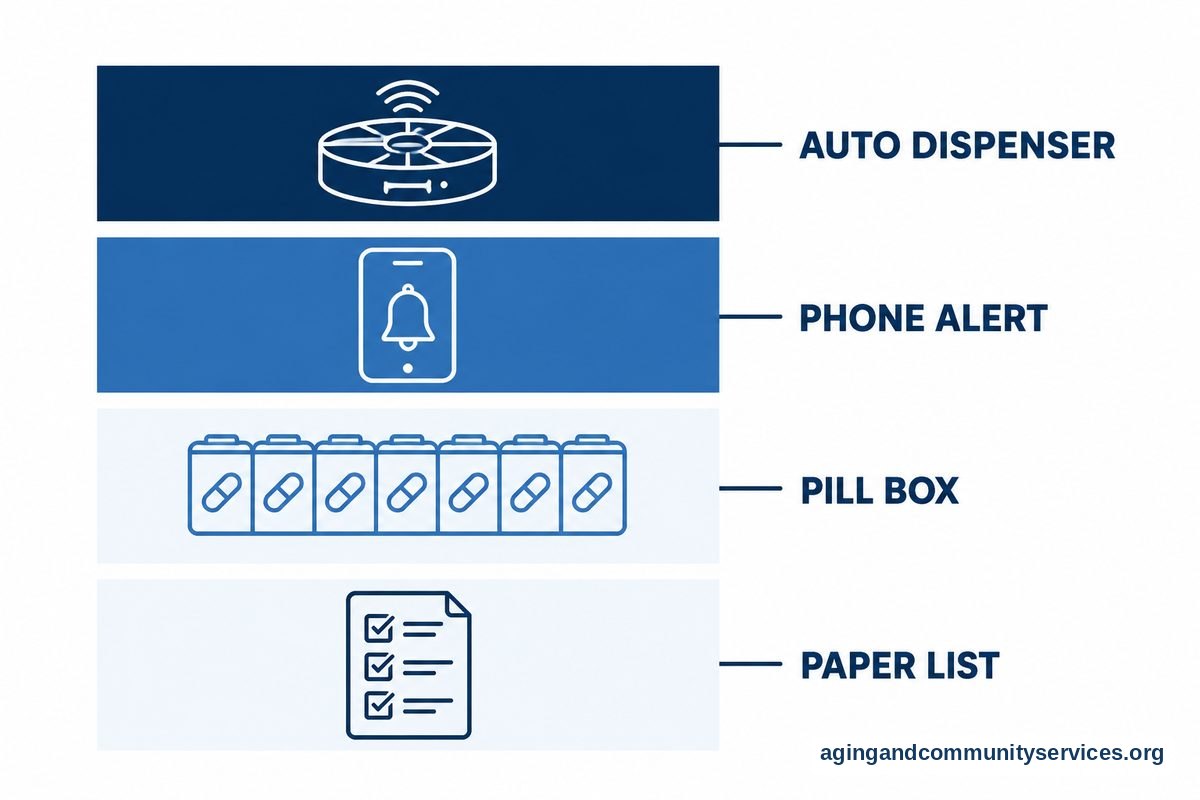
The best tool is the one the person will actually use. A simple pill box may work better than a complex app. For some homes, a smart speaker reminder is enough. For others, a shared app helps family caregivers stay informed without calling many times each day.
Start with the daily routine. Ask when medicines are taken, who fills the organizer, who picks up refills, and who needs to see updates. This makes it easier to choose a tool that supports the routine instead of changing it too much.
Some people prefer a low tech setup with a written list and a weekly organizer. Others may want a device from a guide to pill organizers for seniors if sorting doses is the main challenge. If reminders and locked compartments would help, a guide to automatic pill dispensers may be useful.
When comparing tools, look for clear labels, loud but pleasant alerts, large text, and an easy way to correct mistakes. If a caregiver helps, choose a tool that allows shared access without sharing more private information than needed.
| Need | Helpful Tool | What To Check |
|---|---|---|
| Remembering dose times | Phone, watch, or speaker reminders | Volume, repeat alerts, and easy setup |
| Sorting many pills | Pill organizer or dispenser | Large compartments and clear labels |
| Sharing updates | Caregiver app | Privacy settings and simple notifications |
| Planning refills | Pharmacy app or calendar | Refill alerts and pharmacy contact details |
Using AI for Health Tracking Alongside Prescriptions
AI for seniors health tracking often means using a device or app to record daily information. This may include blood pressure readings, blood sugar entries, weight, sleep notes, activity, or symptoms that a person chooses to track.
Tracking can help organize information for a doctor visit. It can also help a caregiver see patterns, such as missed reminders or changes in daily routine. It should not be used to diagnose a problem or change a prescription without medical guidance.
Some tools can turn entries into charts or simple summaries. This can make appointments easier because the person does not have to rely only on memory. A short report may help the doctor or pharmacist understand what happened between visits.
For safety, keep tracking simple. Choose one or two items that matter most, based on advice from a doctor. Too many alerts can become stressful and may make the tool harder to use.
- Ask the doctor which readings, if any, are worth tracking at home.
- Use the same device or app each time when possible.
- Write down unusual readings and how the person felt at the time.
- Bring the tracking summary to appointments.
- Do not change medicine based only on an app alert.
Home routines also affect health tracking. The National Institute on Aging explains practical steps for aging in place, which can help families think about the home setup, daily support, and safety needs together.

Privacy, Accuracy, and Shared Access
Prescription and health tracking tools may store sensitive information. Before using an app or device, review what information it asks for and who can see it. If the settings are hard to understand, ask a trusted family member, pharmacist, clinic staff member, or local technology helper to review them.
Use strong passwords and avoid sharing one account among many people. If a caregiver needs access, look for a caregiver invite or shared access feature. This is usually safer than giving out the main password.
AI can make mistakes. It may misunderstand a voice command, read a label incorrectly, or send a reminder at the wrong time if it was set up incorrectly. For this reason, every medicine list should be checked against the bottle label and the instructions from the doctor or pharmacist.
It helps to keep one master list. Include prescription medicines, over the counter medicines, vitamins, supplements, allergies, pharmacy name, and prescriber names. Bring this list to medical visits and ask the pharmacist to review it when medicines change.
When a family member is helping, agree on what they should and should not monitor. Some people want help with refills only. Others want a caregiver to see missed reminders. A clear agreement protects dignity and makes the support feel respectful.
When a Pill Device or Caregiver App May Help
A pill device may help when the main issue is organization. A reminder app may help when the issue is timing. A caregiver app may help when several people are sharing tasks, such as rides, pharmacy pickups, meals, and appointment notes.
If pills are hard to handle, ask a pharmacist whether packaging options are available. If tablets must be split or crushed, ask the doctor or pharmacist first because some medicines should not be changed this way. A guide to pill cutters and crushers can help families understand the types of tools, but professional guidance still matters.
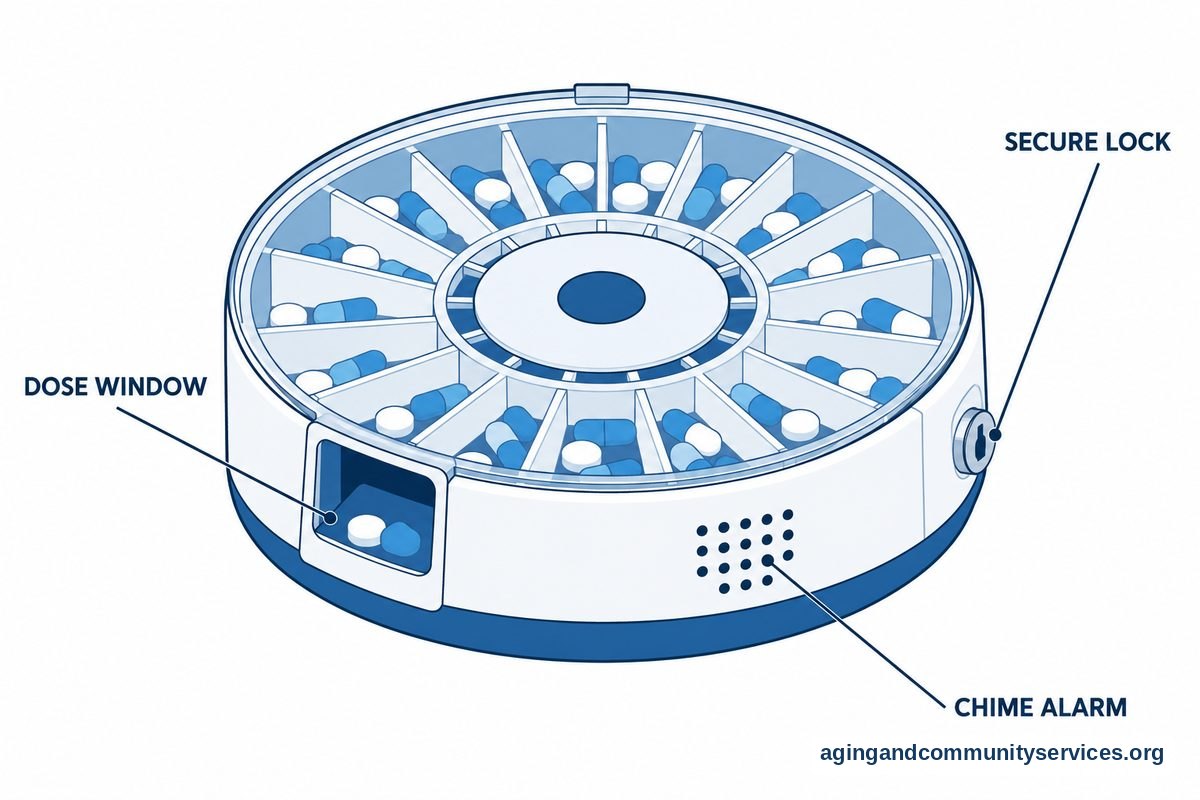
Some families use connected pill devices that send alerts if a dose is missed. A guide to pill dispensers for elderly can explain common features, such as alarms, compartments, and caregiver notifications. These features are most helpful when everyone understands how the device will be filled and checked.
Caregiver apps can also reduce confusion. They can keep tasks, notes, medicine lists, and appointments in one shared place. A guide to apps for senior caregivers can help families compare the types of features that may support daily care.
For fall related concerns, medicine timing and side effects should be discussed with a clinician. The National Institute on Aging shares general information about falls and prevention, including home and health factors to consider. A doctor, physical therapist, or occupational therapist can give guidance for a specific person.
What You Can Do Next
Start small. A careful setup matters more than a fancy tool. Choose one routine that feels hard right now, such as morning medicines, refill planning, or keeping the medicine list current.
- Make a medicine list: Write the medicine name, dose instructions, pharmacy, prescriber, and reason it was prescribed if known.
- Check the list: Ask a pharmacist or doctor to review the list, especially after a hospital visit or medicine change.
- Pick one reminder method: Use a phone, watch, speaker, paper chart, pill organizer, or dispenser.
- Set up shared help: Decide who will fill the organizer, who will request refills, and who will attend appointments if needed.
- Review privacy settings: Give caregivers only the access they need.
- Bring questions to visits: Save notes in an app or on paper so they are ready for the doctor or pharmacist.
If daily medicine use feels confusing, do not try to solve it alone. A pharmacist can often explain labels, refill timing, and safe storage. A doctor can explain whether a medicine plan needs review.
If home support is needed, the Eldercare Locator can help families find local services. Local support may include caregiver resources, transportation information, or help finding aging services nearby.

Frequently Asked Questions
What is AI for seniors health tracking?
AI for seniors health tracking usually means an app or device that helps collect and organize health information. It may track readings, activity, sleep, symptoms, or medicine reminders. The information can be useful for discussion with a doctor, but it should not be used to diagnose or change treatment on your own.
Can AI remind someone to take prescriptions?
Yes, many tools can send reminders by phone, watch, speaker, or pill dispenser. Some allow a caregiver to see whether the reminder was marked as done. The reminder should match the instructions from the doctor, pharmacist, or medicine label.
Can AI help manage refills?
Some pharmacy apps, calendars, and medication apps can send refill reminders. This can help a person ask for refills with enough time for the pharmacy to prepare them. If refills are often delayed or confusing, ask the pharmacist about simpler refill routines.
Is it safe to put prescription information in an app?
It can be safe when the app has clear privacy settings, strong password options, and limited sharing. Read what information the app collects and who can see it. If you are unsure, ask a trusted helper, pharmacist, or clinic staff member before entering sensitive details.
What should caregivers track in a medication app?
Caregivers may track dose times, refill dates, pharmacy contact details, appointment notes, and questions for the doctor. They should avoid tracking more than needed. The person taking the medicine should be included in decisions whenever possible.
Can health tracking apps replace doctor visits?
No. Health tracking apps can organize information, but they do not replace medical care. Bring app summaries to appointments and ask the doctor, pharmacist, physical therapist, or occupational therapist how to use the information safely.