

Learning how to use pulse oximeter fingertip devices at home is simple, fast, and painless. This small device gently clips onto your finger to measure your pulse rate and oxygen levels within seconds. Following a few basic steps will help you get a clear and steady reading every single time.

Steps for How to Use a Fingertip Pulse Oximeter
- Rest quietly for five minutes. Sit down in a comfortable chair, relax your body, and keep your hands still on a flat surface before you begin.
- Check your hand temperature. Warm your fingers by rubbing them together if they feel cold, because chilly hands can slow down blood flow and cause false readings.
- Turn the device on. Press the power button and wait for the small screen to light up and show it is ready.
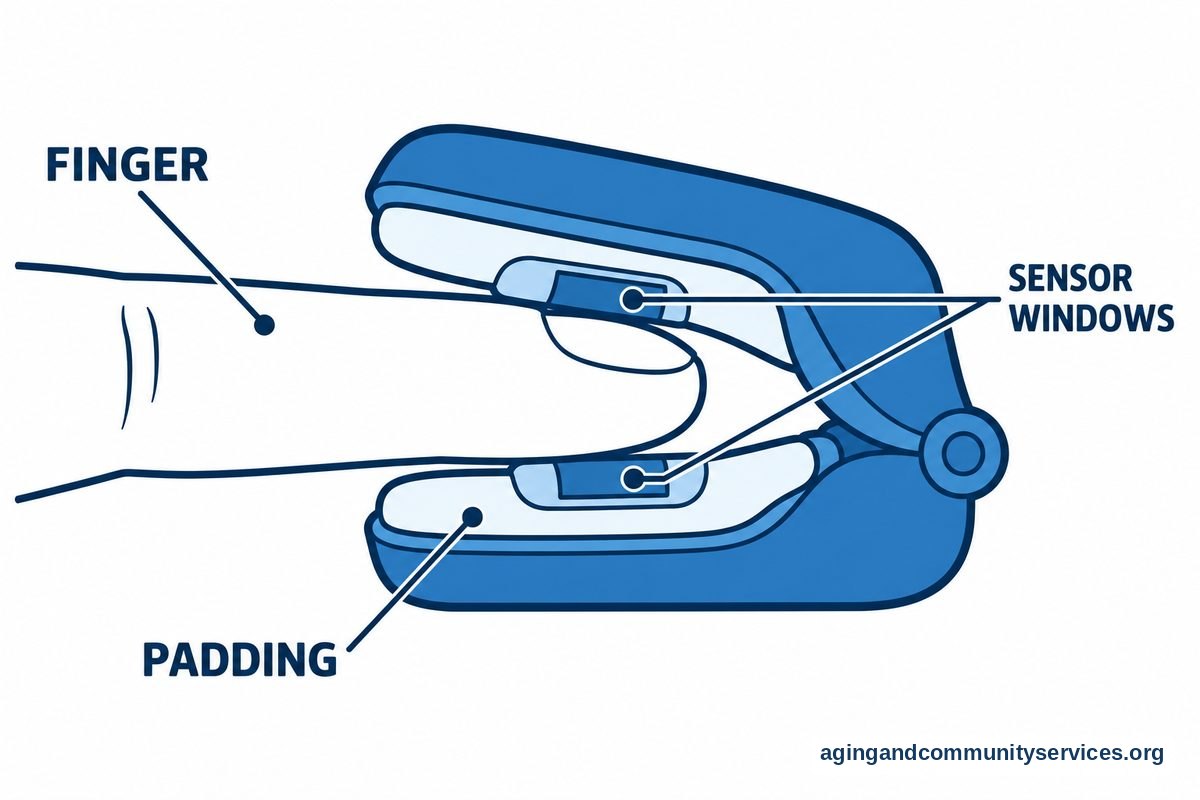
- Position your finger correctly. Open the clip and slide your index or middle finger deep inside so the sensor covers your nail bed completely.
- Keep your hand still. Rest your hand flat on your chest or on a table at heart level while the screen blinks.
- Read your final numbers. Watch the screen until the numbers stop jumping around, which usually takes between thirty and sixty seconds.
If you are exploring different models for daily home care, you can read our guide on how to choose a pulse oximeter that fits your personal comfort needs. Having clear buttons and bright numbers makes the whole process easier for older adults.
Common Mistakes to Avoid
Small habits can sometimes interfere with how the light beams pass through your skin. Avoiding these common mistakes will ensure you receive reliable information from your monitor:
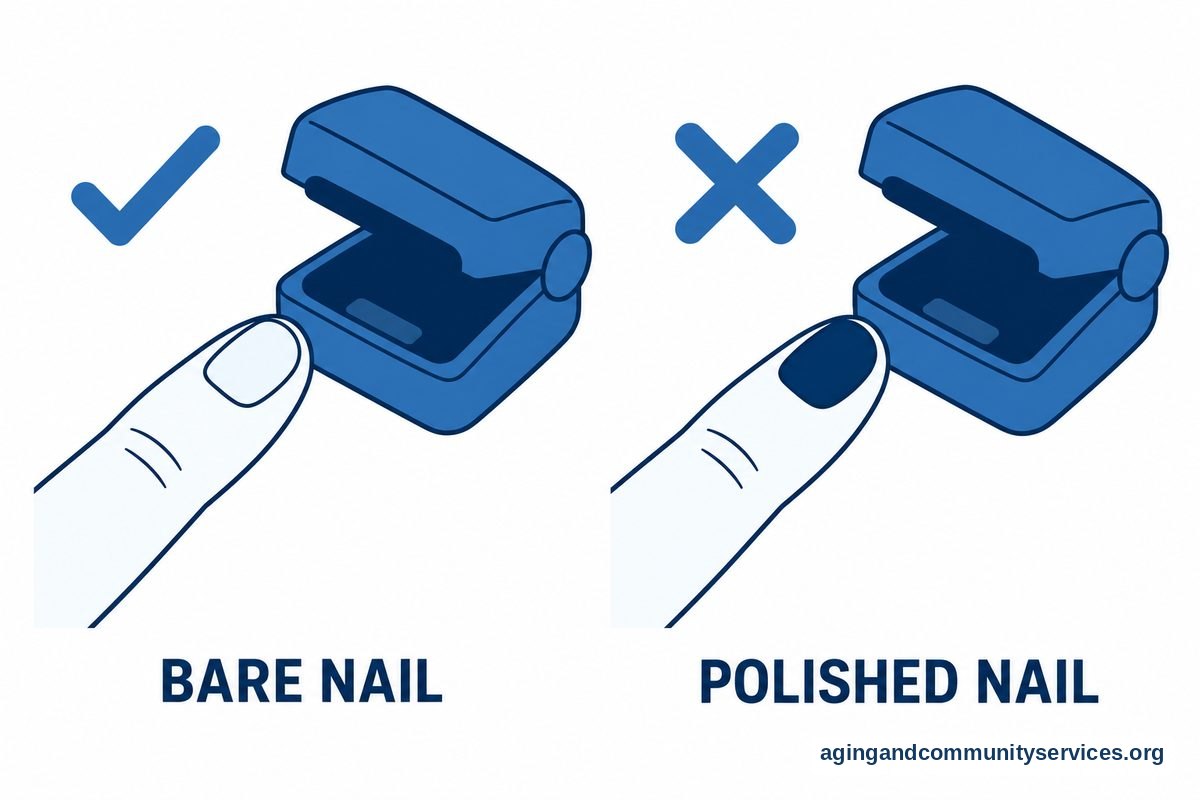
- Wearing dark nail polish: Dark blue, black, or red polish can block the sensor light and lead to low or missing numbers.
- Moving your hand during the reading: Tapping your fingers, talking, or shaking your hand creates motion that confuses the sensor.
- Placing the clip on cold fingers: Low skin temperature tightens small blood vessels, making it hard for the unit to detect a pulse.
- Using artificial nails: Thick acrylic or gel nails can add too much space between the sensor and your blood vessels.
- Sitting in direct sunlight: Extremely bright overhead lighting or direct outdoor sun can wash out the sensitive optical sensors inside the device clip.
Taking your time and sitting in a well-lit room away from harsh glare makes a big difference. If you want to know about purchasing options through insurance, review our article explaining does medicare cover pulse oximeter costs for home use.
When to Call for Help or Get Professional Advice
A fingertip monitor is a helpful check-in tool, but it does not replace a medical examination. Always listen to your body first. If you feel dizzy, confused, short of breath, or weak, contact your medical team right away regardless of what the screen shows.
When you speak to a doctor or nurse on the phone, have your numbers ready to share. Tell them your current oxygen percentage, your pulse rate, and how you feel physically in that exact moment. You should also tell them if your reading is lower than your normal personal baseline that your doctor established for you.
For support with independent living and wellness resources in your local area, you can contact the Eldercare Locator to find programs that help you maintain your health at home. Keeping family members or caregivers informed of your daily trends is also a wonderful practice.
Helpful Alternatives to Finger Clips
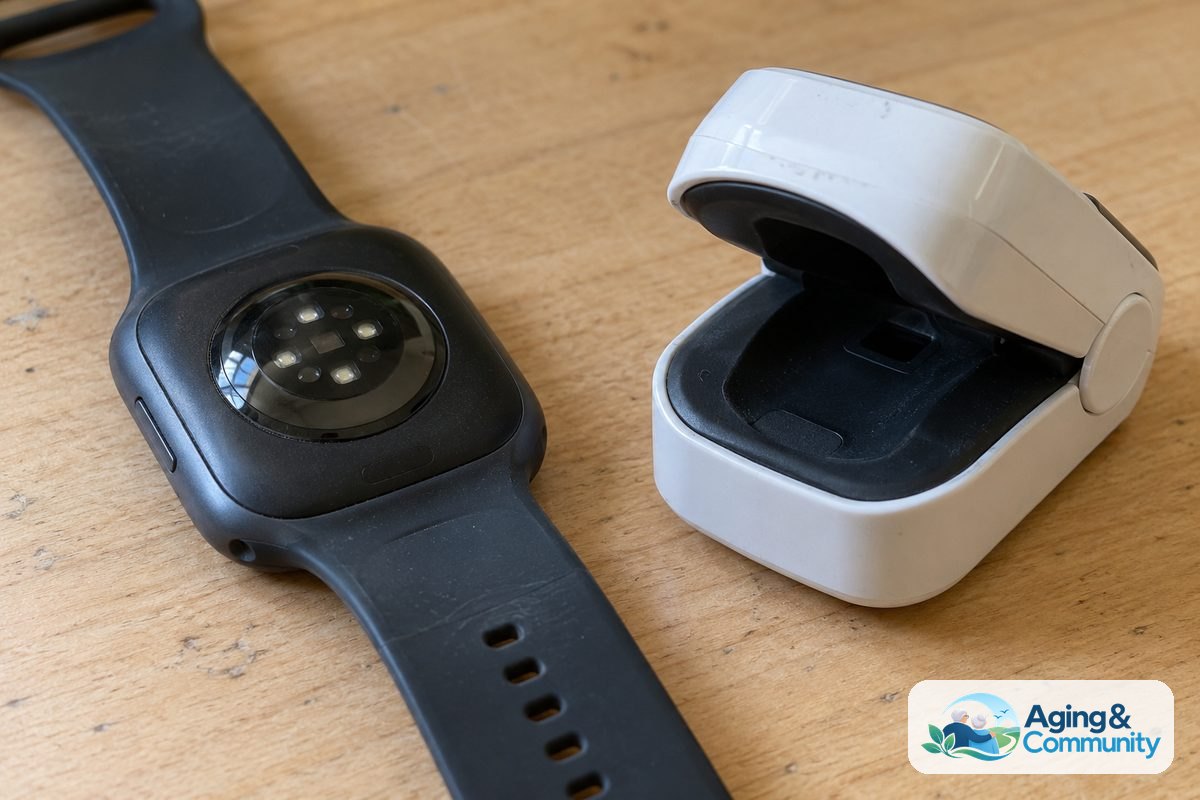
While finger clips are standard, wearable tech has become popular in recent years. Many people enjoy using modern wrist wearables to observe general activity trends throughout the day. To understand how these tools compare to standard clips, see our review on pulse oximeter vs apple watch performance.
Staying healthy and tracking your body at home also supports safe mobility, as does using a covered medication dispenser for daily prescriptions. Physical stability works hand in hand with regular breathing and energy levels. The National Institute on Aging: Falls and Falls Prevention page offers helpful guidance on keeping your home space secure and steady as you move about your daily routine.
How to Use a Pulse Oximeter Video and Visual Guides
Many people find it much simpler to learn by watching someone else demonstrate the process. A helpful video walk-through shows exactly how far your finger should slide into the chamber and how still you must remain while the numbers register.
When watching an instructional clip, look closely at how the person rests their arm. Good visual guides emphasize resting your arm flat on a tabletop so your muscles do not tense up. Tense muscles can make your pulse reading jump up and down unnecessarily.
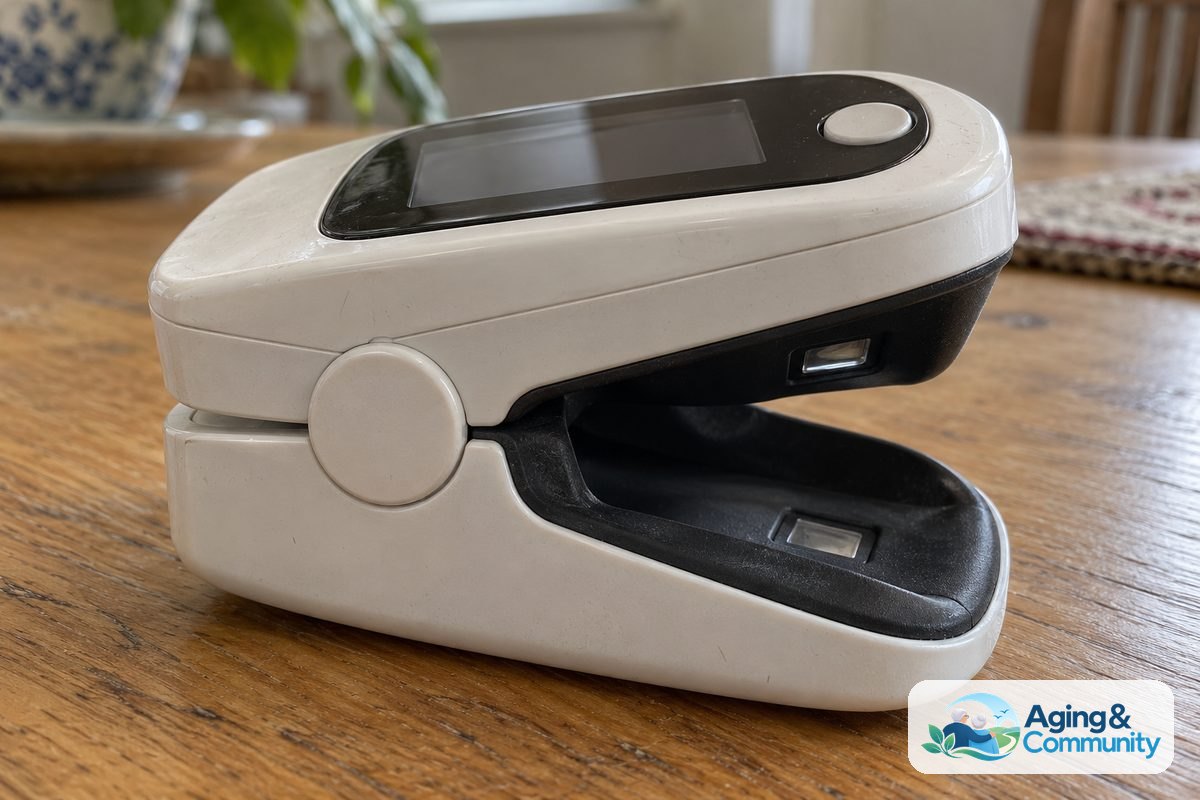
You can also observe how the display shows two distinct numbers. One number is labeled SpO2, which indicates your blood oxygen saturation percentage. The other number, labeled PR or BPM, represents your pulse rate in beats per minute.
Frequently Asked Questions
Which finger is best to use?
Most healthcare professionals recommend using your right middle finger or your right index finger. Studies have shown these fingers often provide steady circulation for optical sensors. Any finger will work as long as it fits comfortably and does not feel pinched.
Can I use the device if my hands are cold?
Cold hands can cause the monitor to display an error or show an inaccurate reading. Rub your hands together vigorously for thirty seconds or run them under warm water before clipping the unit to your finger.
What do the two numbers on the screen mean?
The screen presents two separate measurements. The number with the percent sign or SpO2 label shows the percentage of oxygen carried in your red blood cells. The other number shows your pulse rate, telling you how many times your heart beats in one minute.
Where can I find a how to use a pulse oximeter video?
You can find reliable instructional videos on hospital websites, community health portals, and official manufacturer support pages. These brief videos offer a step-by-step look at operating your device from unboxing to taking a reading.
How do I clean my fingertip monitor between uses?
Wipe the inside rubber surface gently with a soft cloth slightly dampened with water or rubbing alcohol. Never immerse the monitor in liquid, and let it dry completely before sliding it back onto your finger.