

Learning how to use hospital bed remote controls can make everyday resting and sitting up much more comfortable. Most hand controls use clear arrows and pictures to raise or lower your head, feet, and overall bed height. Once you learn what each button does, you can adjust your position easily without straining your back or arms.

Steps for How to Use a Hospital Bed Remote
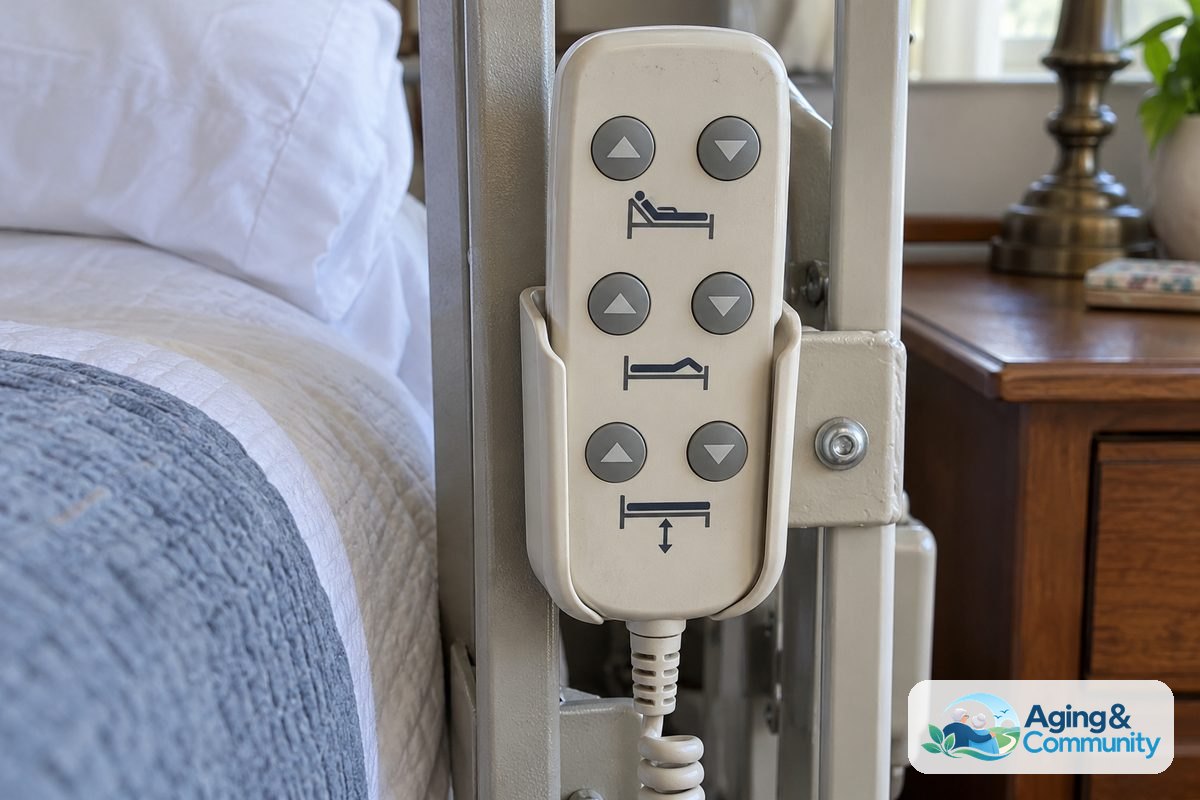
- Locate and hold the hand pendant securely. Pick up the corded remote from its side rail clip or headboard cradle, making sure the cord rests free of the moving bed frame.
- Check the arrow symbols on the buttons. Look for pairs of arrows where the up arrow lifts a section of the bed and the down arrow lowers it.
- Adjust the head section first. Press and hold the button showing the upper body tilting up until you reach a comfortable angle for reading, eating, or resting.
- Raise or lower the foot section. Press the foot button to slightly elevate your knees and legs, which helps stop your body from sliding down toward the bottom of the mattress.
- Change the total bed height as needed. Use the bed icon arrows to raise the entire frame when a helper assists you, or lower it down close to the floor when you want to sleep.
- Release the button when comfortable. Stop pressing the button as soon as you reach your desired spot, and return the remote to its holder on the side rail.
If you are setting up home care equipment for the first time, learning how to use hospital bed features correctly can help you feel confident every day.
Common Mistakes to Avoid
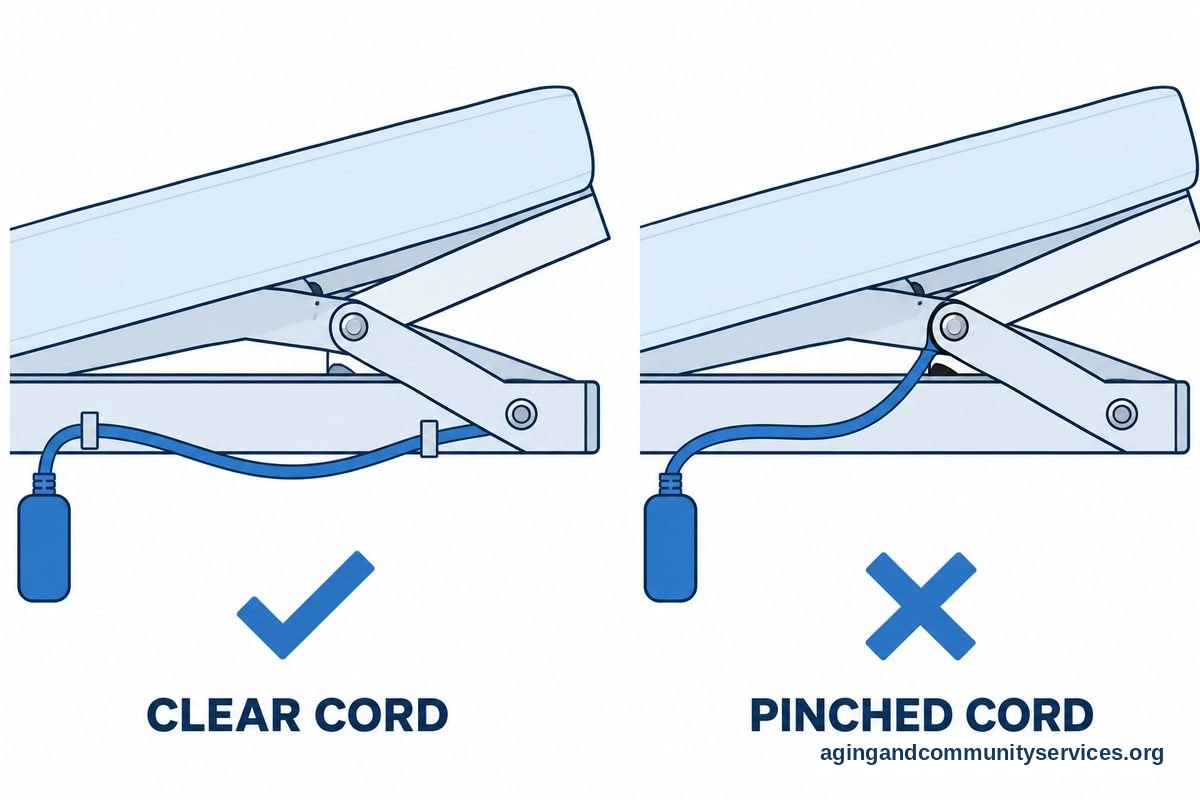
- Leaving the cord caught in moving joints: Wires can get pinched and damaged when the frame raises and lowers, so always keep the cord clear of moving steel parts.
- Pressing multiple buttons at the same time: Most remotes can only process one command at once, and pushing two buttons can confuse the motor or cause sudden stops.
- Leaving the bed raised high while sleeping: Keeping the frame high off the floor creates a hazard if someone rolls out of bed during the night.
- Dropping the remote on the floor: Hard plastic pendants can crack when dropped, and reaching down from the mattress to grab a fallen remote creates a tipping risk.
- Overlooking lockout switches: Many remotes have small key switches or rear buttons that lock out functions to stop accidental movements, so check these if a button stops working.
When to Call for Help or Professional Advice
Sometimes a hand control stops responding or moves the wrong part of the frame. If you press a button and hear a grinding noise, smell something hot, or notice that the motor hums without moving, stop using the remote right away. Unplug the bed power cord from the wall outlet if it is safe to reach.
Call your medical equipment provider or the home health supply company that delivered the bed. Tell them the brand name of the bed, the model number found on the frame tag, and the exact buttons that do not work. If the bed is provided through an insurance program, you might review whether does medicare cover hospital bed rentals and maintenance visits for faulty electronics.
For families helping older adults arrange safe home recovery spaces, community resources can offer guidance. You can reach out to the Eldercare Locator to find local assistance and support services in your county.
How to Use Hospital Bed Remote for TV and Entertainment
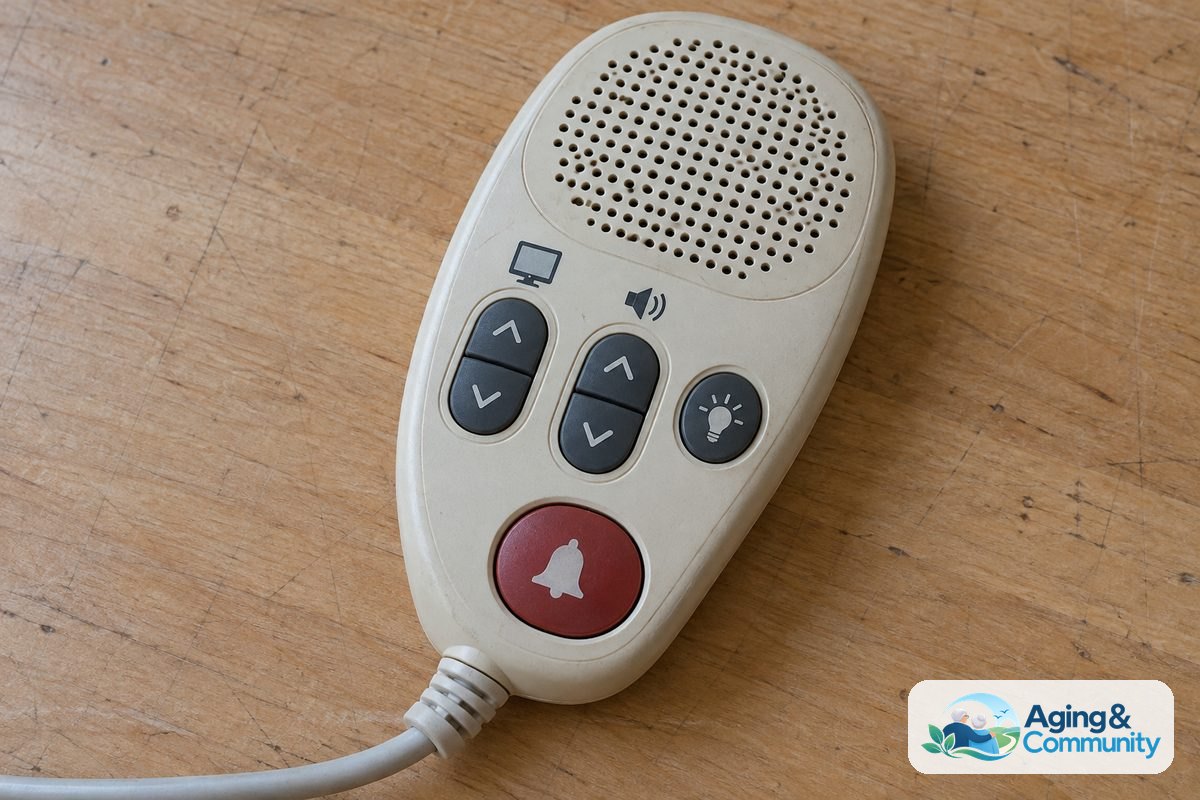
In medical facilities and specialized care centers, the bed pendant often serves as both a position controller and an entertainment remote. These combination units are called pillow speakers or nurse call pendants. They allow you to control your room without stretching your arms or hunting for multiple handsets.
To change channels, look for buttons labeled with numbers or simple up and down arrows near a television icon. The remote will usually have two volume buttons marked with plus and minus signs. The sound often plays directly through a small speaker inside the handheld remote itself rather than through the television across the room. This design keeps the room quiet for roommates or family members resting nearby.
Some pendants also feature a button with a lightbulb icon. Pressing this button turns on an overhead reading light or an ambient room light. If your pendant has a large red or white button labeled Call, that is meant for the nurse call station. Do not use that button for television controls, as it alerts the nursing staff that you need direct assistance.
Keeping the Bed Area Safe and Organized
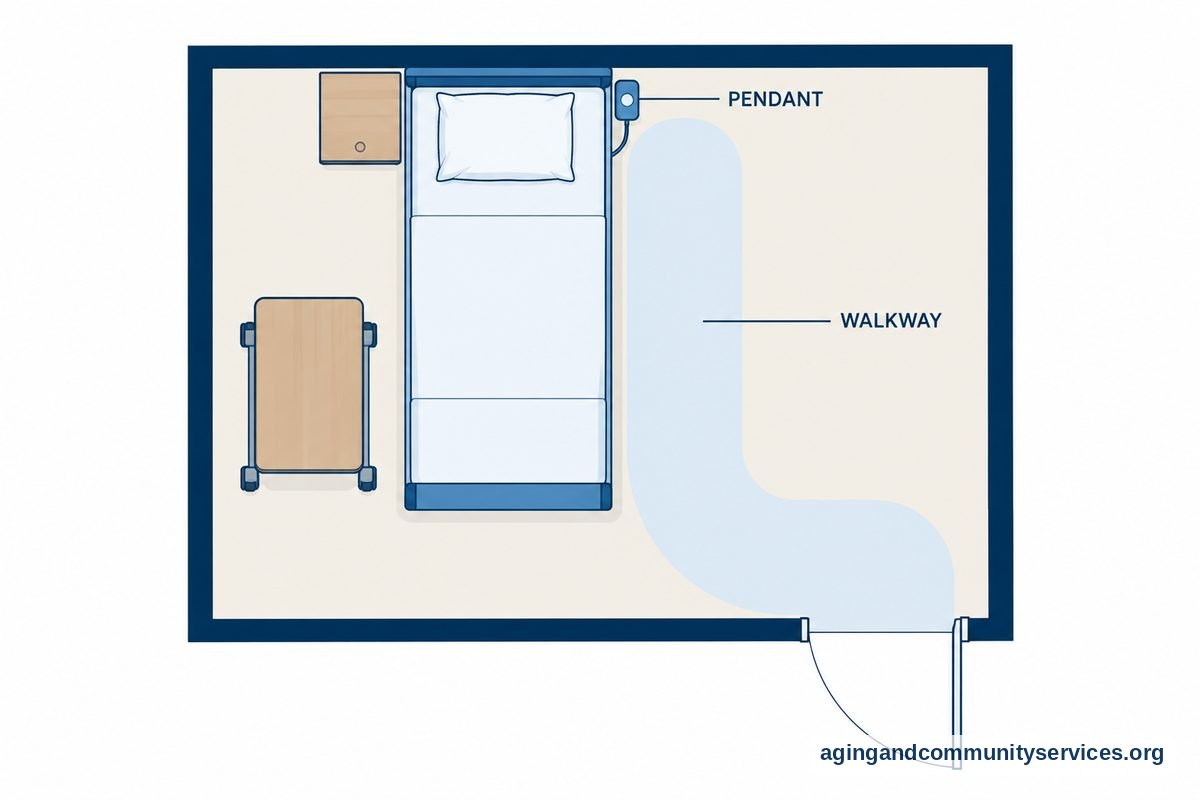
A tidy bedside area helps keep your remote within easy reach at all times. When you can reach your controls without leaning off the edge of the mattress, you lower the chance of accidental slips. Safe setup is a central part of everyday comfort for older adults who spend extended time in bed.
The National Institute on Aging: Falls and Falls Prevention resources note that keeping walkways clear and items within easy reach can lower the risk of falls around the bedroom. Consider using over bed tables with wheels to keep drinks, books, and the bed remote right in front of you. Sturdy tables roll smoothly out of the way when it is time to stand up.
You can also clip the remote directly to your side rails. Using tested bed rails for elderly support gives you a solid place to clip the handset while providing stable handholds when shifting your weight or getting out of bed. If you have questions about positioning for comfort, speak with a doctor, physical therapist, or occupational therapist for personalized suggestions.
Frequently Asked Questions
How do you unlock a hospital bed remote?
Many modern hospital beds have a lockout feature on the back of the pendant or on an attendant control panel at the footboard. Look for a tiny key symbol or a sliding switch. On some digital remotes, you hold down two specific buttons together for three seconds to unlock the movement functions.
Why is my hospital bed remote not working?
Start by checking if the main bed power cable is plugged tightly into a working wall outlet. Next, check the cord connecting the handheld remote to the motor box under the frame, as it can wiggle loose over time. If the remote has an indicator light that does not turn on, the remote or the control box may need replacement by your equipment supplier.
How do you adjust the head and foot together?
Some remotes include a button that shows both the head and foot rising at the same time, often called a contour button. Pressing this single button lifts your back while slightly bending your knees. If your remote does not have this button, simply raise the head first and then use the foot button to raise your legs.
Can I replace a broken hospital bed remote myself?
Yes, replacement pendants are widely available for home hospital beds. You will need to check the tag on the motor box under the bed to find the brand, model, and the number of pins inside the plug connector. If your bed is rented through an agency, contact the rental company so their technician can deliver and plug in the correct part.
What is the Trendelenburg button on a bed remote?
The Trendelenburg button tilts the entire bed frame in a straight line so that the feet are higher than the head, while reverse Trendelenburg tilts the head higher than the feet. These buttons are usually restricted to clinical settings or specific home care routines supervised by a nurse or physical therapist.