

Finding reliable home internet for seniors through Xfinity can help you stay in touch with family, manage healthcare visits, and enjoy daily entertainment. While the company does not offer a package labeled exclusively for retirees, several budget-friendly plans and assistance programs make service accessible. Learning how these plans work makes it much easier to select the right setup for your needs.

Understanding Internet Essentials from Comcast
The primary low-cost offering from Comcast, the parent company of Xfinity, is called Internet Essentials. This program provides reliable home service at a reduced monthly rate for people who qualify through specific public assistance programs. It is designed to bridge the digital divide for households on fixed incomes.
Internet Essentials includes in-home Wi-Fi equipment at no additional monthly charge. It also comes with no credit check and no term contract. This makes it an attractive choice for households seeking straightforward, predictable billing without hidden equipment fees.
For many households, pairing affordable home service with other resources helps maintain independent living. Many older adults find that staying connected supports their desire for aging in place comfortably and safely. You can also review options for internet for seniors low income programs to see how national plans compare.
Qualifying for Reduced-Cost Xfinity Programs
Eligibility for Internet Essentials is based on participation in specific government support programs rather than age alone. If you receive benefits from one of these programs, you can typically qualify without difficulty:
- Supplemental Nutrition Assistance Program (SNAP)
- Medicaid
- Supplemental Security Income (SSI)
- Federal Public Housing Assistance or Section 8
- Veterans Pension or Survivors Pension benefits
Applicants must live in an area where Comcast Xfinity service is available. You must also have had no Comcast internet service within the last ninety days, unless you qualify for an exemption. Additionally, you cannot have outstanding unpaid debt to Comcast that is less than one year old.
If your household does not receive federal benefits, you can still explore alternative savings. Looking into a general internet for seniors discount can reveal other ways to lower your monthly bill through promotional rates or bundled packages.
Standard Xfinity Plans for Light to Moderate Use
If you do not meet the criteria for government-assisted programs, standard entry-level packages may still fit your monthly budget. Xfinity offers basic tiers that provide plenty of speed for common online activities like reading emails, reading news, and video chatting with grandchildren.
Basic speed tiers generally deliver enough bandwidth for one or two people using the network at the same time. You can stream shows on television, browse websites, and manage everyday banking without paying for premium speeds you do not need.
When considering standard packages, it can be useful to look at what other providers offer in your neighborhood. Reviewing plans like internet for seniors at&t allows you to compare speeds, data limits, and setup requirements before making a decision.

Equipment and Installation Choices
Getting your service running involves setting up a modem and Wi-Fi router. Xfinity gives you two main ways to handle this step depending on your comfort level with technology.
- Self-Installation Kit: The company sends a box with all necessary cords, the modem gateway, and clear step-by-step instructions. Many people find this simple to do on their own or with a family member helping.
- Professional Installation: A technician visits your home, connects the lines, sets up the wireless network, and tests the signal. This service often involves a one-time fee unless waived during a promotion.
You can also choose to buy your own compatible modem and router rather than paying a monthly rental fee for standard plans. Over time, owning your equipment can reduce your overall expenses.
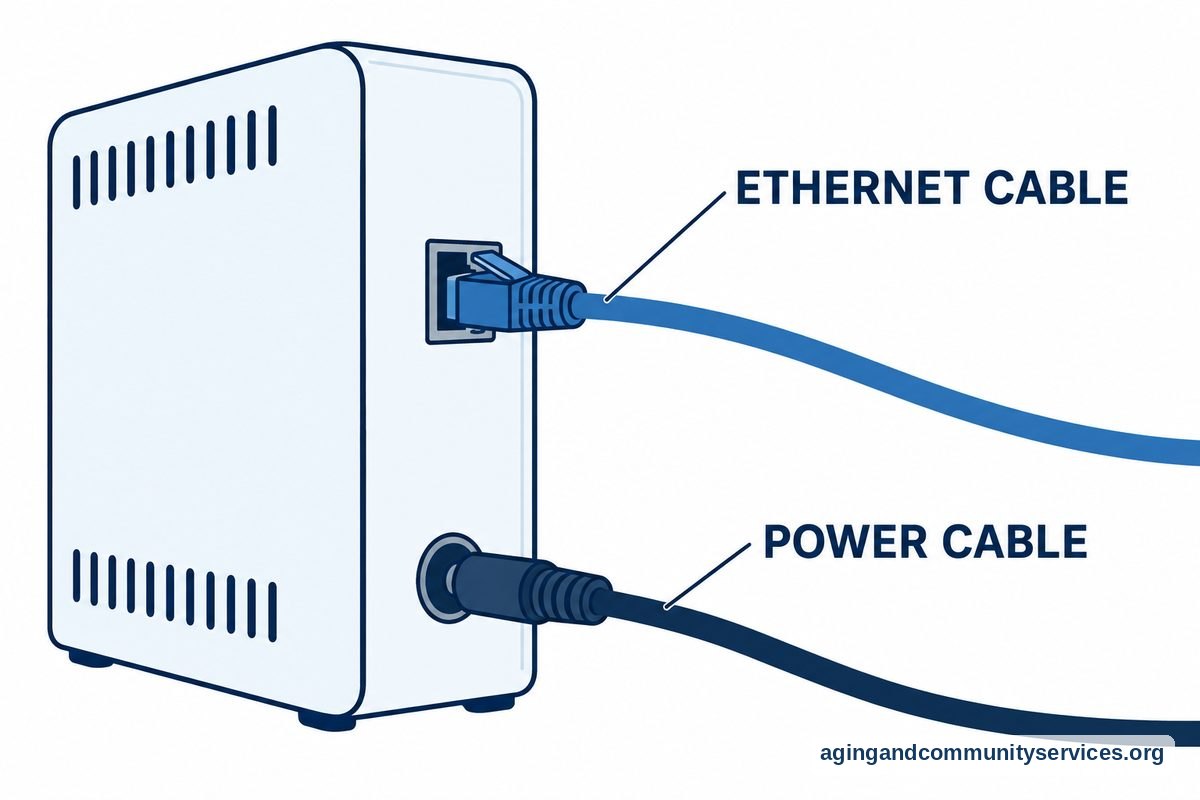
Managing Everyday Technology and Home Safety
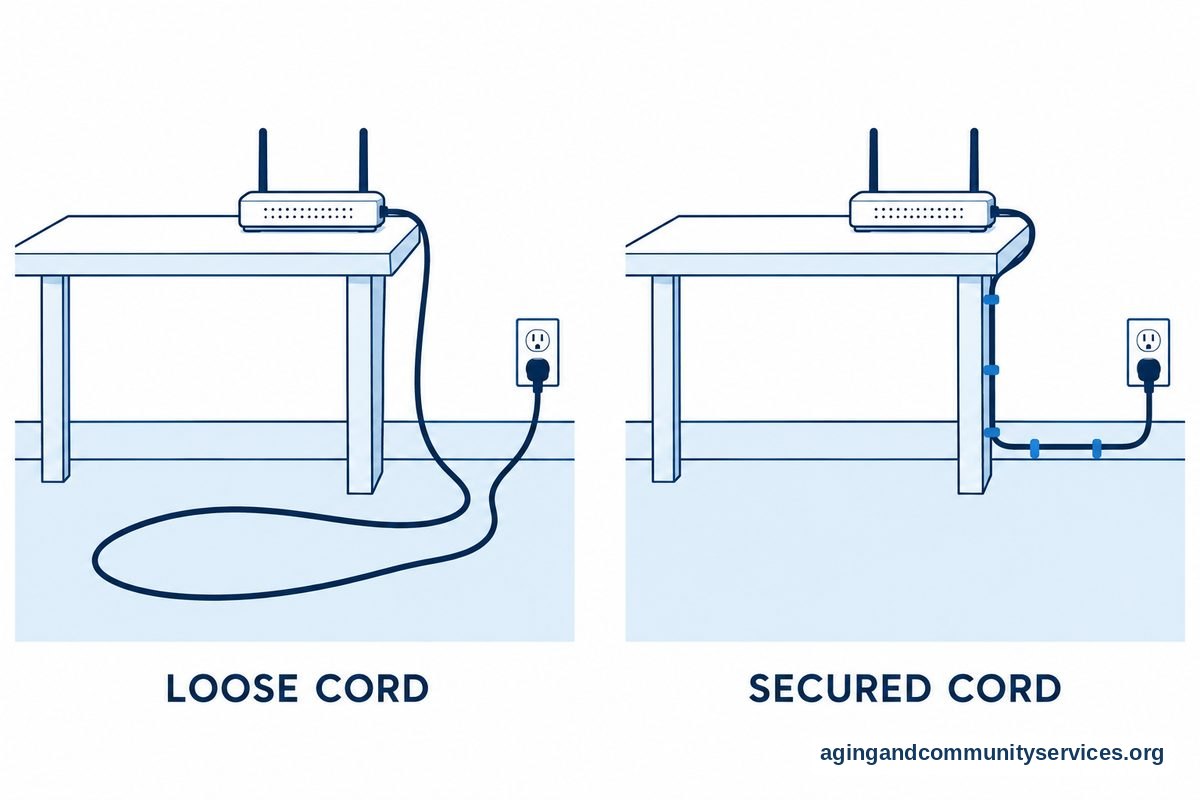
Having reliable internet access helps you manage important daily tasks, such as scheduling appointments, ordering groceries, and using telehealth services. However, spending more time online can sometimes mean sitting for long periods or dealing with cables around the house.
Keep computer wires, power strips, and extension cords neatly bundled and tucked away from walking paths. Cords stretched across hallways or near favorite chairs create serious tripping hazards. Taking simple steps to secure your space aligns with guidance from the National Institute on Aging on preventing home accidents.
If setting up equipment or managing your home layout feels overwhelming, consider consulting an occupational therapist or physical therapist. These professionals provide personalized guidance on arranging your living space to maintain mobility and ease of use.
What You Can Do Next
Taking a few organized steps can help you secure the right home internet service without unnecessary stress.
- Check your paperwork: Gather any documentation showing participation in programs like SNAP, Medicaid, or SSI. Having these documents ready speeds up the application process.
- Check local availability: Visit the provider website or contact customer support to confirm that service lines reach your home address.
- Ask about current promotions: If you do not qualify for assistance programs, ask a representative about promotional pricing for new customers on introductory tiers.
- Reach out for local support: If you want assistance navigating service plans or other community resources, contact the Eldercare Locator to connect with local agencies on aging.

Frequently Asked Questions
Does Xfinity have a special discount just for being over 65?
Xfinity does not offer a package based purely on a person reaching a certain age. Instead, reduced rates are provided through assistance programs that look at household income and participation in public benefits. You can learn more about general age-related programs by reviewing resources on internet for seniors over 65.
How fast does my home internet need to be?
For most households with one or two people, a basic connection speed is plenty. You can comfortably read news, send emails, stream high-definition video, and make video calls. Very high speeds are generally only needed for homes with many people streaming or gaming at the exact same moment.
Can a family member help me apply for service?
Yes, a trusted family member or caregiver can assist you with the application process. They can help gather benefit documents, fill out online application forms, or sit with you during customer service calls to ensure all questions are answered clearly.
Is equipment included with the Internet Essentials plan?
Yes, the Internet Essentials program includes the Wi-Fi router and modem combo unit at no extra monthly fee. There is also no fee for standard shipping of the equipment kit to your home.
What should I do if my monthly bill increases unexpectedly?
Introductory promotional rates often change after one or two years. If your bill increases, call customer service to ask about current promotions or whether you can switch to a lower speed tier that better matches your daily usage.