

Watching an AI for seniors video is one of the easiest ways to see how artificial intelligence can help with everyday life. These video resources show how voice tools, smart screens, and digital assistants work in real time. Seeing technology in action helps build confidence without any confusing technical jargon.

How Video Technology Uses Artificial Intelligence
Artificial intelligence, often called AI, simply refers to computer programs that learn patterns and solve problems. When applied to video, AI helps cameras and screens understand what is happening in a room. This can make digital devices much easier to use.
For example, modern video calling tools can adjust lighting automatically so faces appear clearer. They can also focus on the person speaking and reduce background noise from air conditioners or traffic. This makes conversations with family members feel more natural and relaxed.
Many people find that learning about AI for seniors in easy steps through short video clips is far simpler than reading long instruction manuals. Visual demonstrations allow you to pause, rewind, and practice at your own pace.
Everyday Benefits of Video AI for Older Adults
Artificial intelligence makes video devices helpful companions for independent living. Many smart displays now use simple voice commands to start video calls with children or grandchildren. You do not need to tap tiny buttons or remember complex passwords.
Here are several ways video AI tools assist in daily routines:
- Automated captions: Spoken words appear as large text on the screen during a video call, which helps if hearing is difficult.
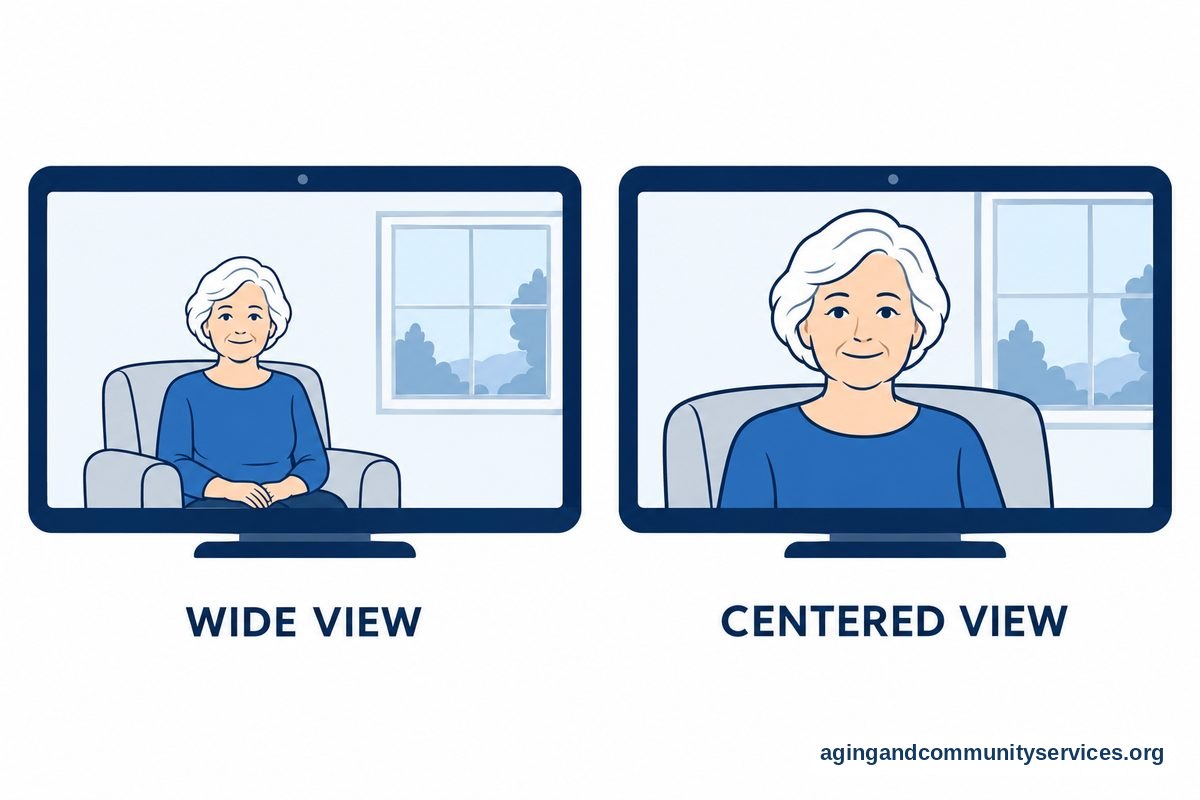
- Smart framing: The camera moves digitally to keep you in the center of the screen even if you stand up or move around the kitchen.
- Visual reminders: Screens can display gentle notes for daily routines, appointments, or hydration checks.
- Photo sharing: Connected frames display new pictures sent by family members without requiring manual downloads.
These features support people who want to remain comfortable in their own homes. The National Institute on Aging offers valuable guidance on aging in place with the help of community resources and assistive technology.
Video Safety and Monitoring Options
Safety is a common reason families explore modern video devices. Some smart cameras use AI to notice unexpected changes in daily activity patterns. For instance, a system might notice if a hallway remains empty for an unusual amount of time during the morning routine.
Certain camera tools can also detect sudden motion that resembles a trip or stumble. If you have concerns about balance or moving safely around your home, speak with your doctor or a physical therapist. Resources from the National Institute on Aging on falls and falls prevention can also provide practical ideas for home safety.
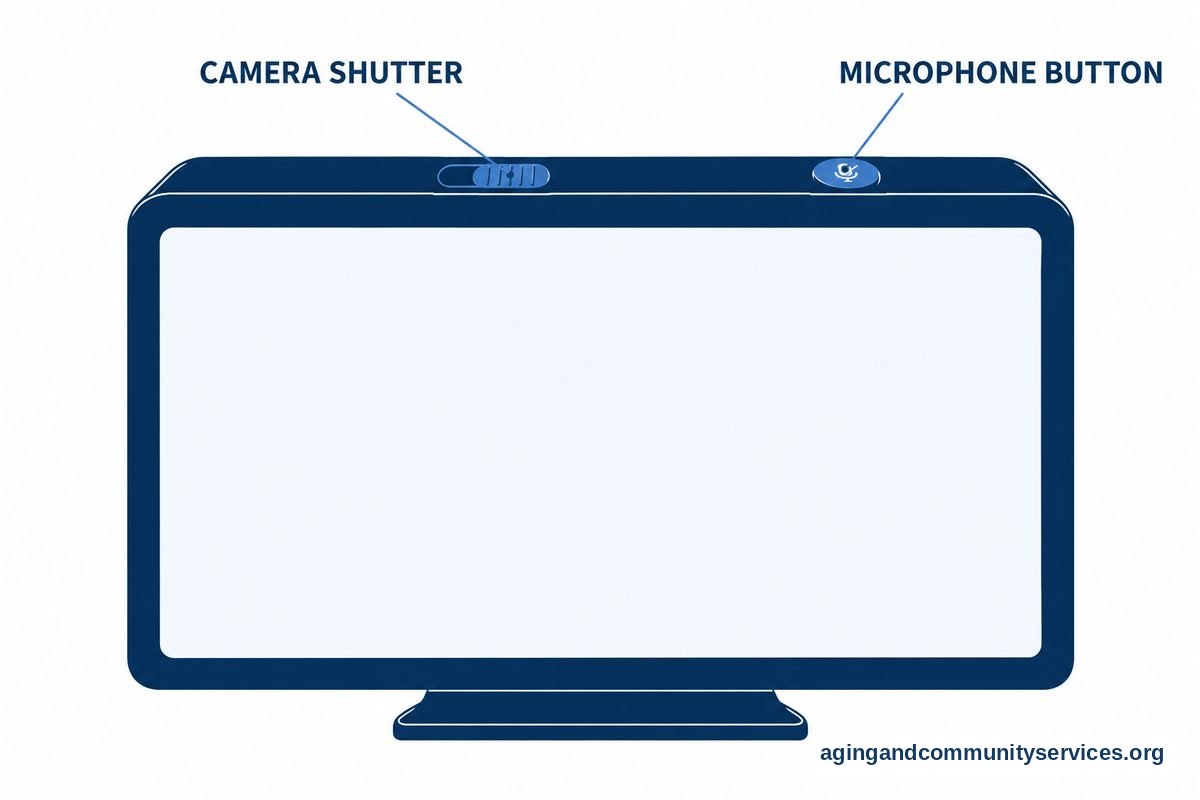
Privacy is always an essential factor when considering cameras. Most home video devices include physical shutter covers that slide over the lens when privacy is desired. You can also turn off microphones with the press of a single button. Exploring general AI for the elderly can help you choose products that respect your personal space while offering peace of mind.
Finding the Best Instructional Videos
If you want to learn how to use a tablet, smart display, or voice assistant, online video tutorials are widely available. Many public libraries and community centers produce clear, step-by-step guides tailored specifically for beginners.
When searching for tutorials, look for channels that demonstrate the physical screen and show fingers pressing each button. Seeing the exact screen layout makes following along much simpler. You can also explore structured AI courses for seniors offered through local non-profit groups or adult education centers.
Taking notes on paper while watching a video can help you remember new steps. You might also ask a trusted family member or neighbor to watch the tutorial with you so you can try out the new features together.

Voice and Video Companions
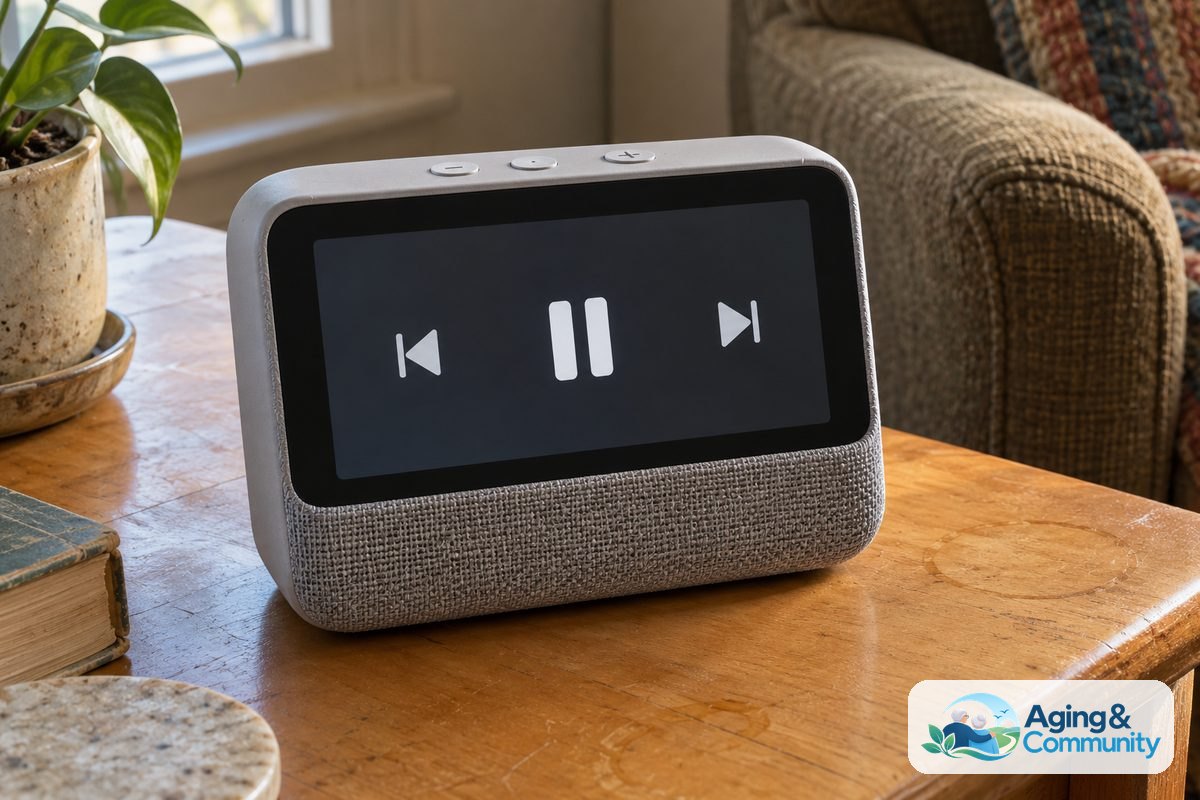
Staying connected with friends and family is essential for emotional well-being. Modern smart screens allow you to stay in touch through simple greetings like saying good morning to your device. Some people also enjoy interactive devices that tell stories, read audiobooks, or play trivia games.
An interactive AI companion for elderly users can offer daily conversation practice, gentle memory games, and weather updates. These tools do not replace human friendship, but they can provide pleasant engagement during quiet afternoons.
Simple Steps You Can Take Next
Getting started with video technology does not have to happen all at once. Taking small, manageable steps will help you feel comfortable with each new tool.
- Identify your main goal: Decide whether you want easier video chats with family, automatic captions, or simple video tutorials.
- Visit your local library: Many libraries offer free tech help desks where staff can demonstrate smart displays and tablets in person.
- Contact local support agencies: Reach out to the Eldercare Locator to find community centers in your area that offer technology classes.
- Practice with family: Set up a regular weekly time for a short video call with a relative so you can get used to the controls.
- Check privacy settings: Ask someone you trust to review your device settings to make sure your camera and microphone only turn on when you want them to.
Frequently Asked Questions
Do I need fast internet to use video AI tools?
Most video calling devices and smart displays require a standard home internet connection. A basic broadband or Wi-Fi setup is usually fast enough for clear video calls and automated captions. If you are unsure about your internet speed, your service provider can explain your current plan.
Are video cameras safe to have inside the home?
Yes, modern devices offer strong privacy settings to keep you in control. You can choose models that have built-in sliding covers for the camera lens. You can also turn off the microphone whenever you want private time.
Can an AI video call help if I have trouble hearing?
Yes, many video calling platforms now include live captions powered by artificial intelligence. As the other person speaks, their words appear as readable text across the screen. You can often make the text larger in the device settings to make reading comfortable.
Where can I watch free video tutorials on AI?
Free video tutorials are widely available on popular video websites, community college portals, and public library websites. Searching for beginner guides on your specific device name will bring up step-by-step demonstrations that you can watch at any time.