

When people search for recommendations on apps for seniors, Reddit communities often offer honest advice based on everyday experience. Family members and older adults share what truly works well on tablets and phones without unnecessary clutter. This guide brings together the most popular suggestions discussed online to help you find useful tools for daily living.

Everyday Communication and Staying in Touch
Staying connected with family and friends is one of the top reasons people look for technology suggestions. Online forums frequently point out that standard text messaging can feel cramped or confusing. Simple video tools and messaging services with clean layouts tend to receive the highest praise from real users.
- Simplified Video Calling: Tools like FaceTime or Zoom let families talk face to face. Forum members often suggest setting up one-touch shortcuts on the home screen so calls start with a single tap.
- Photo Sharing Streams: Shared family photo albums allow relatives to post pictures that appear automatically on a parent’s tablet. This creates an ongoing connection without requiring the user to navigate social media feeds.
- Voice-to-Text Tools: Many users find typing on small glass screens frustrating. Built-in voice dictation tools allow people to speak their text messages aloud with great accuracy.
For more ideas on keeping communication straightforward, you can explore specialized apps for elderly users that focus on larger buttons and minimal steps.
Health Management and Daily Reminders
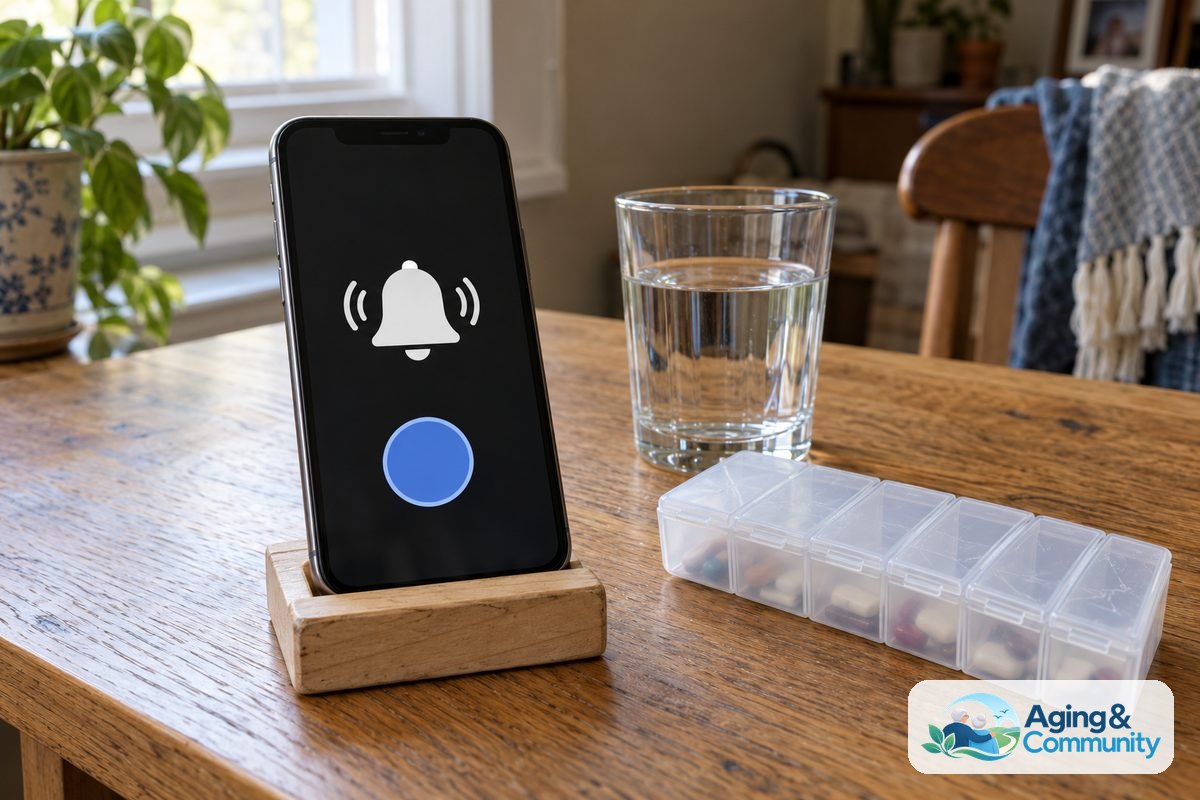
Managing daily medications and appointment schedules is another major topic on community boards. Many family members ask how to keep track of complex pill schedules without creating stress. Real-world discussions show that the simplest reminder tools usually perform better than complex medical tracking programs.
Digital pill organizers send gentle chimes when it is time to take a dose. Some versions allow a family member to receive an update once a pill has been marked as taken. This provides peace of mind while supporting independent routines at home.
People managing health tasks alongside family support can also review dedicated apps for elderly care to coordinate doctor notes and daily schedules. The goal is always to reduce clutter and keep vital information within easy reach.
Brain Games, Reading, and Entertainment
Entertainment recommendations appear constantly in discussions among adult children helping their parents. People want engaging activities that stimulate the mind without annoying advertisements, pop-up windows, or hidden subscription prompts.
- Digital Library Access: The public library app Libby is one of the most praised tools online. It allows readers to borrow digital books and audiobooks for free using their local library card. Users can adjust text size, change screen contrast, and make reading comfortable.
- Word Puzzles and Card Games: Classic games like solitaire, crosswords, and word searches remain popular. Online contributors suggest looking for versions that offer an ad-free upgrade to avoid accidental taps on confusing advertisements.
- Audiobook and Radio Players: Dedicated listening services let users enjoy stories or favorite radio stations through clear, large-screen interfaces.
These leisure options support a vibrant daily routine. Engaging with personal hobbies helps support overall comfort while aging in place in familiar surroundings.

Simplifying the Phone Interface
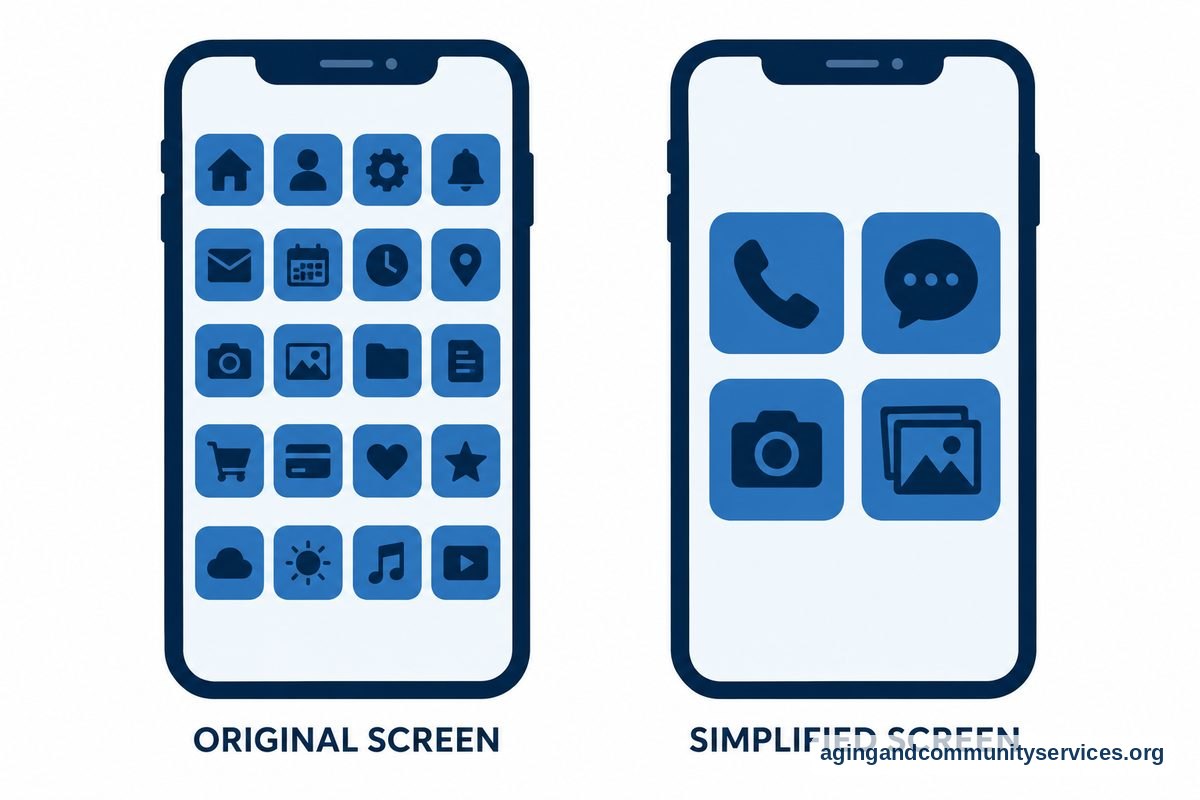
A frequent problem mentioned in forums is that modern smartphones are designed with too many tiny icons. Several community members recommend custom launcher tools that completely change how the phone looks and operates.
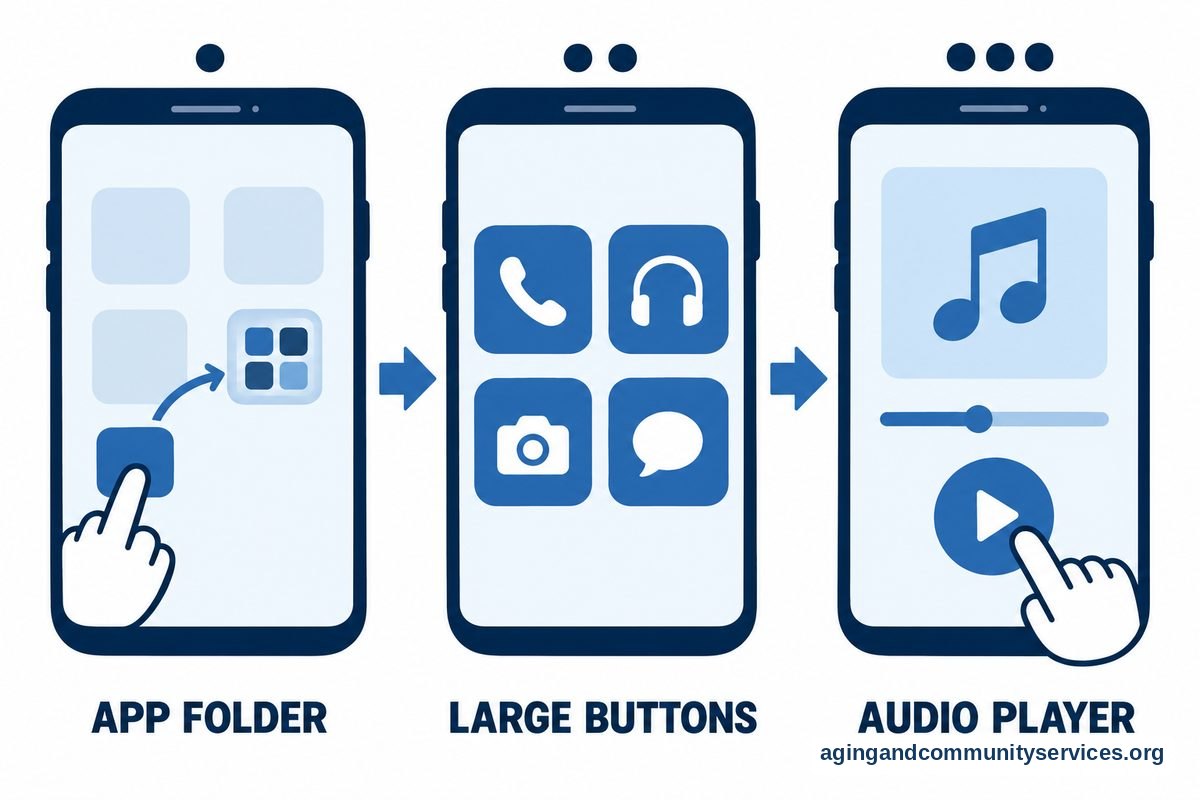
A launcher replaces standard phone screens with a clean display featuring large buttons, clear text, and essential features like phone calls, messages, and a camera. If you or a relative use a non-Apple device, checking out apps for seniors android users rely on can help turn an overwhelming phone into a simple tool.
In addition to launchers, you can adjust settings directly in the device operating system. Increasing the font size, enabling high-contrast text, and turning on screen magnification can make any device easier to read.
Support Tools for Family Caregivers
Many discussions on forum boards are started by adult children seeking ways to share caregiving duties with siblings. Caring for an aging parent often involves multiple schedules, rides to clinics, and shared grocery lists.
Shared calendar tools allow several family members to coordinate who is driving to an appointment or picking up prescriptions. Shared digital note apps keep updated lists of medications and insurance details ready for quick reference. Exploring apps for senior caregivers can help families divide responsibilities evenly and prevent confusion.
If you need extra guidance on community resources or local support options, you can connect with the Eldercare Locator to find services in your area.
What to Do Next
Setting up new technology works best when taken one step at a time. Trying to download and learn several tools in a single afternoon can cause unnecessary frustration. Here are practical steps to help make the process smooth:
- Identify one clear need: Pick a single task that causes friction, such as reading small book print or remembering an afternoon pill. Focus on that single issue first.
- Clean up the home screen: Move unused icons into a separate folder or off the main screen entirely. Keep only three or four essential icons visible on the front display.
- Adjust display settings: Go into the device settings to enlarge the text and increase screen brightness. Many devices also offer display zoom settings to enlarge all menus.
- Test together: Practice opening the tool and completing a task together. Write down simple, numbered notes on a small index card to keep near the device for reference.
Frequently Asked Questions
How do I stop accidental taps and pop-up ads?
Accidental touches often happen when mobile games feature busy advertising banners. You can often pay a small one-time fee inside the app store to remove advertisements permanently. Another option is choosing official public services, like the Libby library app, which never displays commercial ads.
Can I make an existing smartphone easier to read without new software?
Yes. Both Apple and Android phones have built-in accessibility menus. You can turn on larger text sizes, bold fonts, and display zoom without installing extra tools. These adjustments apply across all menus and built-in programs immediately.
What should I look for in a medication reminder tool?
Look for an option with large text, clear sound alerts, and simple buttons to confirm doses. Tools that allow a family contact to receive notifications if a scheduled dose is missed can provide helpful reassurance.
How can family members share notes and updates easily?
Basic shared tools work very well. Built-in shared note applications allow multiple relatives to view and edit doctor notes, lists, and schedules from their own devices in real time without requiring complicated software.