

Finding good jigsaw puzzle apps for seniors is an easy way to enjoy a favorite pastime without clearing off the kitchen table. These digital games let you assemble beautiful pictures on a glass screen, so you never have to search the rug for missing pieces. A touchscreen makes sorting and connecting puzzle pieces simple and relaxing at any hour of the day.

The Everyday Joys of Digital Puzzles
Many older adults have put together traditional cardboard puzzles for decades. Shifting that hobby over to a mobile screen brings several helpful advantages that make the pastime much easier on your hands and eyes. Digital pieces slide neatly across smooth glass with just the light touch of one finger tip.
You do not need to keep a large table clear for days or weeks while you complete an intricate picture. If you enjoy building things on a solid surface, you might still use specialized jigsaw puzzle tables for wooden or paper sets. For digital play, your tablet or phone tucks neatly into a drawer or rests on a side table whenever you decide to stop.
Cleanups are completely instant when you play on a device. Spilled drinks, curious pets, and sudden breezes cannot ruin your work in progress. The software automatically saves your exact progress each time you close the application, so you can return right where you left off without any worry.
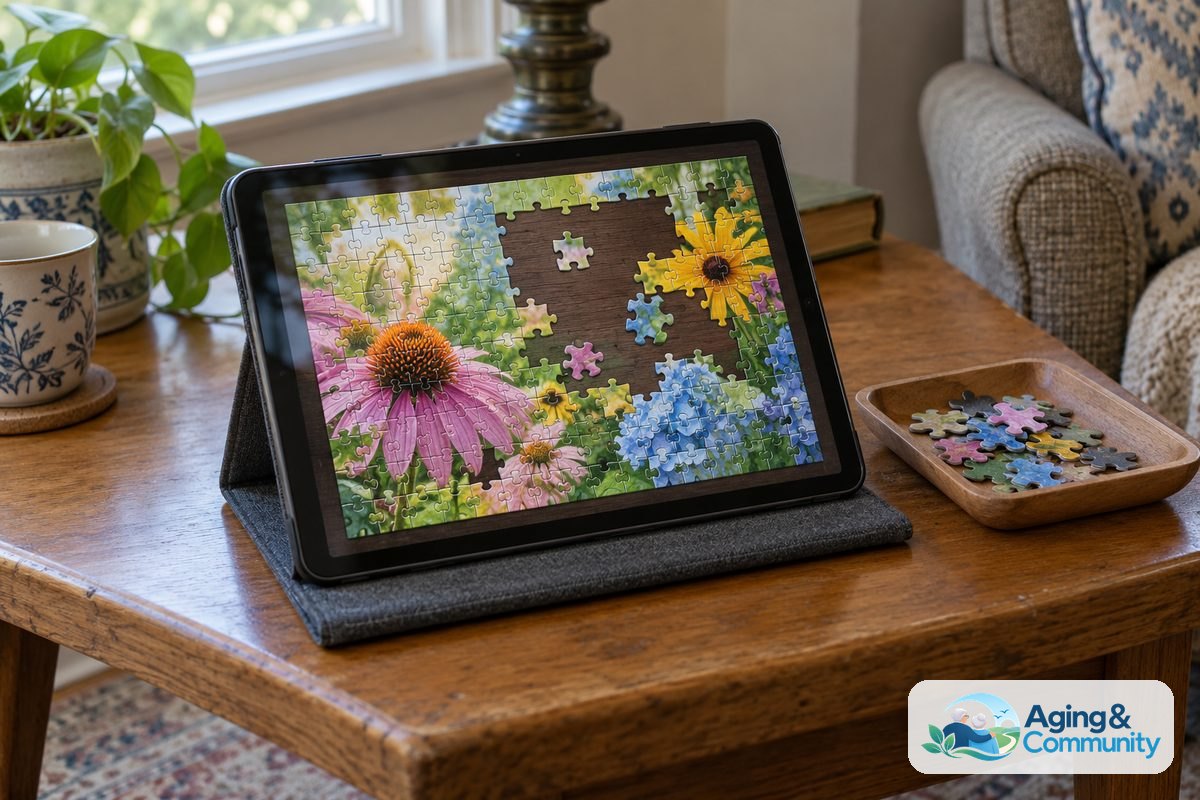
Key Features to Look for in Tablet Puzzle Games
Not every download in an online app store is made with older eyes in mind. Some programs are crowded with tiny buttons, flashing banners, and confusing menus that make regular play frustrating. Taking a few moments to review game features helps ensure a pleasant, peaceful experience from the very first download.
- Adjustable piece counts: Good apps allow you to choose how many pieces make up the image. You can pick sixteen large pieces for a quick activity, or expand up to several hundred pieces when you want a longer project.
- Piece rotation controls: Traditional jigsaws require you to turn cardboard corners until they fit upright. Many digital games let you turn off rotation entirely so that every piece already faces right side up, which greatly reduces finger fatigue.
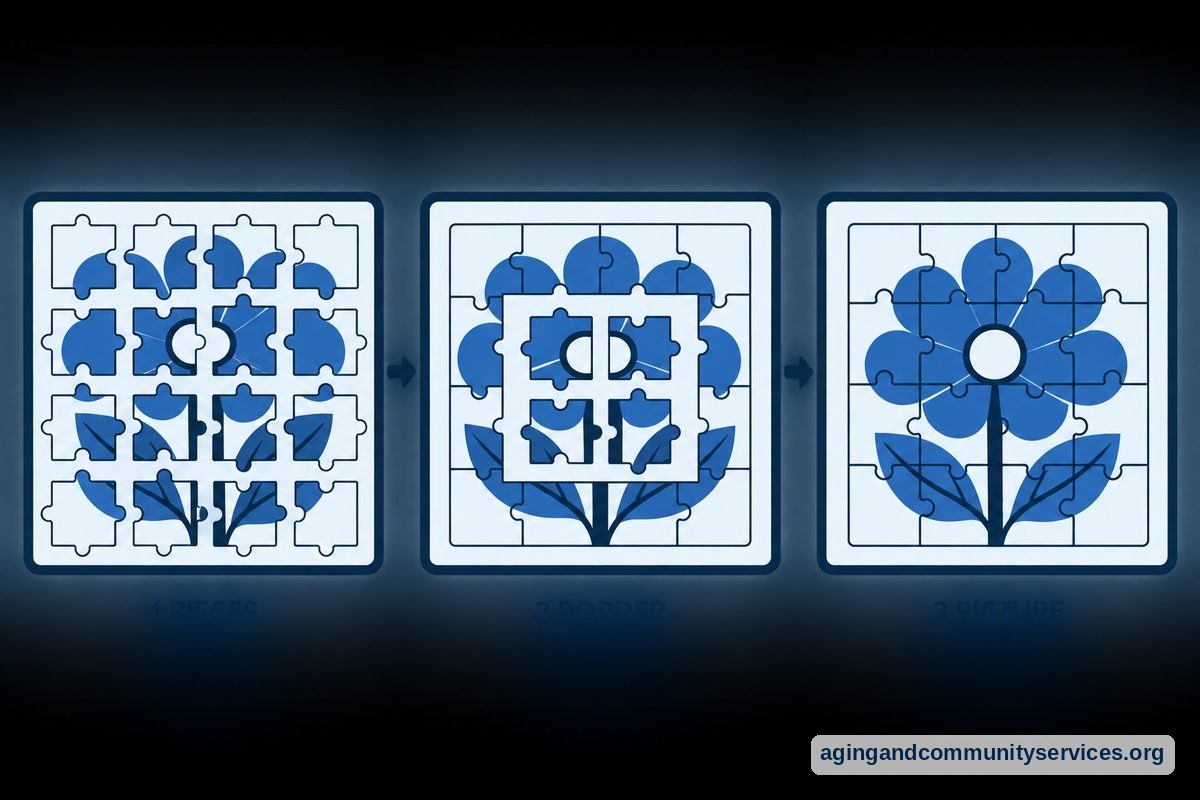
- Edge piece sorting: Helpful programs include a single button that pulls all the border pieces onto the screen at once. This saves you from having to squint through a cluttered tray just to build your outer border.
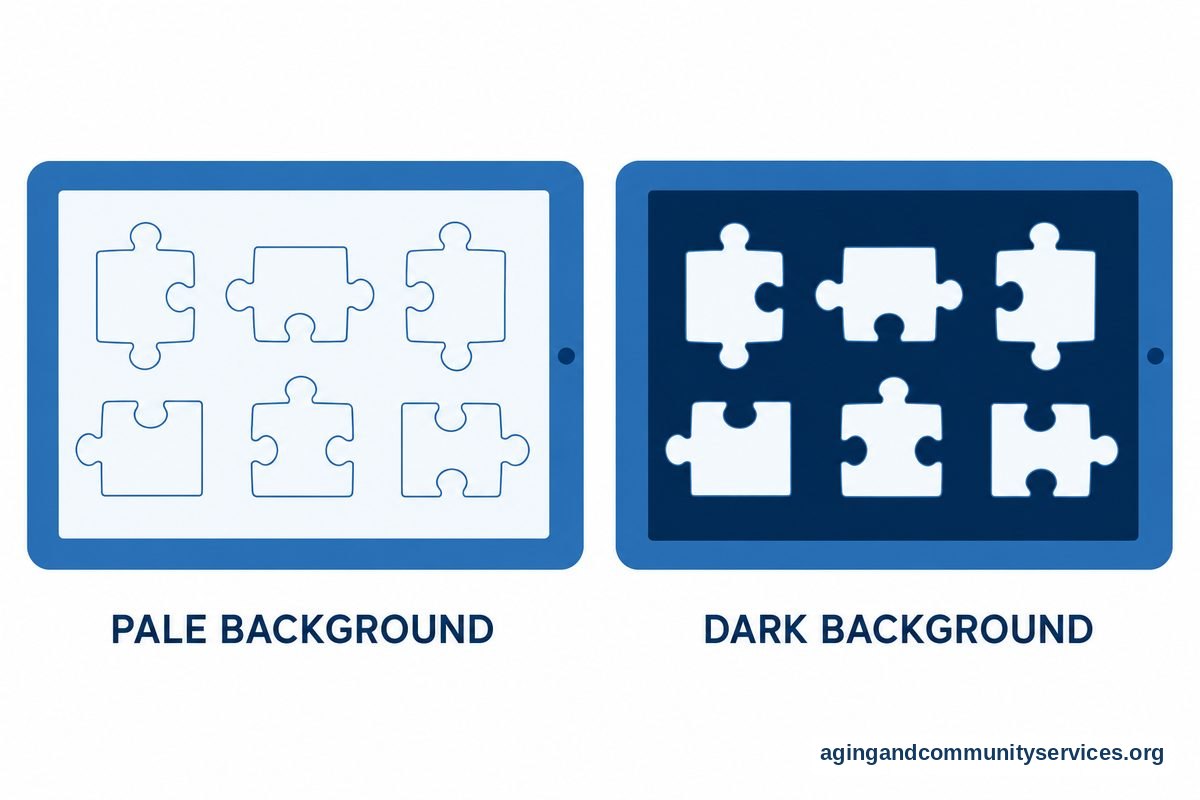
- Visual contrast adjustments: High contrast settings allow you to change the background felt color from dark gray to pale cream or light blue. Choosing a contrasting background makes the colors on individual pieces pop into view much better.
- Magnification and zoom: The ability to pinch the screen and zoom in on small details makes finding tiny pattern clues very comfortable.
Screen clarity makes a big difference during long sessions. Using a dedicated tablet for seniors easy to use gives you a wider view and larger targets for your fingers. The bigger screen area feels much more natural than playing on a small mobile telephone.
How Digital Activities Support Everyday Wellbeing
Sitting down with a thoughtful game offers a welcome break in the middle of a busy morning or a quiet afternoon. Many people find that focusing on shapes, colors, and textures helps settle the mind and encourages calm concentration. Engaging in these pleasant routines supports an independent lifestyle at home, an important part of aging in place comfortably for years to come.
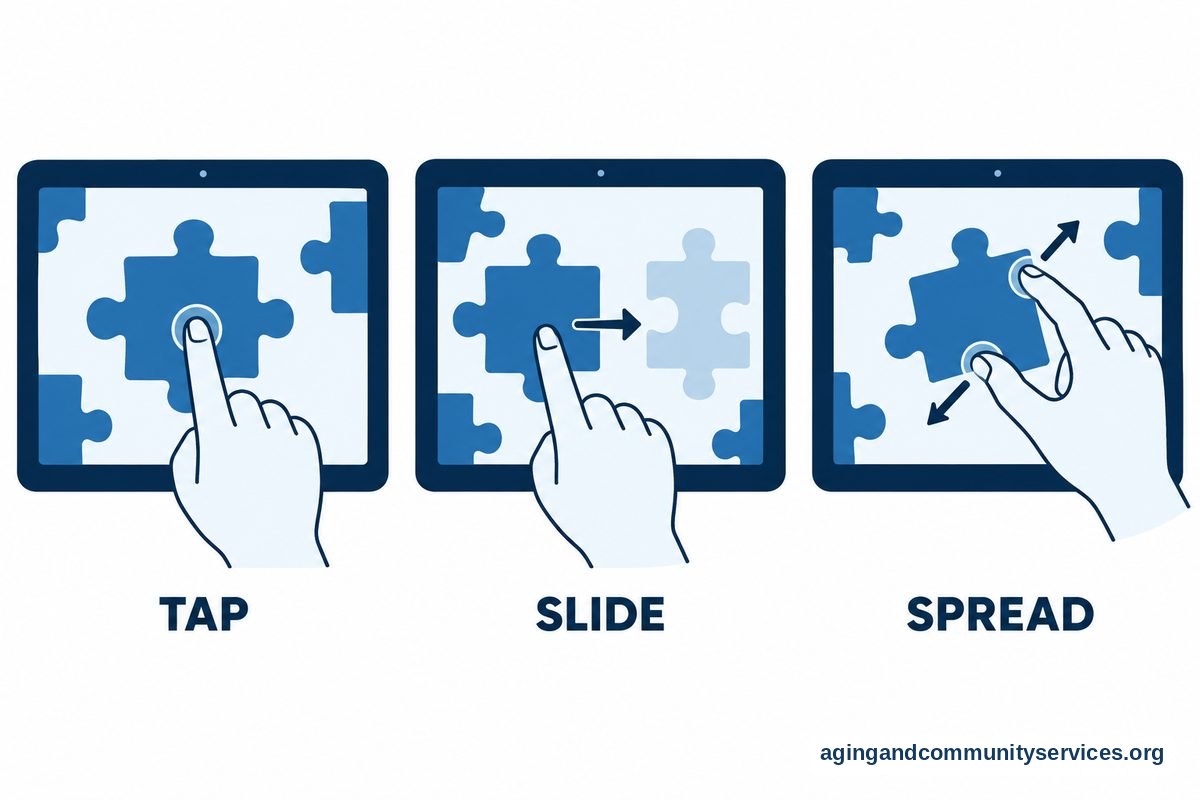
Manipulating screen objects also encourages gentle motion in the fingers and hands. Tapping, sliding, and zooming build familiarity with modern digital devices while keeping your hands actively moving. If someone in your family experiences memory challenges, specially designed puzzles for dementia patients offer simple themes, distinct borders, and larger shapes that reduce confusion.
These programs can be one small part of a broader collection of fun digital pastimes. Exploring a variety of apps for seniors games can provide hours of lighthearted entertainment, from word searches to card games. If you ever experience hand soreness, joint stiffness, or eye fatigue during digital play, it is always wise to consult with an occupational therapist or eye doctor for personalized guidance.
Helpful Puzzle Apps to Consider
Device app stores offer hundreds of jigsaw choices. The following programs are widely recognized for their clean layout, dependable performance, and helpful ease of use.
| App Name | Key Strengths | Best For |
|---|---|---|
| Jigsaw Puzzles Epic | Clean layout, custom photo options, offline play | Beginners and casual daily players |
| Magic Jigsaw Puzzles | Large library, varied musical tracks, community events | Those who enjoy wide image variety |
| Jigsaw Puzzle Bug | Simple piece trays, generous sizing, soft sounds | Players who prefer gentle pacing |
| Art Puzzle | Artistic scenes, story layers, relaxing color palettes | People who love classic paintings |
Jigsaw Puzzles Epic is especially pleasant because it allows you to turn your personal family photographs into custom digital jigsaws. You can pick an image of your grandchildren or a past vacation from your tablet camera roll and transform it into a solvable picture in just a couple of taps. The interface stays clean and avoids cluttered screens that lead to mistaken taps.
Magic Jigsaw Puzzles provides thousands of pictures organized by theme, such as wildlife, historic architecture, and garden flowers. The game also provides gentle background audio that mimics nature sounds like rainfall or ocean waves. You can silence this sound at any point if you prefer complete quiet while you work.
Jigsaw Puzzle Bug focuses heavily on clean presentation. Its piece trays stay organized along the edges without hiding your main assembly board. The edges snap together with a satisfying, clear click that reassures you when a match is correct.
How to Set Up Your Tablet for Comfortable Play
A few minor adjustments to your physical surroundings and your device settings can make digital assembly much more enjoyable. Good lighting and proper posture protect your neck and wrists from unnecessary strain during extended play.
- Use a sturdy stand: Holding a tablet up in your hands for an hour can tire your fingers and wrists. Place the screen in an angled stand or on a firm lap cushion so your arms stay relaxed while you play.
- Adjust the screen brightness: Make sure the tablet display is bright enough to show vivid colors without causing glare. Most tablets have an automatic brightness setting that adjusts based on the light in your room.
- Turn on Night Light or True Tone: These built-in system features reduce harsh blue light. Warmer screen tones are easier on the eyes, especially when you enjoy playing in the evening before bed.
- Keep a microfiber cloth nearby: Regular finger taps can leave smudges across tablet glass. A quick wipe with a clean, dry microfiber cloth keeps your view bright and sharp.
- Try a soft-tip stylus: If tap gestures feel difficult or arthritis limits finger movement, an inexpensive stylus with a rubber tip acts like a lightweight pencil. Many players find that a stylus offers superior accuracy when picking up tiny border pieces.
If you or an older relative ever need local community resources or technology assistance programs, organizations like the Eldercare Locator can connect families to helpful regional supports and services.

Managing Ads and Purchases Wisely
Many apps are free to download, but they often rely on advertising to cover their ongoing costs. Knowing how to handle these advertisements keeps your gaming peaceful and prevents accidental purchases.
Free versions typically display a short video clip or static picture between completed boards. Teach new players to look for a small cross symbol in one of the screen corners to close the advertisement. If these interruptions become annoying, almost all major developers offer an option to pay a modest one-time fee to permanently remove ads.
To avoid unwanted purchases, set your tablet app store to require a password or fingerprint confirmation before any charge is approved. Family members can easily turn on this restriction within the device settings menu. This provides total peace of mind so you can explore the game without worrying about accidental charges.
What to Do Next
Getting started with digital puzzles is simple and takes only a few minutes. Follow these practical steps to begin your journey today.
- Check your tablet: Ensure your device has an active Wi-Fi connection and that your battery is adequately charged.
- Browse the app store: Open the Google Play Store on Android devices or the Apple App Store on an iPad. Type jigsaw puzzle into the search bar and look over reviews to find a title with a clean layout.
- Download one app at a time: Install a single program to start. Opening one game allows you to learn its specific menus without feeling overwhelmed by too many new icons.
- Start with a modest piece count: Select an initial board with thirty-five pieces or fewer. This lets you practice zooming, scrolling, and piece grouping before tackling larger scenes.
- Establish a comfortable seating area: Pick a well-lit chair near a stable side table so you can enjoy your hobby in total comfort.
Frequently Asked Questions
What are the simplest apps for senior jigsaw puzzles?
Jigsaw Puzzles Epic and Jigsaw Puzzle Bug are widely considered the simplest apps for senior jigsaw puzzles. Both feature clean home screens, clear text labels, and intuitive piece trays that slide out smoothly. They also allow you to turn off rotation so pieces are always correctly aligned.
Can I turn my personal family photos into digital puzzles?
Yes, several popular apps let you use images saved on your device camera roll. When you choose the custom puzzle option, you pick a family snapshot, a pet photo, or a garden scene, and the software instantly cuts that picture into movable pieces. It is a wonderful way to revisit cherished memories while enjoying a game.
Do puzzle apps work without an internet connection?
Many puzzle apps allow you to solve downloaded packs even when your device is offline. This is helpful when traveling by car or relaxing in a quiet room away from home Wi-Fi. Always open the app and download your favorite puzzle packs while connected to Wi-Fi before heading out on a trip.
Why do pieces sometimes refuse to snap into place?
Most programs require pieces to be placed close to their exact final spot before they snap together. If you have piece rotation enabled, a piece might appear correct but be slightly tilted. If you experience difficulty, try disabling piece rotation in the settings menu so every piece automatically sits in its upright orientation.
How can I avoid eye fatigue while playing on a tablet?
To avoid eye fatigue, sit in a room with balanced, soft lighting rather than sitting in total darkness with a glowing screen. Adjust your device screen to a warm color temperature and take regular breaks every twenty minutes by looking up at an object across the room.