

A smart home for elderly care based on a wireless sensor network uses small connected devices to notice activity, support daily routines, and share helpful alerts with chosen family members or caregivers. In plain terms, it means turning a regular home into a home that can respond to movement, doors, lights, temperature, smoke, water, and other everyday signals without needing wires in every room.
This kind of setup can be simple or more complete. The goal is not to replace people, medical care, or good judgment. The goal is to make the home easier to live in, easier to check on, and easier to adjust as needs change.

What Is a Smart Home?
A smart home is a home with devices that connect to each other through Wi-Fi, Bluetooth, Zigbee, Z-Wave, or another wireless system. These devices can be controlled by an app, voice assistant, wall button, schedule, or sensor.
For home care, a smart home may include lights that turn on when someone walks into a hallway, door sensors that send a notice if a door opens at night, or a thermostat that keeps the home at a steady setting. Some families also use a hub, which is a small device that helps many sensors work together.
If you are starting from a regular home, the move from home to smart home does not have to happen all at once. Many people begin with one need, such as safer lighting, then add more devices later. A broader overview of smart home for elderly options can help you compare common choices.
A wireless sensor network is the behind-the-scenes part. It is a group of small sensors that send information without long cables. They may be battery powered, plug-in, or built into devices such as speakers, cameras, locks, thermostats, or light switches.
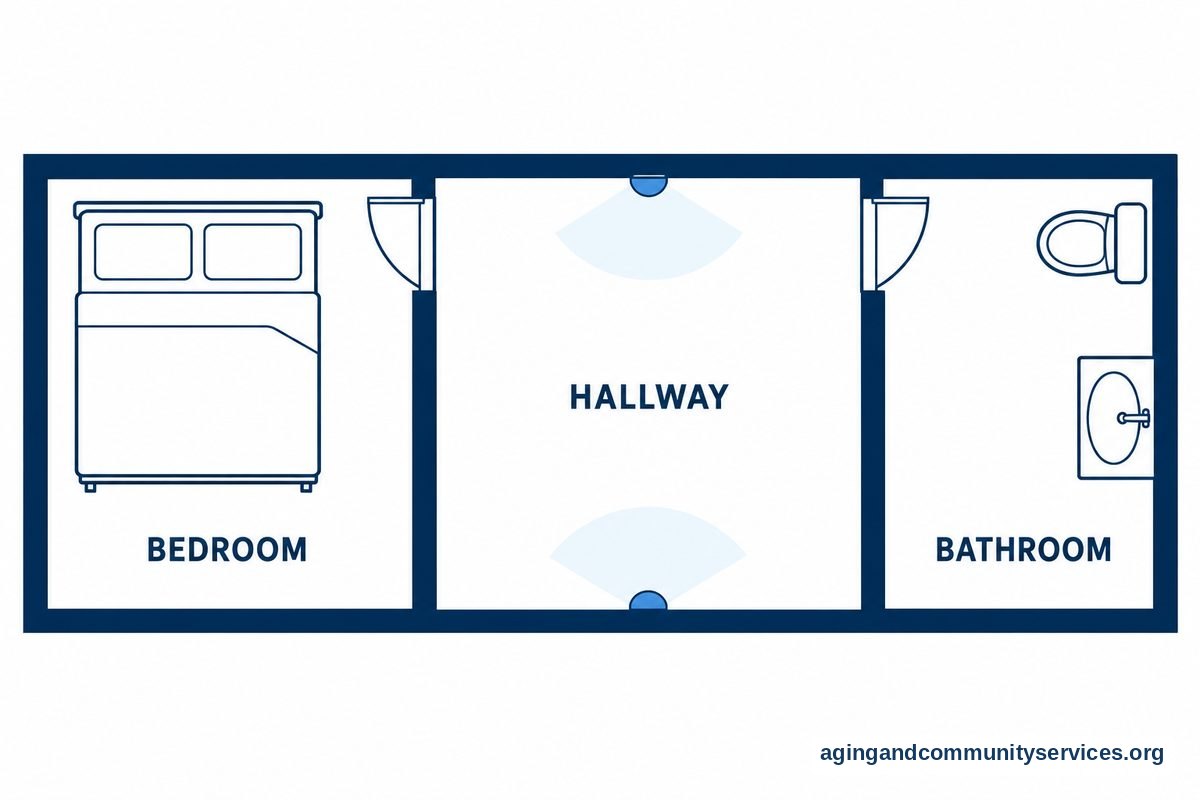
How Wireless Sensors Can Support Daily Care
Wireless sensors can help families notice patterns without needing someone to call, text, or remember to press a button. They can also support a calmer routine because the home can respond to common needs on its own.
Common sensor types include:
- Motion sensors: Notice movement in a room or hallway.
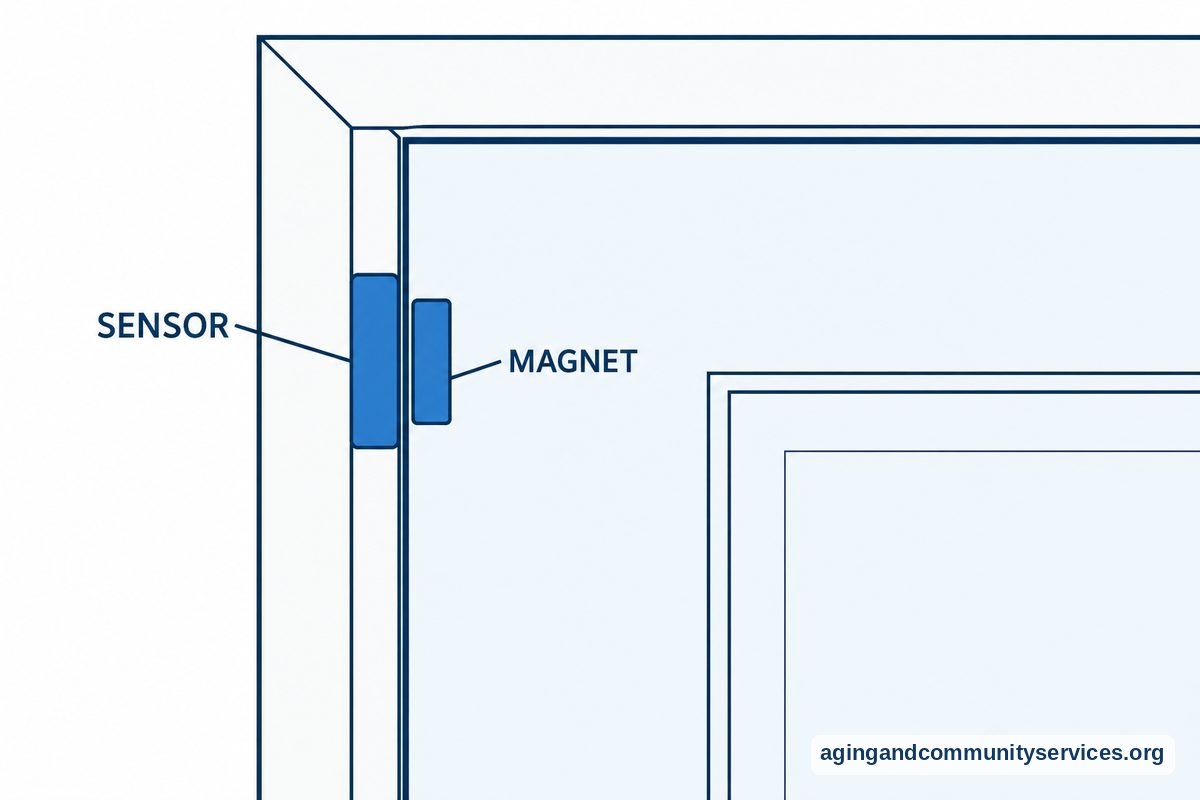
- Door and window sensors: Notice when an entry, cabinet, or refrigerator opens.
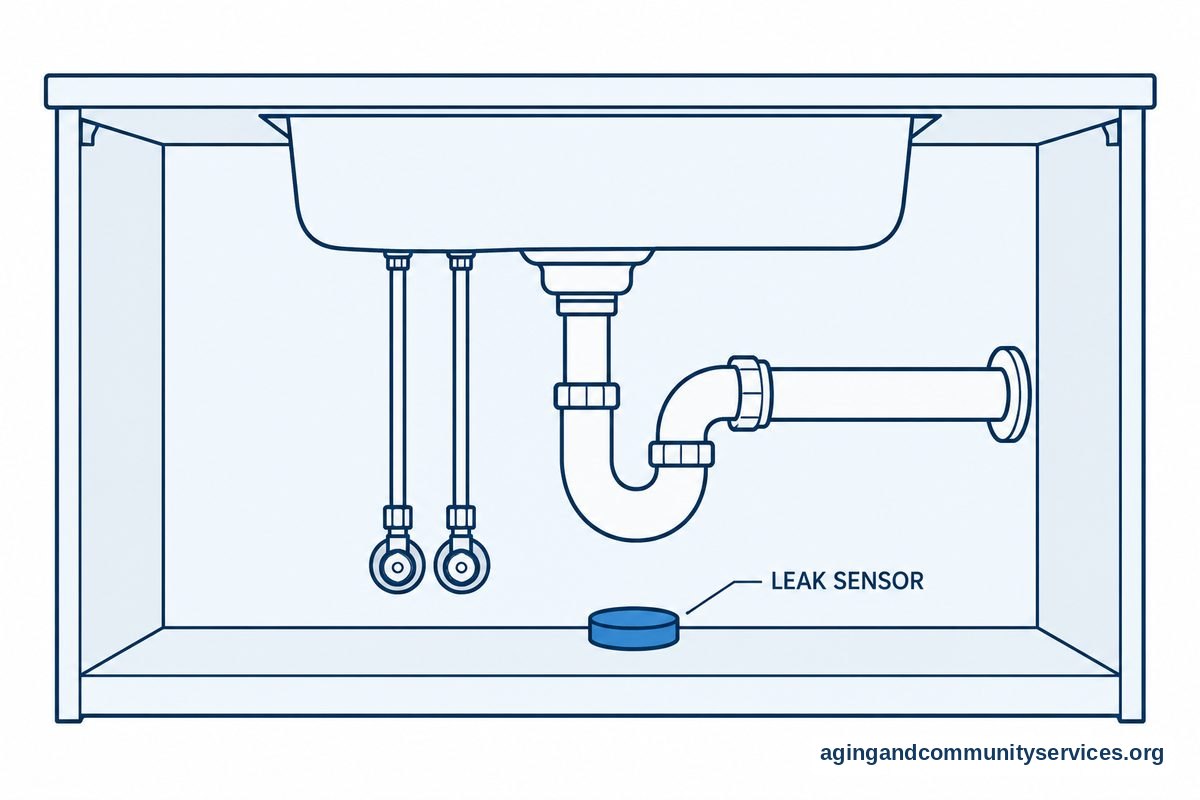
- Water leak sensors: Notice moisture near sinks, tubs, toilets, or washing machines.
- Temperature sensors: Track whether a room is too warm or too cool.
- Smoke and carbon monoxide alarms: Send alerts when paired with smart features.
- Bed or chair sensors: Notice when someone gets up or returns, depending on the device.
These tools are most useful when they are tied to a clear action. For example, a hallway motion sensor can turn on a soft light after dark. A water sensor can send a phone alert when it detects a leak. A door sensor can let a caregiver know if an outside door opens at an unusual time.
Some families also look at elderly monitoring systems when they want several features in one setup. These systems may combine sensors, alerts, caregiver apps, and emergency response features. The right fit depends on privacy, comfort, home layout, and how much support is needed.
Smart Home Safety Technology for Everyday Risks
Safety technology works best when it supports simple habits. It should not make the home feel watched or complicated. Before adding devices, walk through the home and list the moments that cause the most concern, such as dark stairs, missed lights, a stove left on, or a door being left unlocked.
Helpful smart home safety technology may include:
- Automatic lighting: Lights can turn on in hallways, bathrooms, and entry areas.
- Smart plugs: Lamps or small appliances can be placed on schedules or turned off from an app.
- Smart locks: A trusted person can help lock or unlock a door without hiding keys outside.
- Leak alerts: Sensors can notice water early, which may reduce damage and stress.
- Stove reminders: Timers, smart plugs for approved devices, or specialty products can support kitchen routines.
- Fall detection sensors: Some products are designed to notice possible falls and send alerts, though they are not perfect.
The National Institute on Aging notes practical home changes that can lower the risk of falls, such as better lighting, removing tripping hazards, and using handrails, in its guide to falls prevention. Smart devices can support those steps, but they do not replace a home safety review from a physical therapist, occupational therapist, or other qualified professional.
If falls are a concern, families may want to compare ambient fall detection sensors. These devices may be less noticeable than wearable buttons, but every product has limits. Ask how alerts work, what happens if Wi-Fi goes out, and whether the person at home is comfortable with the device.
Smart Home for Dementia and Memory Support
A smart home for dementia should focus on gentle support, simple routines, and respect for privacy. Technology should be chosen with the person, when possible, and reviewed often as needs change. It is also wise to speak with a doctor, occupational therapist, or care team about safety concerns and daily challenges.
Useful features may include reminder lights, door alerts, medication reminder devices, easy-to-use voice controls, and automatic shutoff tools. A sensor can also help a caregiver notice if a usual routine changes, such as the refrigerator not opening in the morning or a door opening late at night.
For memory support, simple is usually better. Too many alerts, screens, or voice prompts can be confusing. A good setup may be nearly invisible, such as lights that turn on at the right time or a door chime that sounds softly inside the home.
Privacy matters here. Cameras can be useful in some situations, but they should be discussed carefully. If a family is considering video, a guide to cameras to monitor elderly parents can help frame questions about placement, consent, storage, and who can view footage.
Low Cost Smart Homes for Elders: Where to Start
A low cost smart home does not need every device on the market. Start with the problem that comes up most often. Then choose one or two tools that are easy to use and easy to remove if they do not help.
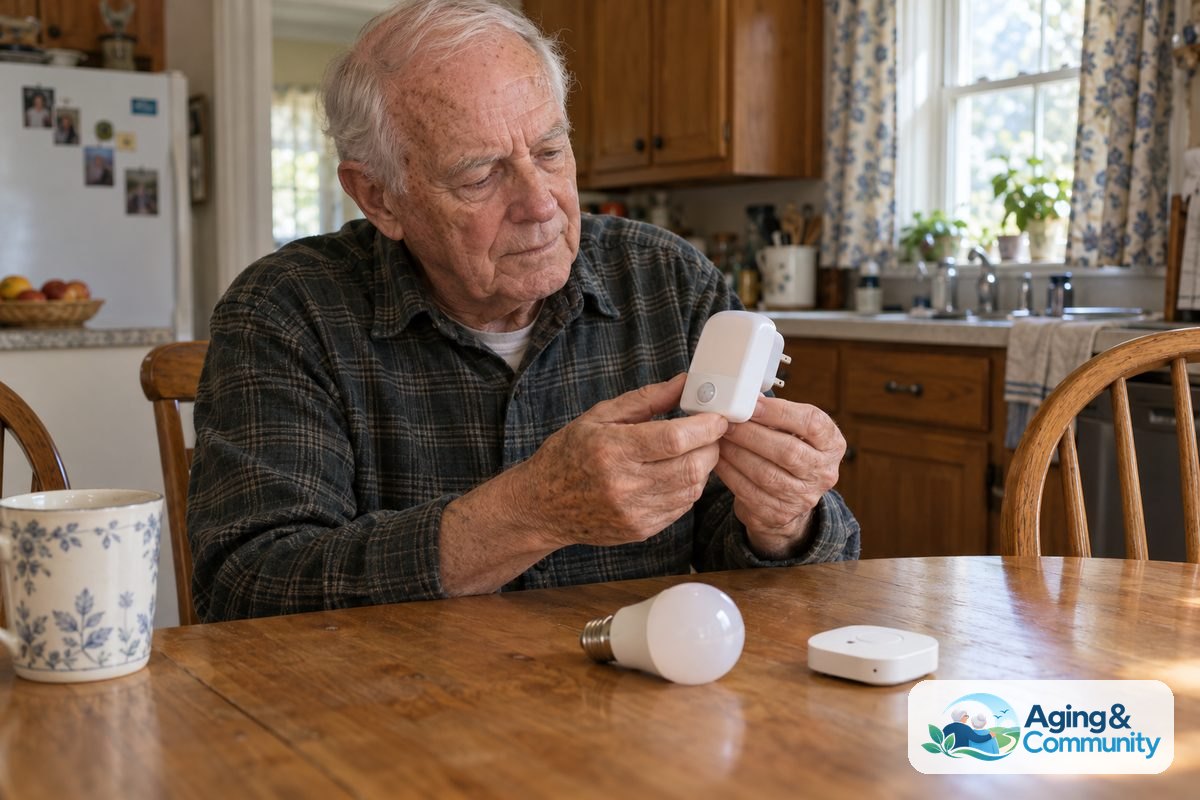
Good starter choices include smart bulbs, motion night lights, a smart speaker, door sensors, leak sensors, and a smart plug for a lamp. These are often easier than replacing wiring or installing a full system. If using batteries, add battery checks to a monthly routine.
Here is a simple way to plan:
- Choose one goal, such as better nighttime lighting.
- Pick one room or path, such as bedroom to bathroom.
- Use the fewest devices needed to solve that goal.
- Test the routine with the person who lives there.
- Write down who receives alerts and what they should do.
- Review the setup after a few weeks and adjust it.
Some local services may help with home changes, caregiver support, or equipment questions. The National Institute on Aging explains choices for aging in place, including planning ahead for home, health, social, and support needs.
When comparing products, check whether they need a monthly plan, a hub, a strong Wi-Fi signal, or a smartphone. Also check whether the app is easy for the main caregiver to use. A device that is simple and reliable is usually better than one with many features no one uses.
Choosing Smart Home Solutions That Fit the Person
Smart home solutions for elderly care should fit the person, not the other way around. A useful setup respects habits, routines, culture, budget, privacy, and comfort with technology. If the person dislikes speaking to a device, use buttons, schedules, or sensors instead.
Think about these questions before buying:
- What daily task should be easier? Lighting, doors, reminders, comfort, or check-ins?
- Who will manage the system? A family member, neighbor, paid caregiver, or the person at home?
- How will alerts be handled? Decide who gets them and what response is reasonable.
- What happens during an outage? Know which devices stop working without power or internet.
- How private should each room be? Bedrooms and bathrooms need extra care and consent.
- Can the setup change later? Choose devices that can be moved, renamed, or removed.
It may help to make a small written plan. List the devices, where they are placed, who has app access, and what each alert means. Keep a copy near the router or home notebook, so another trusted person can help if needed.
If care needs are broader, a guide to technology for elderly care can help you think beyond sensors. This may include communication tools, medication reminders, transportation supports, and simple ways to stay connected.
What You Can Do Next
Start with a calm home walk-through. Look at lighting, bathroom access, stairs, doorways, kitchen routines, and places where the person often pauses or reaches for support. Ask what feels hard, not just what looks risky to someone else.
Then choose one practical next step:
- Add motion lighting to the path from bed to bathroom.
- Place leak sensors near sinks, toilets, and laundry areas.
- Set up a shared smart speaker for calls, reminders, and music.
- Use a door sensor for an entry that is often left open.
- Create a simple contact plan for alerts.
- Ask an occupational therapist about home layout and daily tasks.
Try one change for a short period, then ask whether it helped. If it added stress, simplify it or remove it. Smart homes to make life easier should feel supportive, not like another chore.
If you need local guidance, the Eldercare Locator can help connect families with aging services in their area. You can also ask a doctor, physical therapist, or occupational therapist which home changes may be most useful for the person’s needs.
Frequently Asked Questions
What Is a Smart Home?
A smart home is a home with connected devices that can respond to commands, schedules, sensors, or apps. Examples include lights that turn on by motion, thermostats that follow a schedule, locks that can be managed from a phone, and sensors that send alerts.
What Are Smart Home Solutions for Elderly Care?
Smart home solutions for elderly care are tools that support daily comfort, safety, and communication at home. They may include motion lights, door sensors, leak sensors, smart speakers, reminder devices, smart locks, and monitoring systems. The best choice depends on the person’s routine and comfort with technology.
How Can a Smart Home Help for Elderly Family Members?
A smart home can help by making common tasks easier. Lights can turn on automatically, reminders can play at set times, and chosen caregivers can receive alerts about certain events. It works best when each device has a clear purpose and the person at home agrees with the plan.
Can Smart Home Technology Help With Dementia?
Smart home technology can support routines for someone living with dementia, such as lighting, reminders, door alerts, and simple communication. It should be used with consent when possible and reviewed with the care team. It does not diagnose or treat dementia.
What Is Aging in Place Technology?
Aging in place technology means tools that help a person live at home with more support. It can include smart home devices, medical alert systems, communication tools, medication reminders, and home safety equipment. The right mix depends on health, home layout, support network, and personal preference.
How Do I Turn a Regular Home to Smart Home Setup?
Start small. Choose one goal, such as better lighting or easier check-ins, then add one device that solves that need. Make sure the Wi-Fi is reliable, write down account details, and decide who will receive alerts. Add more only when the first step is working well.