

Technology for elderly care means using simple tools to support daily life, safety, comfort, and connection at home or in a care setting. The right choice is not always the newest device. It is the tool that solves a real problem, is easy to use, and respects the person’s routines and privacy.
For many families, technology in elderly care starts with a small concern. A loved one may miss calls, forget an appointment, have trouble seeing a thermostat, or feel less steady at night. A good plan begins with that exact need, then matches it with a clear, practical tool.

What Technology Can Help With Day to Day
Technology for senior care can support daily tasks without taking over. It may help with reminders, communication, home comfort, and getting help when needed. The goal is to make ordinary days smoother, not to fill the home with gadgets.
Common helpful tools include:
- Simple phones and tablets: These can make calls, video chats, messages, and photo sharing easier.
- Medication reminder devices: These can give alerts at set times, but a pharmacist or clinician should guide medication questions.
- Smart speakers: These can set timers, play music, read weather updates, and make hands-free calls when set up correctly.
- Large-button remotes: These can reduce frustration with television and basic entertainment.
- Digital calendars: These can show appointments, family visits, and daily routines in one place.
If the person is new to devices, start with one function. For example, set up a tablet only for video calls before adding games, news, or shopping. A guide to technology for seniors can help families compare common tools without making the process feel rushed.
Assistive Technology That Supports Independence
Assistive technology for the elderly is any tool that helps a person do a task with less strain or more confidence. It can be digital, like a reminder app, or low-tech, like a talking clock. Many useful options are simple and familiar.
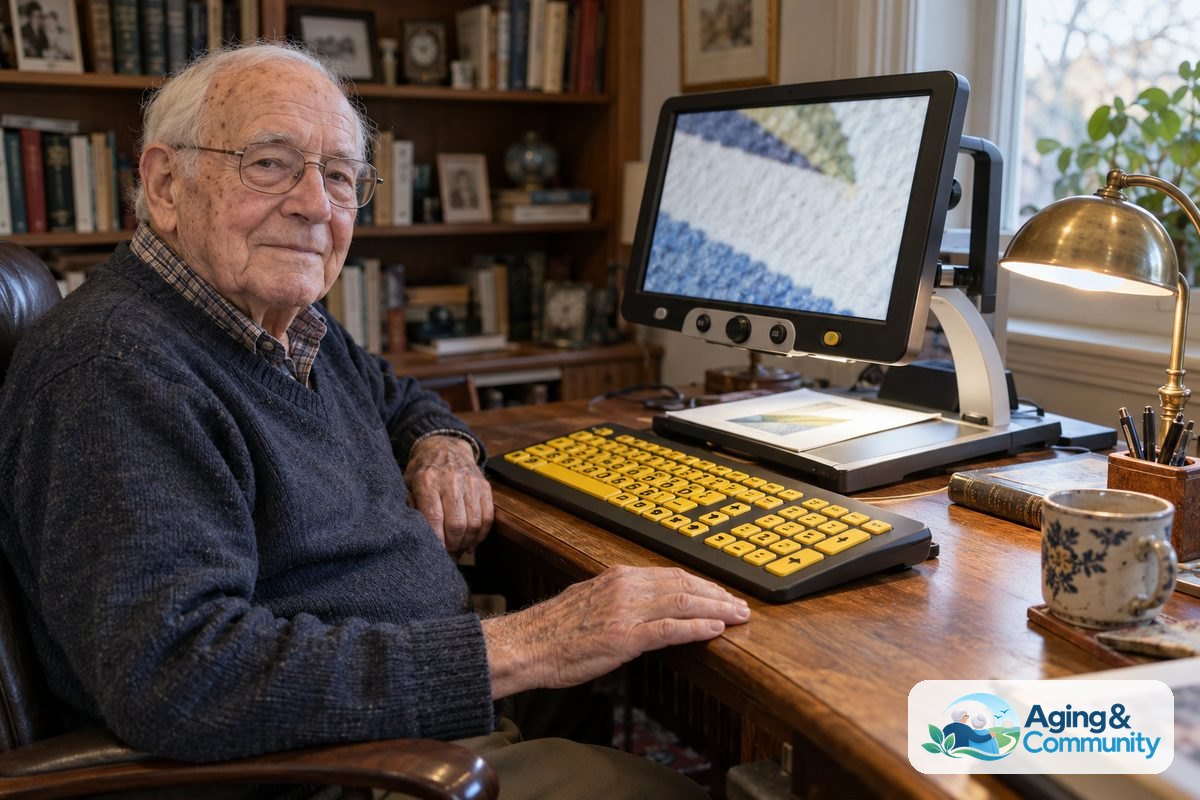
Assistive technology for elderly care may support seeing, hearing, movement, memory, or communication. For vision, examples include screen magnifiers, high-contrast keyboards, voice reading features, and talking watches. For hearing, examples include amplified phones, captioned calls, and visual doorbell alerts.
Assistive technology for older people may also include tools that reduce bending, reaching, or fine hand movements. Smart plugs can turn lamps on by voice or schedule. Lever-style door handles and touch lamps can make daily tasks easier, even though they are not usually thought of as tech.
When a task is tied to balance, walking, bathing, or transfers, it is wise to ask a doctor, physical therapist, or occupational therapist for guidance. They can help match the tool to the person’s strength, home layout, and daily habits. This is especially important if a device will be used in the bathroom, on stairs, or while getting in and out of bed.
Home Safety Tools and Smart Home Options
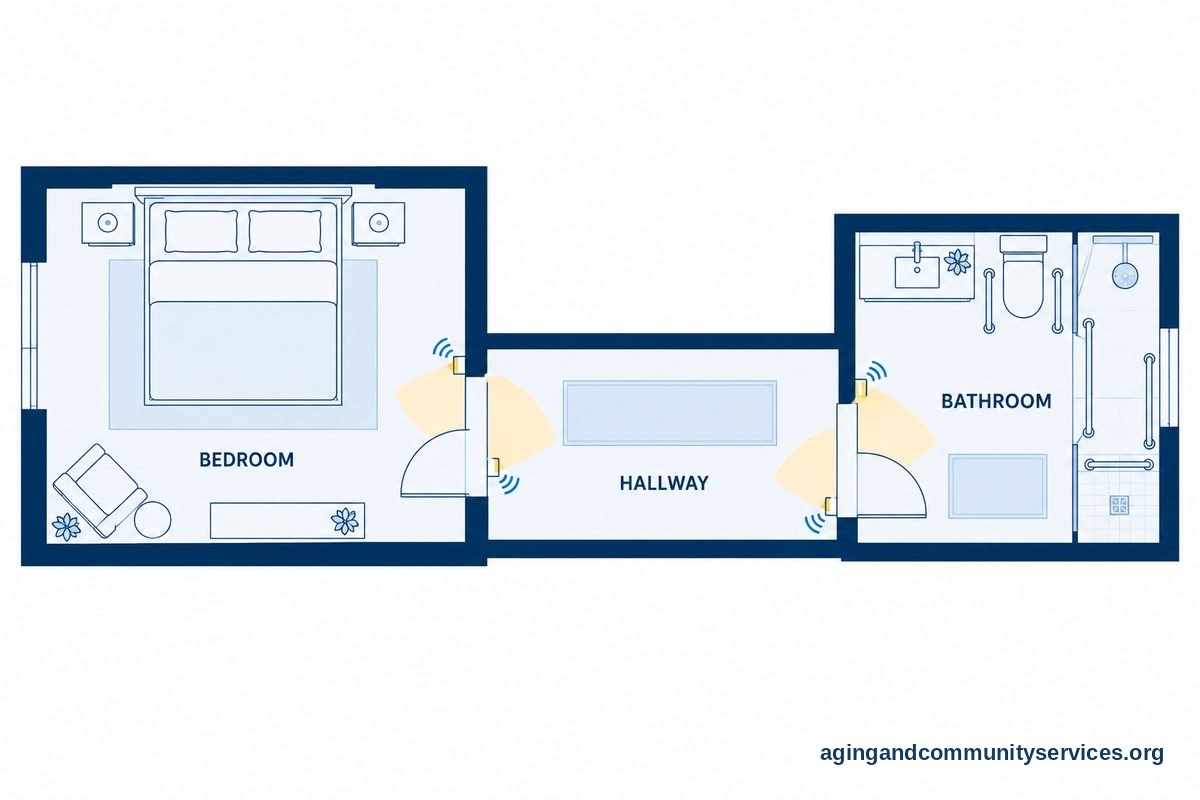
Technology in aged care often includes home safety tools. These may support safer lighting, easier entry, and faster communication. They should be chosen with the person’s consent and explained in plain language.
Helpful home options may include:
- Motion lights: These can brighten hallways, bathrooms, and entry areas without searching for a switch.
- Smart locks: These can help trusted family members or caregivers enter when planned.
- Video doorbells: These can let a person see who is at the door before answering.
- Stove alerts: These can remind someone when a burner has been left on.
- Water leak sensors: These can send alerts if water is detected near sinks, toilets, or appliances.
Falls are a common concern for families. The National Institute on Aging explains practical steps for falls and prevention, including home changes and talking with a health care professional. Technology may support those steps, but it should not replace a careful look at lighting, rugs, footwear, and walking paths.
A smart home for elderly setup works best when it is simple. Too many alerts, apps, and passwords can create stress. Choose a few tools that solve clear issues, then write down how to use them in large print.
Communication and Connection Tools
Staying connected is one of the most useful roles for technology. Video calls, shared photo frames, group messages, and easy phones can help family members stay in touch. The best tool is the one the person will actually use.
For some households, a tablet with a simple home screen works well. For others, a dedicated video calling device is easier because it has fewer buttons and fewer settings. If vision, hearing, or hand strength is a concern, look for large text, loud speakers, clear captions, and simple answer options.
Family members can make communication easier by setting a routine. A short video call after dinner or a regular Sunday call may be easier to remember than random calls. A video call device may help when phones feel too small or complicated.
Apps can also help with shared lists, rides, calendars, and reminders. Keep the number of apps low at first. A page on apps for elderly can be useful when choosing tools for communication, memory prompts, or daily planning.
Wearables, Alerts, and Emergency Help
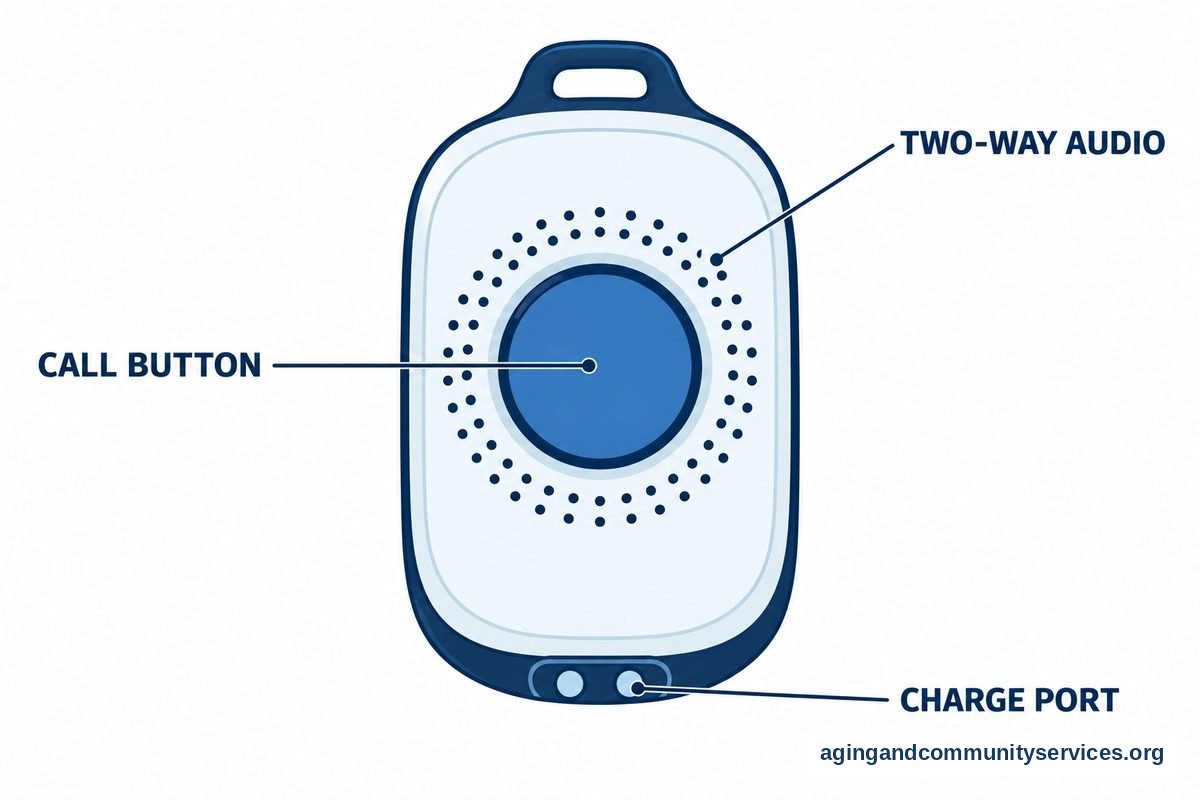
Wearable devices can be useful when someone wants a simple way to call for help. These may include pendants, wrist buttons, smartwatches, or mobile alert devices. Some connect to a monitoring service, while others alert selected contacts.
Before choosing a wearable, think about daily habits. A wrist device may be easier for someone who dislikes necklaces. A pendant may be better for someone who does not like charging a watch. If the person leaves home often, ask whether the device works away from the house.
Important questions to ask include:
- Is the button easy to press?
- Does the device need charging, and how often?
- Who gets the alert?
- Does it work in the yard, car, or community?
- Can the person hear and speak through it?
- What happens if it is worn in the shower?
A wearable medical alert may offer peace of mind, but it should fit the person’s comfort and routine. If a person will not wear it, it will not help much. Try to involve them in the choice from the start.
Privacy, Ease of Use, and Family Boundaries
Technology for elderly care should respect privacy. Cameras, location sharing, and sensors can feel helpful to one person and intrusive to another. The person using the technology should understand what it does, who can see the information, and how to turn it off when possible.
Family members can keep trust strong by talking openly. Explain why a tool is being suggested. Ask what feels comfortable. Agree on who receives alerts and when they should respond.
Good setup also matters. Use strong passwords, write down account details in a secure place, and avoid sharing logins widely. Turn on updates when possible, and remove apps or devices that are no longer used.
Ease of use is just as important as privacy. Choose tools with large text, clear sound, simple menus, and reliable support. If a device needs frequent troubleshooting, it may not be the right fit.

What You Can Do Next
Start with the person’s daily life, not the product. Walk through a normal day and notice where small problems happen. Look for repeated frustrations, not one-time issues.
- Pick one goal: Choose a clear need, such as easier calls, better lighting, or reminders.
- Ask the person first: Talk about comfort, privacy, and what they want help with.
- Keep the setup simple: Start with one device or app and one main use.
- Write plain instructions: Use large print and include photos if helpful.
- Plan support: Decide who handles updates, passwords, charging, and troubleshooting.
- Review after a few weeks: Keep what helps and remove what adds stress.
If home support, transportation, meals, or local services are also part of the picture, the Eldercare Locator can help connect families with local resources. For bigger home changes, the National Institute on Aging also offers guidance on aging in place. For medical, mobility, or safety concerns, speak with a doctor, physical therapist, or occupational therapist before relying on a device.
Frequently Asked Questions
What is technology in elderly care?
Technology in elderly care means tools that support daily routines, communication, home comfort, and safety. It can include phones, tablets, smart home devices, reminder systems, wearable alerts, and assistive devices. The best tool is easy to use and solves a real need.
What is technology for senior care?
Technology for senior care is a broad term for devices and services that help with daily living and support from family or caregivers. Examples include video calling, shared calendars, medication reminders, motion lighting, and alert buttons. It should be chosen with the person’s input and comfort in mind.
How is technology used in aged care?
Technology in aged care may be used to support communication, scheduling, home access, and alerts. In a home setting, it may help family members coordinate visits and reminders. In a care setting, staff may use systems for records, calls, and routine support.
What is assistive technology for the elderly?
Assistive technology for the elderly includes tools that make tasks easier, safer, or more comfortable. Examples include amplified phones, talking clocks, large-button devices, voice controls, smart lights, and reminder tools. Some choices should be reviewed with a health professional, especially if they relate to mobility or personal care.
What assistive technology helps older adults at home?
Assistive technology for older adults at home may include motion lights, voice-controlled plugs, video calling devices, medication reminder tools, and alert buttons. Low-tech tools can help too, such as large-print labels and easy-grip handles. Start with the most common daily challenge and choose one simple solution.
What is assistive technology for seniors?
Assistive technology for seniors is another way to describe tools that support independence and daily comfort. The term can include digital devices, home changes, and communication aids. A good choice should be simple, respectful, and matched to the person’s routine.