

Seniors and technology statistics show a clear pattern: people in later life are using phones, internet service, video calls, apps, and safety tools more than many families expect. The numbers also show a gap, because some people feel confident online while others need patient help, better access, or simpler devices.
For families, the most useful point is not one single number. It is the larger picture: technology use among seniors is common, but comfort levels vary by health, income, education, home internet access, and whether someone has a trusted person to help.

What the Statistics Usually Show
National surveys from groups such as Pew Research Center have often found that internet use is now common among people age 65 and up. A large share use the internet, many own smartphones, and many use tablets, computers, email, texting, or social media.
At the same time, use is not even across every household. People in their late sixties may use devices more often than people in their eighties or nineties. People with home broadband and family support also tend to have an easier time keeping up.
Most technology statistics in this area measure a few basic things:
- Internet access: whether someone has home internet or mobile data.
- Device ownership: whether they use a smartphone, tablet, computer, or wearable device.
- Online activity: email, banking, shopping, video calls, entertainment, and social media.
- Comfort level: how confident someone feels using digital tools.
- Barriers: cost, privacy worries, small screens, hard-to-read text, passwords, and lack of help.
These numbers matter because they help families plan support. A person who already texts and uses email may be ready for online appointment portals or video calls. A person who avoids devices may need a slower start, such as learning one simple task at a time.
Technology Use Among Seniors Is Not One Story
It is easy to talk about senior citizens using technology as if everyone has the same experience. In real life, the range is wide. Some people stream shows, order groceries, use video chat, and manage bills online. Others only use a flip phone, and some prefer no internet at all.
Age is only one factor. Vision, hearing, hand strength, memory, reading level, language, and trust all affect how easy a device feels. So do local internet options and whether a person had to use computers at work earlier in life.
Family support can make a large difference. A calm helper can set up larger text, write down steps, label chargers, and remove unused apps. If you are helping someone start, a guide on teaching technology skills can make the process feel less stressful.
It also helps to separate access from confidence. A person may own a smartphone but only use it for calls. Another person may have a tablet but feel unsure about links, pop-ups, passwords, or online forms.
Common Benefits of Technology for the Elderly
The benefits of technology for the elderly are practical when the tools match the person. The goal is not to use every new app. The goal is to make daily life a little easier, safer, or more connected.
Common benefits include:
- Staying in touch: video calls, texts, photo sharing, and group chats can help families stay connected.
- Managing daily tasks: calendars, reminders, grocery ordering, weather apps, and maps can reduce small hassles.
- Accessing services: online forms, patient portals, and community websites can make some tasks easier, if support is available.
- Enjoying hobbies: audiobooks, music, puzzles, classes, and faith services can be easier to reach from home.
- Home support: smart speakers, medication reminder devices, and simple sensors may help with routines when used thoughtfully.
Technology can also support aging at home. The National Institute on Aging explains practical home and community planning in its guide to aging in place. Digital tools can be part of that plan, along with home layout, transportation, social support, and regular care from trusted professionals.
If you want a broader overview of device types, this guide to technology for seniors explains common tools in plain language. For families helping with care routines, technology for elderly care covers options that may support communication, reminders, and home coordination.
Barriers Behind the Numbers
When statistics show lower use among some people, it does not mean they are unwilling or unable to learn. Often, the problem is that the tools were not designed with them in mind. Small buttons, fast updates, confusing menus, and unclear error messages can discourage anyone.
Privacy and scams are also real concerns. Many people have heard stories about fraud, fake messages, or stolen information. That can make them cautious, which is reasonable. The answer is not to push harder, but to teach simple safety habits.
Helpful safety habits include:
- Do not share passwords, one-time codes, or banking details by phone, text, or email.
- Use strong passwords and write them in a safe place if needed.
- Let a trusted person review strange messages before replying.
- Use device updates when they are available.
- Keep a short list of trusted contacts for technology help.
Cost can be another barrier. Internet service, devices, repairs, and data plans can be hard to manage on a fixed income. Some communities offer classes, device lending, or help finding lower-cost service. A local library, senior center, Area Agency on Aging, or the Eldercare Locator may help families find nearby programs.
For people looking at connection options, a plain guide to free internet programs can help explain what to ask about. Availability varies by area, so it is wise to check local details before making a plan.
How Families Can Read Technology Statistics
Statistics are useful, but they can feel cold. A percentage cannot tell you whether your parent likes touchscreens, hates passwords, or prefers paper calendars. Use the numbers as a starting point, not a judgment.
Here are practical ways to read the data:
- Look for trends: more people in later life are online, but comfort still varies.
- Ask what is being counted: owning a smartphone is different from using apps with confidence.
- Notice age groups: one report may group everyone over 65 together, while another splits people into smaller age ranges.
- Check access: home internet, mobile data, and device quality can change the picture.
- Respect preference: not every task needs to move online.
A helpful question is, “What would make your week easier?” The answer might be video calls with grandchildren, an easier way to refill household items, or a reminder for trash day. Starting with a real need is better than starting with a device.
If apps are part of the plan, keep the list short. Choose one or two that solve a clear problem. A guide to apps for elderly users can help families think through common categories without adding too much at once.
Simple Ways Technology Can Support Daily Life
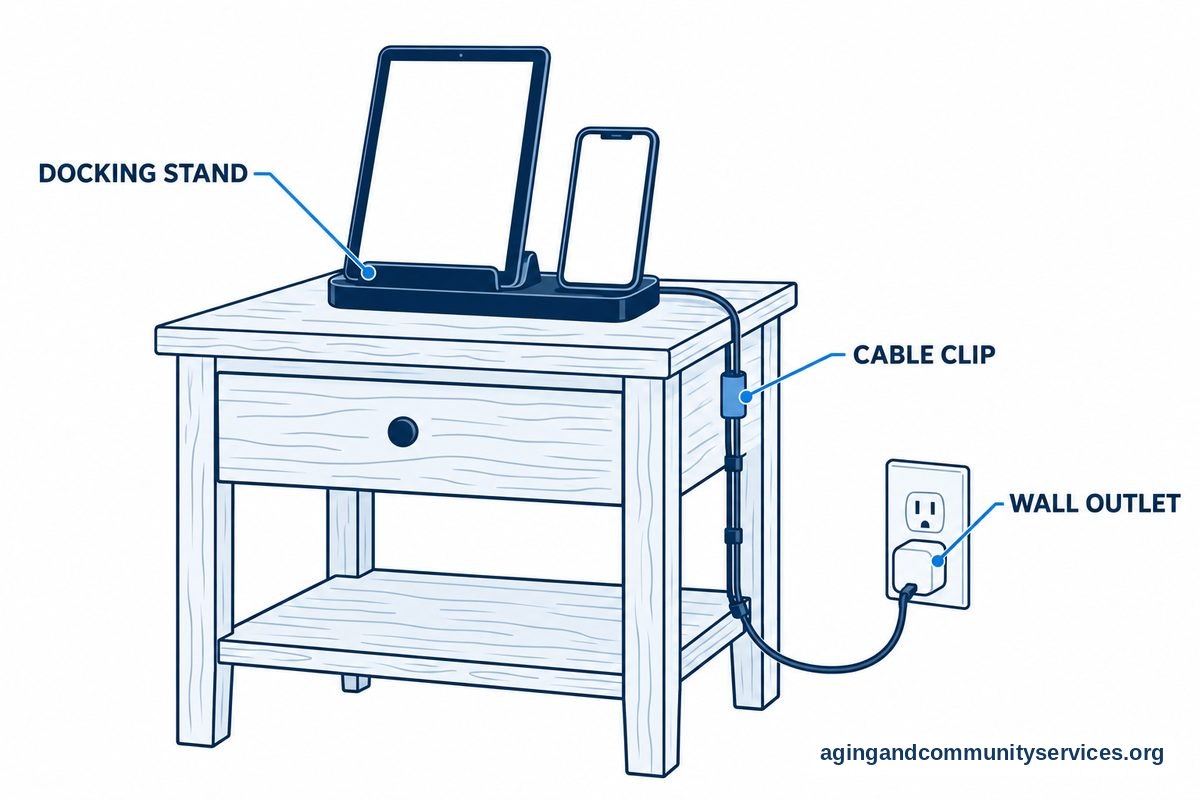
Technology works best when it fits into a normal routine. For example, a tablet on a kitchen table may be easier than a laptop in a closet. A charging station near a favorite chair may help more than a drawer full of cords.
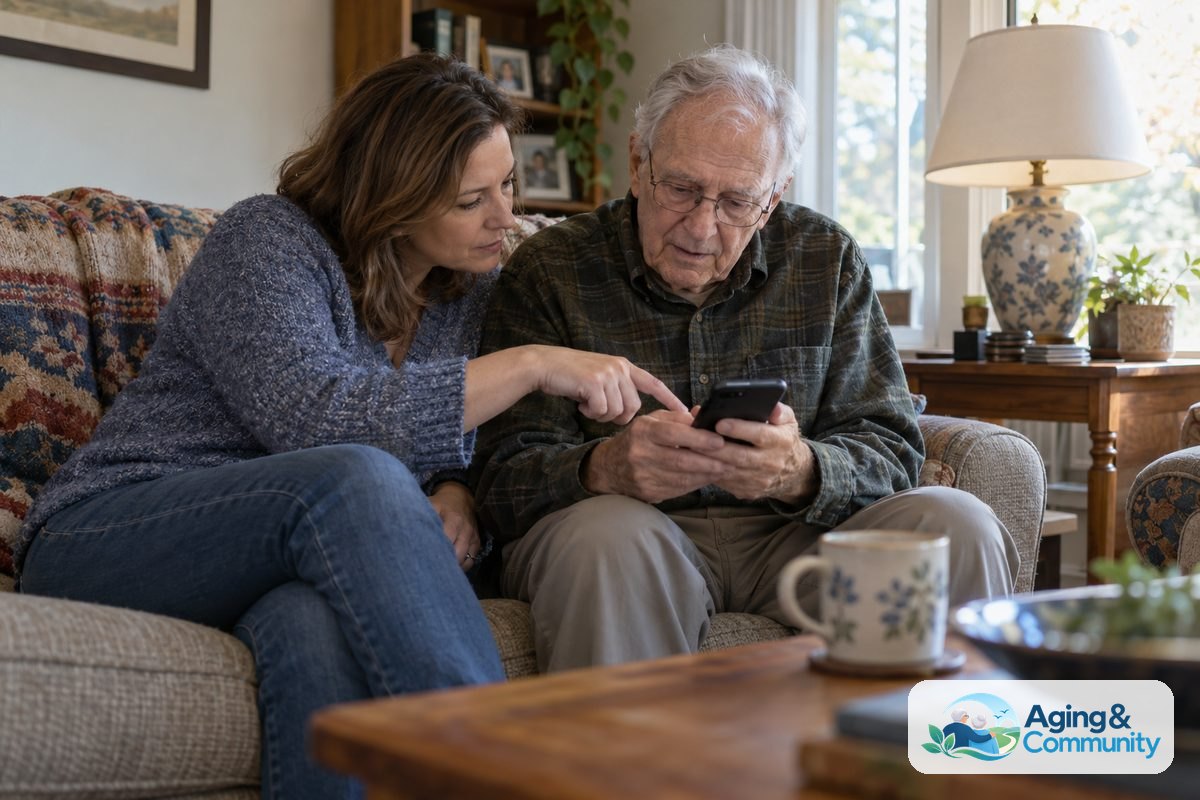
Start with familiar tasks. Calling family, checking the weather, reading news, listening to music, or viewing photos can build confidence. Once those feel steady, it may be easier to add online forms, telehealth portals, or smart home tools.
Some tools can also support safety and mobility planning. The National Institute on Aging says exercise, vision checks, medication reviews with a health professional, and home changes can lower the risk of falls, and its guide to falls prevention gives more detail. Technology can support those steps with reminders, lights, or communication tools, but it should not replace advice from a doctor, physical therapist, or occupational therapist.
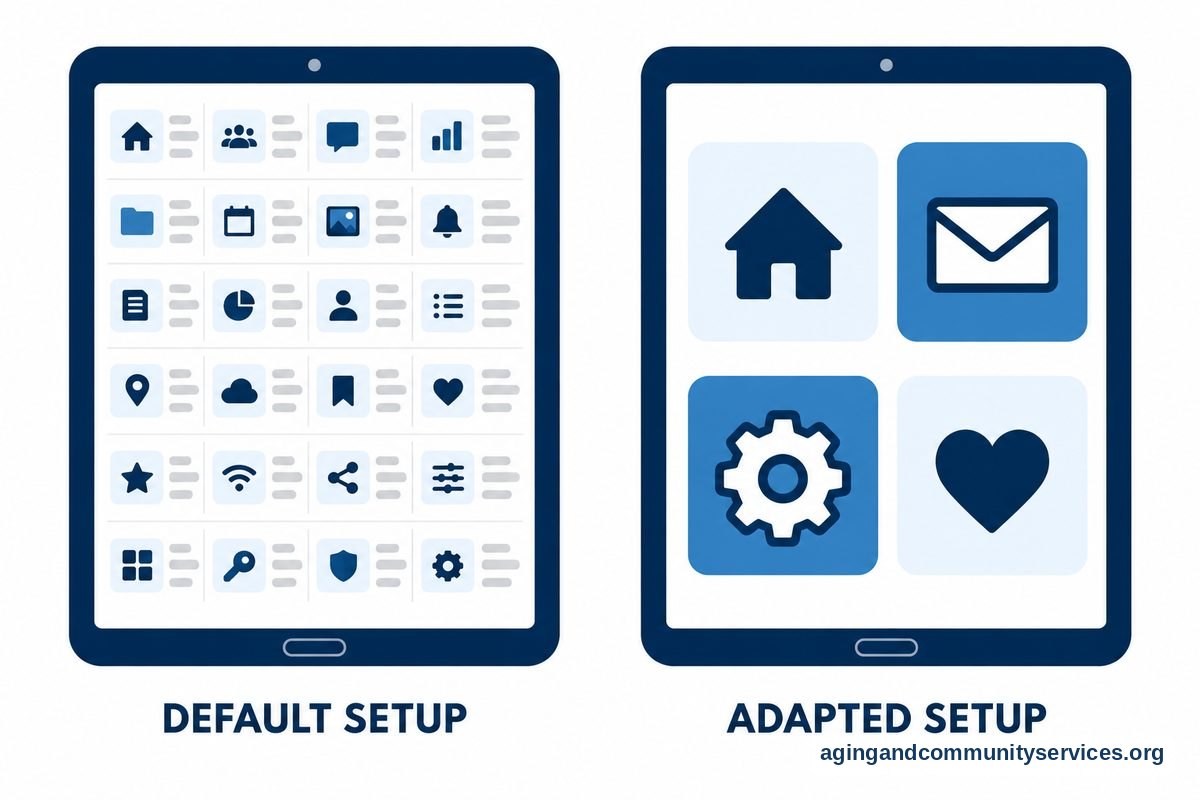
Good setup matters. Increase font size, turn on captions, add emergency contacts, remove unused apps, and place important icons on the first screen. If hearing, vision, hand movement, or memory changes make technology hard to use, ask a doctor, physical therapist, or occupational therapist for guidance.
What You Can Do Next
If you are helping someone with technology, begin with one calm conversation. Ask what they already use, what feels hard, and what they would like to do more easily. Avoid taking over the device unless they ask.
- Pick one goal. Examples include sending photos, joining a video call, reading email, or checking appointments.
- Choose the simplest tool. The right device is the one the person can use with the least frustration.
- Write down steps. Use large print, plain words, and one page if possible.
- Practice in short sessions. Ten calm minutes can work better than a long lesson.
- Set safety rules. Decide who to call before opening strange links or sharing information.
- Review after a week. Keep what works, remove what does not, and adjust the setup.
Progress may be slow, and that is fine. Confidence often grows when a person repeats the same useful task several times. Respecting pace and choice is just as important as choosing the right device.

Frequently Asked Questions
What are the benefits of technology in the elderly?
The benefits of technology in the elderly can include easier communication, reminders, access to information, entertainment, and help with daily planning. The benefit depends on the person, the device, and the support available.
What are the benefits of technology for the elderly?
The benefits of technology for the elderly are strongest when the tool solves a real problem. A video call app may help someone see family more often. A calendar reminder may help with routines. A smart speaker may make it easier to ask for the weather, music, or a timer.
What do statistics say about technology use among seniors?
Technology use among seniors has grown over time, especially for internet access, smartphones, texting, email, and video calls. Statistics also show that confidence and access are not equal for everyone, so family help and simple setup can make a difference.
Are senior citizens using technology more often?
Yes, senior citizens using technology is now common in many households. Many use phones, tablets, computers, smart TVs, or wearable devices. Still, some prefer basic tools, and that choice should be respected.
Why do some elderly people using technology need extra help?
Elderly people using technology may need help because devices can be confusing, screens may be small, passwords can be hard to manage, and scam messages can be worrying. Patient support, clear notes, and simple safety rules can make technology easier to use.